Share
Ownvox
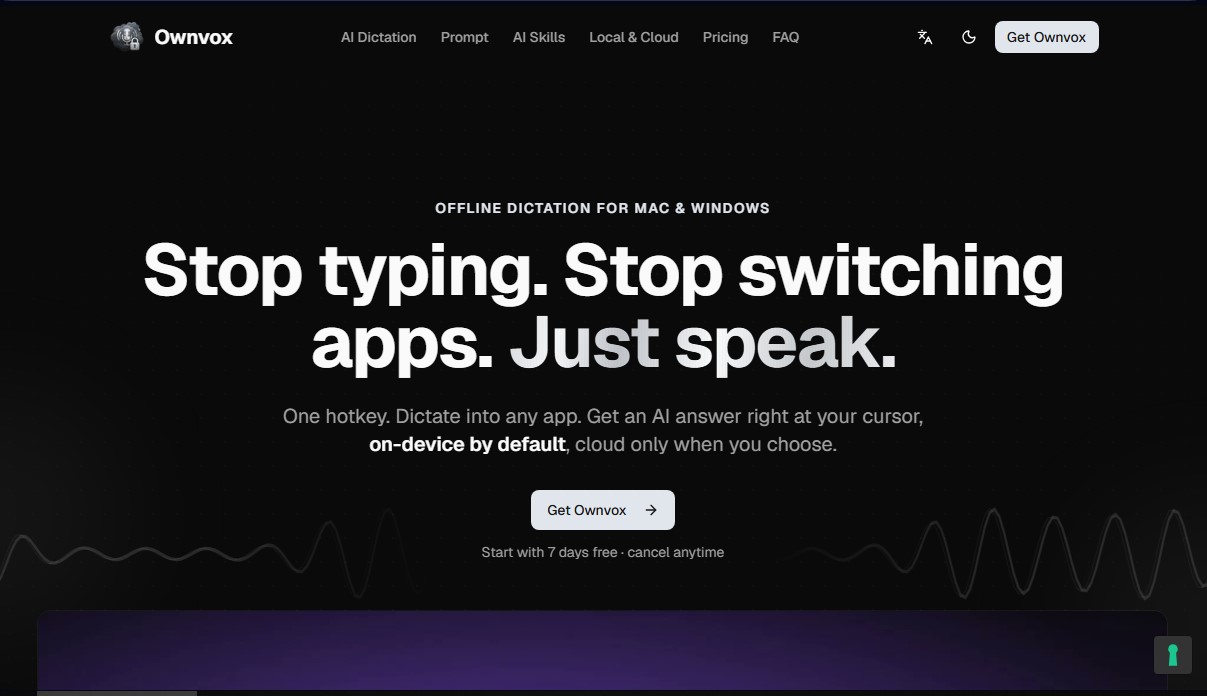
AI voice dictation for Windows and Mac. Transcribe in any app locally or in the cloud, use AI commands, and ensure privacy without switching windows.
General Information about Ownvox
Ownvox is an advanced AI voice dictation solution designed to boost productivity on macOS and Windows computers. Its primary goal is to eliminate the friction between thought and writing, enabling users to input text or interact with language models directly within any application—no window switching or copy-pasting required.
The architecture of Ownvox is defined by its commitment to data privacy and local processing. By default, the tool performs offline transcription using high-performance models like Whisper and Parakeet. This ensures that audio is processed entirely on the user’s device, adhering to strict security standards and regulations such as GDPR. For users who prioritize speed or have less powerful hardware, the application offers an optional toggle to cloud-based models.
Key Capabilities and Functional Benefits:
- Universal Dictation: Operates at the system level via a single keyboard shortcut. It allows for instant voice typing in browsers, terminals, code editors (such as VS Code), or messaging apps.
- Voice Prompts: Users can execute generative AI queries using their voice. By selecting text and dictating an instruction, the AI’s response appears directly under the cursor, integrating seamlessly into the active workflow.
- AI Skills: Features a library of customizable skills for recurring tasks like summarizing text, correcting grammar, or reformatting content. These functions are managed through an intuitive radial menu that streamlines the execution of complex prompts.
- BYOK (Bring Your Own Key) Support: Provides total technical flexibility by allowing users to connect their own API keys (via OpenRouter) or integrate with local servers like Ollama or LM Studio.
- Custom Vocabulary: Allows for the addition of technical terms, proper names, or industry-specific jargon to enhance speech recognition accuracy in professional settings.
The software is optimized to leverage modern hardware, particularly on Apple Silicon devices, where local transcription is exceptionally fast. Ownvox is the ideal choice for professionals seeking a voice productivity tool that respects confidentiality, offering absolute control over which features run locally and which utilize cloud resources through a built-in privacy switch. Its clean, functional design makes it an essential tool for developers, writers, and project managers looking to transform their computer into a seamless, voice-assisted workspace.
Features and Use Cases of Ownvox
How Ownvox Works
Frequently Asked Questions about Ownvox
Does Ownvox offer a free trial?
Ownvox includes a seven-day free trial with full access to all features on both monthly and annual plans.
What operating systems are compatible with Ownvox?
The app is currently compatible with computers running macOS, Windows 10, or Windows 11.
Do I need an internet connection for Ownvox to work?
No, it isn't required. Transcription is performed locally on your device by default to ensure maximum privacy.
How does Ownvox ensure the security of my data and recordings?
Processing is local by default. If you use optional cloud features, a zero-data retention policy is applied on European servers.
Can I dictate text into any application on my computer?
Yes. The tool works at the system level and types text directly wherever your cursor is placed, eliminating the need for copying and pasting.
Can I integrate my own AI API keys into Ownvox?
Yes, you can configure your own OpenRouter keys or connect local models like Ollama to run voice commands and custom skills.
What are the recommended minimum hardware requirements for smooth performance?
A minimum of 8 GB of RAM is required, though 16 GB is recommended. For the best performance with local models on Mac, Apple Silicon processors are recommended.
What are the "AI Skills" offered by the app?
They are custom building blocks that allow you to transform selected or dictated text using AI commands directly within your workflow.
Ownvox Pricing
7-Day Free Trial
Both paid plans include a 7-day free trial with full access to all features, including local dictation and AI capabilities. You can cancel at any time before the trial ends to avoid being charged.
Monthly Plan
8,99 € per month (VAT included)
Full access to all features without restrictions.
Hands-free dictation in any application, browser, or text editor on Windows and macOS.
Execute voice prompts and customizable "AI Skills" directly at the cursor.
Flexibility to switch between local (offline) and cloud-based transcription models.
Privacy toggle to instantly disable any cloud connection.
Support for Bring Your Own Key (BYOK) to connect external models like OpenAI or OpenRouter.
Annual Plan
84,99 € per year (VAT included)
Includes all features and tools from the Monthly Plan.
Save 21% compared to the monthly subscription (equivalent to 7,08 €/month).
Full access and updates for one year.
Supports local models (Whisper, Parakeet) or private endpoints (Ollama, LM Studio) for enhanced privacy.
Ownvox Screenshots