Pacdora AI Background Generator
Share
Automatically generate professional backgrounds for product images. Remove backgrounds and apply realistic scenes with adjusted lighting and shadows via 3D rendering.
What is Pacdora AI Background Generator?
Pacdora AI Background Generator is an advanced tool designed to create high-quality product images using artificial intelligence. Its primary function is to transform conventional photographs into professional compositions by automatically removing backgrounds and replacing them with realistic environments. This solution is aimed at optimizing the workflow for online stores, designers, and marketing specialists seeking photo studio results without the costs of a physical shoot.
The technology behind this AI background generator integrates image processing algorithms with high-precision 3D rendering. Unlike traditional editing tools, Pacdora analyzes the object's structure to intelligently adjust lighting, shadow types, and viewing angles. This ensures the product integrates seamlessly with the new scene, maintaining correct proportions and achieving visual coherence that looks natural to the human eye, accurately simulating professional studio conditions.
The process is intuitive and requires no prior graphic design experience, functioning smoothly from any computer. Users can manage their projects in three simple steps:
- Image Upload: The system supports standard formats such as PNG, JPG, and WebP, allowing you to drag and drop files directly into the interface.
- Style Selection: The AI acts as a visual advisor, recommending a wide variety of custom backgrounds that match the product's aesthetic and nature. You can experiment with different themes and visual styles until you find the perfect fit.
- Instant Export: Once the background is generated, the final image is processed in seconds, ready to be downloaded and used in commercial materials.
The core capabilities of the Pacdora AI Background Generator include:
- Automatic background removal with high precision on edges, eliminating the need for manual clipping.
- Intelligent scene generation that adapts ambient light to the color and material of the uploaded item.
- Extensive library of styles and predefined settings to immediately capture consumer attention.
- Efficient workflow, allowing you to visualize the same item in multiple contexts in just a few seconds.
This tool stands out by offering a studio-quality finish that is both accessible and fast. By automating complex editing and composition tasks, it allows users to focus on their sales strategy, ensuring their products look attractive and realistic across any digital channel. The combination of artificial intelligence and advanced rendering technology positions this application as an essential resource for enhancing any brand's visual identity without technical complications.
Pacdora AI Background Generator features and use cases
How to use Pacdora AI Background Generator
Pacdora AI Background Generator FAQ
What is the Pacdora AI Background Generator?
It is an online design tool that uses artificial intelligence to automatically remove the background from your product photos and replace them with professional settings.
How do I generate backgrounds with the Pacdora tool?
The process is very simple: just upload your product image, select the visual style that best fits your brand, and export the final result.
Do I need design experience to use the Pacdora AI Background Generator?
No prior design experience is necessary, as the AI handles the lighting, shadows, and perspective adjustments to ensure a realistic result.
What image formats can I upload to the platform?
The generator supports PNG, JPG, and WebP files, making it easy to work with any type of product photography.
Can I use the Pacdora AI Background Generator for free?
Yes, there is a free plan that allows you to create projects and upload images at no cost, though features like watermark removal require a paid plan.
Why do Pacdora’s results look so realistic?
The tool uses advanced 3D rendering technology that perfectly aligns the product's angle with the lighting and shadows of the suggested background.
What are the benefits of the Pro plan for frequent users?
The Pro plan allows you to download images without watermarks, export 4K quality renders, and includes 3,000 monthly credits for generating AI content.
Does Pacdora offer commercial use licenses for the images?
Yes, the Business plan is specifically designed for professionals and companies, including commercial use rights and resale licenses.
How long does the AI take to create a new background?
The system is extremely fast and can find and apply the perfect scene for your product in just a few seconds after the image is uploaded.
What sets Pacdora apart from other background generators on the market?
Its main value lies in its ease of use and its ability to automatically suggest backgrounds that match the product's vibe and style without needing to adjust parameters manually.
Pacdora AI Background Generator pricing and plans
Free Plan
Free
- Unlimited project creation.
- Unlimited image uploads.
- Restrictions: Watermark removal not included, does not include usage authorization or resale license, and limited rendering speeds.
Pro Plan
$17 per month (billed annually at $199)
- Remove all watermarks.
- Unlimited dieline template exports.
- 4K image render exports.
- 1080p video render exports.
- 3,000 monthly AI credits.
- HTML code generation and logo removal when sharing.
- Restriction: Personal use only.
Business Plan
$59 per month (billed annually at $708)
- Includes all Pro plan features.
- 8K image render exports.
- 2K video render exports.
- 10,000 monthly AI credits.
- Advanced dieline template features.
- Includes commercial and resale license.
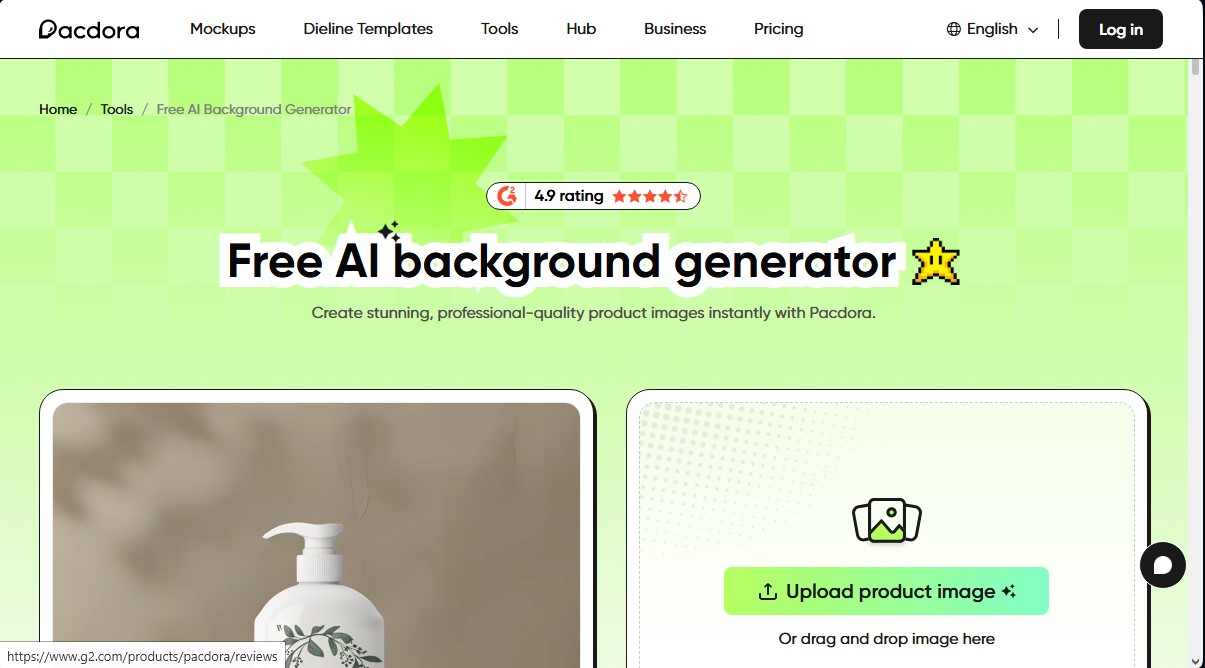
Pacdora AI Background Generator Screenshots
Pacdora AI Background Generator alternatives




AppGrowthKit
Generate AI screenshots and icons for the App Store and Google Play. Features 3D mockups, localization in 42 languages, and ASO audits to boost mobile rankings.

AI Exterior Design Generator
Use AI to turn photos of your yard or patio into landscape designs. Visualize realistic outdoor makeovers in multiple styles quickly and easily.