Share
Analyze message tone before sending to avoid conflict. Assess risk based on the recipient and get suggested improvements for assertive communication.
What is pause?
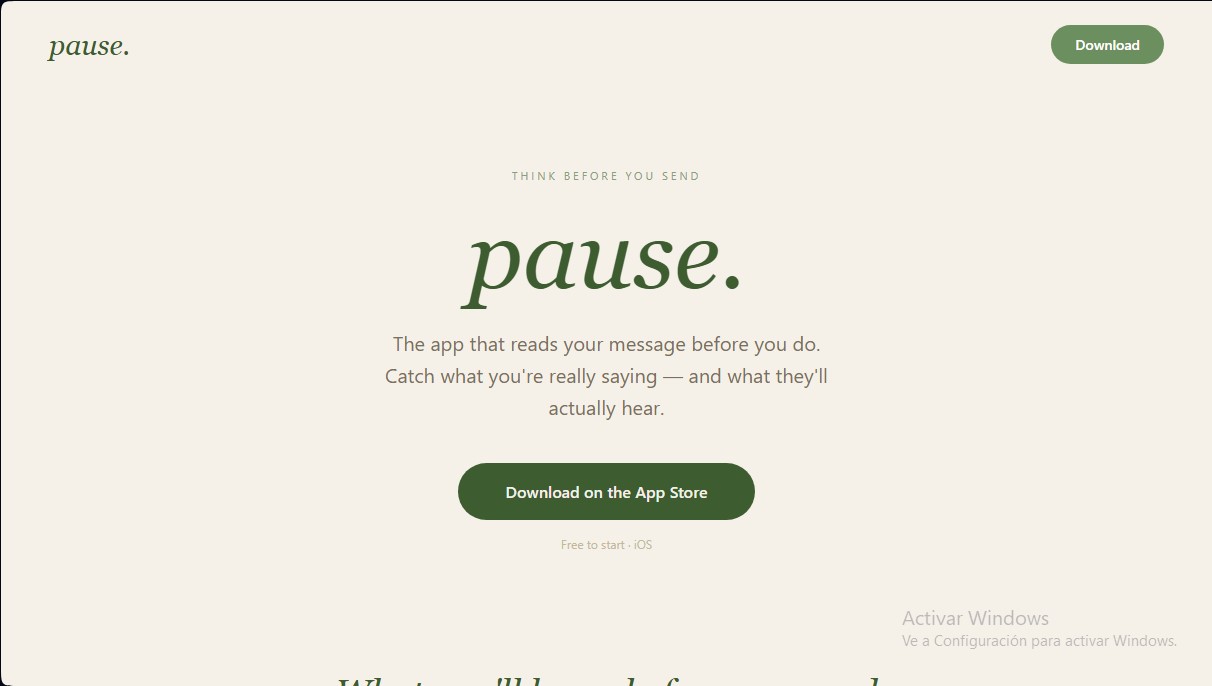
pause. is an artificial intelligence tool designed for iOS devices that acts as a preventive communication assistant. Its primary function is to analyze message drafts before the user sends them, identifying the actual tone of the words and predicting how the recipient will perceive them. This app is geared toward users looking to improve their assertive communication and avoid impulsive responses that could jeopardize personal or professional relationships.
The operation of pause. is based on a real-time text analysis process. The user simply copies the draft they intend to send and pastes it into the app. Using natural language processing algorithms, the tool evaluates the content based on specific context provided by the user, such as the type of recipient (boss, partner, parents, or exes) and the sender’s emotional state.
The app’s core capabilities include:
- Risk Scoring: The AI assigns a rating to the message to determine how confrontational or risky it is before it leaves the mobile device.
- Recipient Adaptation: The system adjusts its evaluation criteria depending on who the recipient is, offering personalized feedback based on the social or hierarchical bond.
- Smart Message Rewriting: pause. generates alternative versions of the original text that maintain the user’s intent but with a calmer, more professional tone, ready to be copied and sent.
- Behavioral Pattern Analysis: The tool records communication history to help users identify trends in how they react and communicate over the long term.
From a functional standpoint, pause. doesn't just correct text; it acts as an emotional intelligence filter applied to digital messaging. By providing objective sentiment analysis, it allows users to shift from instinctive reactions to intentional communication. It is a practical solution for managing stress or conflict situations from a mobile device, ensuring the final message is constructive.
This AI tool is ideal for those who want to monitor their communication hygiene and better understand how their words impact others. By using pause., users gain an external perspective on their own writing, facilitating more conscious decision-making before hitting the send button. Its focus on conflict prevention makes it a valuable resource in both professional environments and private life.
pause features and use cases
How to use pause
pause FAQ
What is pause., and what exactly does it do?
It’s an iOS app designed to analyze your message drafts before you hit send, helping you understand how the recipient might perceive them and providing improved versions.
How does the analysis process work in pause.?
Simply copy the text you want to send, paste it into the app, and select your recipient. You’ll then receive a risk score and a suggestion for a calmer version of your message.
Does the recipient type affect the results in pause.?
Yes. The analysis changes completely depending on whether the message is for your boss, partner, parents, or ex, tailoring the advice to the specific context of that relationship.
Can I use pause. for free?
The free version allows for up to five daily analyses and includes basic risk scoring and message rewriting features.
What are the benefits of the Pro subscription?
A Pro subscription includes unlimited analyses, access to all seven recipient types, a permanent history of your messages, behavioral pattern reports, and priority support.
Where can I download the pause. app?
The app is currently available exclusively for iOS devices and can be downloaded directly from the App Store.
How does pause. help me improve my communication over time?
The app tracks your communication patterns, helping you identify moments of impulsivity so you can learn to communicate more intentionally.
What is the risk score shown in pause.?
It’s an indicator that helps you gauge how confrontational or problematic your message might be before it leaves your hands, giving you the chance to fix it in time.
pause pricing and plans
Free Plan
0 $
A free version to explore the app and its basic analysis features.
- 5 analyses per day.
- Risk scoring and message rewriting.
- 7-day basic history.
Pro Plan (Monthly)
4,99 $ per month
A comprehensive subscription designed for users seeking in-depth analysis of their communications.
- Unlimited analyses.
- Access to all 7 recipient types.
- Permanent full history.
- AI-powered behavioral insights.
- Behavioral pattern reports over time.
- Priority support.
Pro Plan (Annual)
44,99 $ per year
A one-time annual payment option that offers 25% savings compared to the monthly subscription (equivalent to 3,75 $/month).
- Includes all features and benefits of the Monthly Pro plan.
pause Screenshots
pause user reviews
Write a review
Checking your session...
pause Reviews
Loading reviews...
pause alternatives

ProWritingAid
AI grammar checker and style editor for novelists, with in-depth writing reports, chapter critiques, manuscript analysis and a virtual beta reader.



NeuronWriter
NeuronWriter is an SEO content editor that studies search results with NLP, scores your drafts and keeps an eye on your visibility in AI search.