

Share
Convert PDFs to EPUB using AI while preserving layout, formulas, and tables. Optimize technical docs for a smooth, comfortable reading experience on any device.
What is PDF2EPUB.ai?
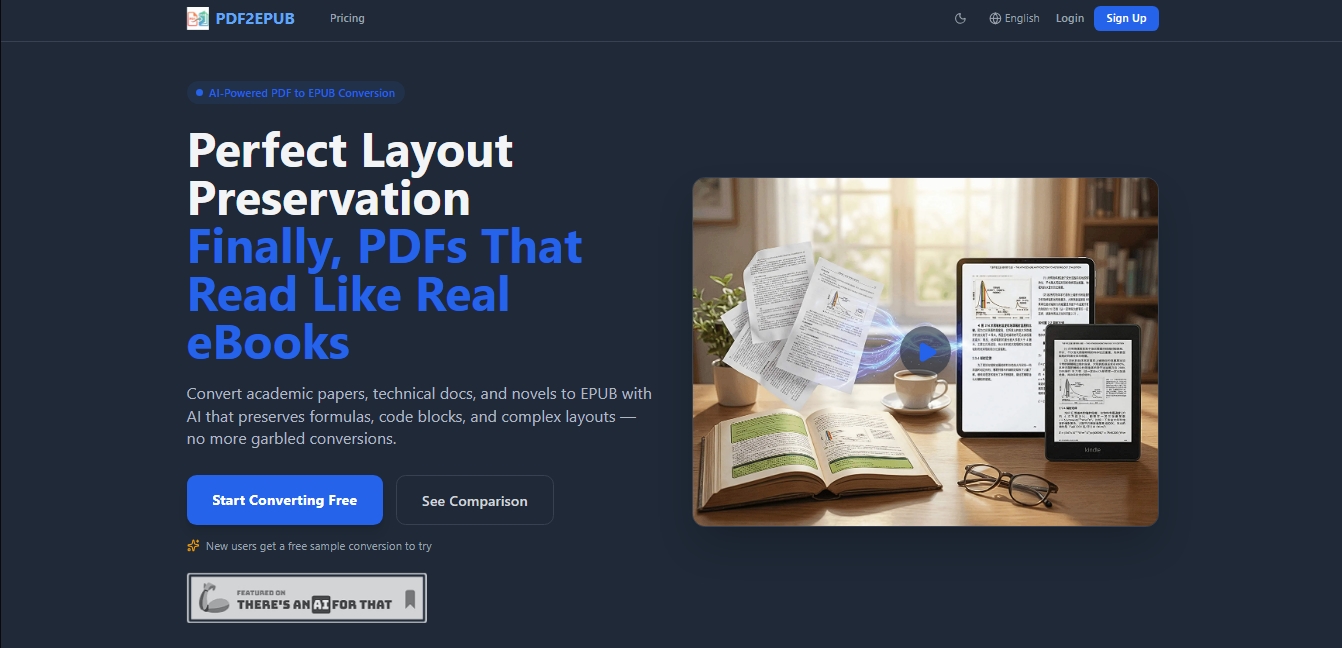
PDF2EPUB.ai is a specialized solution for AI-powered PDF to EPUB conversion, designed to overcome the limitations of conventional converters. Its primary function is to transform static documents into reflowable eBooks, ensuring optimal layout preservation. This tool is particularly useful for users who need to read technical documents, academic articles, or novels on a smartphone or tablet, eliminating the need for constant zooming and fixing the display issues inherent to original PDF files on small screens.
The platform's technological core is based on multimodal AI and an advanced OCR system that interprets content contextually, much like a human eye would. This allows PDF2EPUB.ai to accurately handle complex elements that often break during other conversions, such as code blocks, LaTeX math formulas, and double-column structures. By converting content into reflowable text, users can adjust font size, change typography, and improve readability according to their preferences.
Key functional capabilities and practical benefits include:
Automatic Table of Contents (TOC) Reconstruction: The AI detects the document's hierarchical structure to generate an interactive and navigable table of contents.
Integrated AI Translation: It offers the ability to translate content into 18 different languages, even allowing for bilingual output with the original and translated text side-by-side.
Document Cleaning: Automatically removes watermarks and ads that often hinder the reading experience in PDF files.
Extended Multilingual Support: Fluently handles documents in multiple languages, including conversion between Simplified and Traditional Chinese.
Style Customization: Allows you to apply design templates and customize fonts and colors before generating the final file.
Data Security: Files are encrypted during transit and automatically deleted from servers after processing to ensure privacy.
The platform's workflow is straightforward and efficient. Users upload files from their computer (it supports batch processing for multiple documents at once), the AI processes the layout, and the system provides an online preview of the resulting EPUB without needing to download it first. To adapt to different document types, the tool offers processing models with varying levels of precision, ranging from fast options for simple text to high-fidelity models for technical documents that require perfect formatting.
PDF2EPUB.ai features and use cases
How to use PDF2EPUB.ai
PDF2EPUB.ai FAQ
What is PDF2EPUB and what is this tool used for?
It is an AI-powered platform designed to convert PDF files to EPUB format while accurately preserving the original layout, formulas, and code blocks.
Can I try PDF2EPUB for free before paying?
Yes, new registered users receive one free sample conversion to check the quality of the results before purchasing credits or subscriptions.
What is the difference between the Flash, Pro, and Ultra conversion models?
The Flash model is fast and affordable for simple text, while the Pro and Ultra models use advanced AI for complex documents containing tables and mathematical formulas.
Are my documents safe when using PDF2EPUB?
Your documents are completely secure; files are encrypted during transmission and automatically deleted from our servers once processing is complete.
Is the tool able to maintain mathematical formulas and programming code?
Yes, the multimodal AI technology is specifically optimized to detect and keep code blocks and LaTeX formulas intact.
Can I translate my books into other languages during conversion?
The platform allows you to translate content into eighteen different languages with a single click and even offers a bilingual output option with side-by-side text.
What happens if my PDF file conversion fails?
The pay-as-you-go system ensures that no charges are made to your credit balance if the conversion process does not complete successfully.
Does PDF2EPUB allow for converting multiple files at the same time?
Yes, the service supports batch processing, which allows you to upload multiple documents simultaneously to be processed automatically in the background.
How does the platform's credit and pricing system work?
PDF2EPUB offers a flexible pay-as-you-go system where credits do not expire, as well as monthly or annual subscription plans for recurring users.
Is it possible to preview the ebook before downloading it?
The tool includes a built-in browser EPUB viewer so you can review the final result and make corrections before downloading the file to your device.
PDF2EPUB.ai pricing and plans
Free Version: 0 $
Free sample conversion for new users to try out the service.
1 concurrent task.
Normal processing priority.
Community support.
Starter Plan: 9,9 $ per month
1,500 credits per month (includes a 50% bonus).
2 concurrent tasks.
Standard processing priority.
Standard support.
5% bonus on additional credit purchases.
Standard Plan: 29,9 $ per month (Annual billing option: 12 months for the price of 10)
5,400 credits per month (includes an 80% bonus).
5 concurrent tasks.
High processing priority.
Priority support.
10% bonus on additional credit purchases.
Includes commercial license, Pro workspace, and custom EPUB styles.
Pro Plan: 69,9 $ per month (Annual billing option: 12 months for the price of 10)
14,000 credits per month (includes a 100% bonus).
10 concurrent tasks.
Highest processing priority.
Dedicated support.
15% bonus on additional credit purchases.
Includes commercial license, Pro workspace, and custom EPUB styles.
Pay As You Go: Variable pricing
Credit balance never expires.
Cost depends on the selected AI model: Flash (1x credits), Pro (3x credits), or Ultra (8x credits).
For reference, converting a 300-page book costs 7,47 $ with the Flash model, 17,82 $ with the Pro model, and 55,80 $ with the Ultra model.
PDF2EPUB.ai Screenshots
PDF2EPUB.ai user reviews
Write a review
Checking your session...
PDF2EPUB.ai Reviews
Loading reviews...
PDF2EPUB.ai alternatives

SayLingo.ai
Practice 30 languages with AI tutors. Improve your pronunciation and grammar through real conversations, guided lessons, and official exam preparation.



AI Translate Manga.com
Translate Japanese manga into English or Simplified Chinese directly in the panels. Supports PNG, JPG, and PDF files, plus a Chrome extension for online reading.

Kapwing Hinglish Subtitles Generator
Generate automatic Hinglish captions for videos in 100+ languages. Includes AI-powered editing and dubbing tools to reach bilingual audiences.

Ask BONBON
AI assistant for electricians that answers NEC and CEC code questions with official citations. Includes calculation tools, blueprint analysis, and a voice assistant.