

Share
Generate animated videos from photos and illustrations with advanced AI models. Add camera movement and instantly export portraits, art, or products in 4K.
What is Photo2Video AI?
Photo2Video is an advanced AI video generator designed to transform static images, illustrations, or text descriptions into high-quality dynamic content. This tool allows you to bring any visual file to life without the need for physical filming, utilizing an infrastructure that integrates the most powerful video generation engines on the market today into a single interface.
The platform stands out for its multi-model approach, allowing users to choose from cutting-edge technologies like Seedance 2.0, Kling, Wan, Veo, Sora 2, Hailuo, Vidu, Imagine, Agnes, and Happy Horse. By centralizing these models, Photo2Video makes it easy to compare results and select the algorithm that best fits the project's aesthetics or complexity, whether generating natural human movement or fluid animations in abstract environments.
The system's operation is straightforward and functional: the user uploads a reference image or enters a descriptive text prompt for the artificial intelligence to interpret the scene. The tool allows for the application of specific camera movements, such as pans or push-ins, as well as the adjustment of technical parameters like lens type, depth of field, and animation pacing. The system maintains the visual fidelity of the original image while adding realistic gestures, such as blinking and smiling in portrait animations, or rotations in product photography to showcase different angles.
Among its core capabilities and practical benefits, the following stand out:
- Image-to-Video Conversion: Transforms still photos into motion sequences while maintaining visual coherence and the original style.
- Cinematic Control: Allows you to define camera paths and framing lighting for a professional finish.
- Model Versatility: The ability to switch AI models depending on the shot to optimize realism or creativity.
- High Resolution: Supports exporting content in up to 4K quality, ideal for professional use across various platforms.
- Asset Animation: The capability to give smooth motion to illustrations, artwork, and commercial products.
This solution is especially useful for content creators, designers, and marketing specialists who need to generate audiovisual material quickly from their computer. By removing the barrier of physical production, Photo2Video enables the creation of coherent and visually appealing sequences from a single image, optimizing delivery times for digital and advertising projects. The tool works directly from the browser, facilitating a streamlined workflow without complex installations.
Photo2Video AI features and use cases
How to use Photo2Video AI
Photo2Video AI FAQ
What is Photo2Video, and what kind of results can I expect?
It is an AI-powered tool that transforms photos, illustrations, or text descriptions into animated videos with realistic camera movements.
Do I need a subscription to use Photo2Video?
No, the platform operates on a pay-as-you-go system using consumable credit packs that do not renew automatically.
Which AI models are available in the tool?
You can choose from the most advanced engines on the market, such as Seedance 2.0, Kling, Wan, Veo, Sora 2, and Hailuo, to generate your videos.
Can I animate product photos for my business?
Yes, you can bring product images to life by adding pans and lens movements that maintain complete fidelity to the original object's details.
Do I need to sign up to try Photo2Video?
No registration is required for initial testing, allowing you to experiment with the animation technology immediately and for free.
What resolution can the final videos be exported in?
The platform allows you to export your creations in high quality, reaching up to 4K resolution to ensure a professional finish.
What kind of camera movements can I add to my images?
The system allows you to configure pans, zooms, and other lens adjustments to turn a static image into a dynamic scene.
How is the number of credits consumed per generation determined?
The cost depends on several factors selected before creation, such as the AI model used, the video length, and the chosen resolution.
Can I animate facial expressions in portraits?
Yes, the technology can process faces in photographs to add gestures like blinking or smiling while maintaining a natural look.
What payment methods are accepted for purchasing credits?
Payments are processed securely through Stripe, allowing you to purchase credit packs that are added directly to your user account.
Photo2Video AI pricing and plans
Free Trial
Price: Free
Try the generator with no registration required.
Limited access to animate images, illustrations, or prompts.
150 Credit Pack
Price: 4,99 $ (One-time payment)
Create up to 50 AI videos.
Access leading models like Seedance 2.0, Kling, Wan, and Veo.
Credit consumption varies based on model, duration, resolution, and selected audio settings.
No monthly subscription or auto-renewal.
500 Credit Pack
Price: 12,99 $ (One-time payment)
Create up to 165 AI videos.
Includes features for camera motion and exports in up to 4K resolution.
Access all available models (Sora 2, Hailuo, Vidu, etc.) to compare results.
Control parameters such as lens, depth of field, and pacing.
1,200 Credit Pack
Price: 24,99 $ (One-time payment)
Create up to 400 AI videos.
Use consumable credits for generation and editing requests.
Animate portraits, artwork, and products while maintaining original details.
Credits are personal, non-transferable, and do not expire as long as the account is active.
2,500 Credit Pack
Price: 49,99 $ (One-time payment)
Create up to 830 AI videos.
Full access to all AI image and video editing tools.
Option to stack shots into a complete sequence that follows the reference image.
Secure payment management through Stripe and RevenueCat.
Photo2Video AI Screenshots
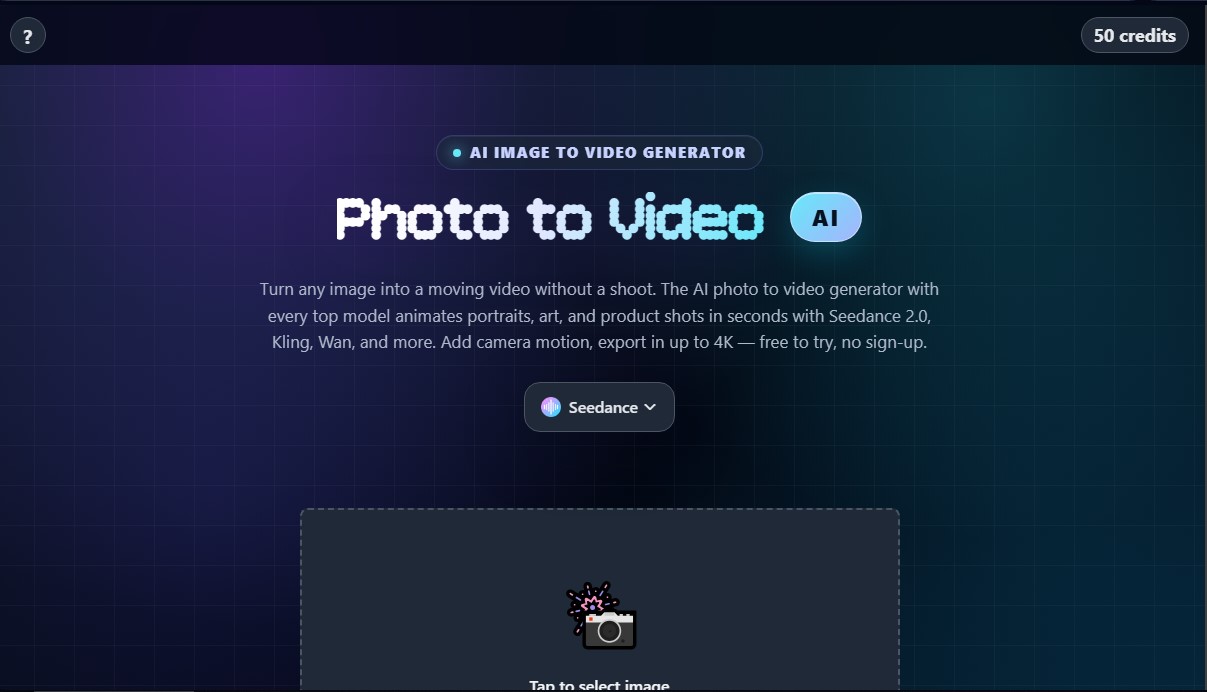
Photo2Video AI user reviews
Write a review
Checking your session...
Photo2Video AI Reviews
Loading reviews...
Photo2Video AI alternatives




Osmo Studio
AI animation studio for professional motion graphics and videos. Control every detail, collaborate with teams, and export with transparent backgrounds.

Victoria Secret Runway
Create fashion show videos by integrating your face into real scenes. Just upload a photo to replace professional models and walk the runway.
