Pictory
Share
Pictory
Generate professional videos from text, scripts, or links. Includes AI voiceovers, auto-captions, and stock footage to create high-quality content in minutes.
General Information about Pictory
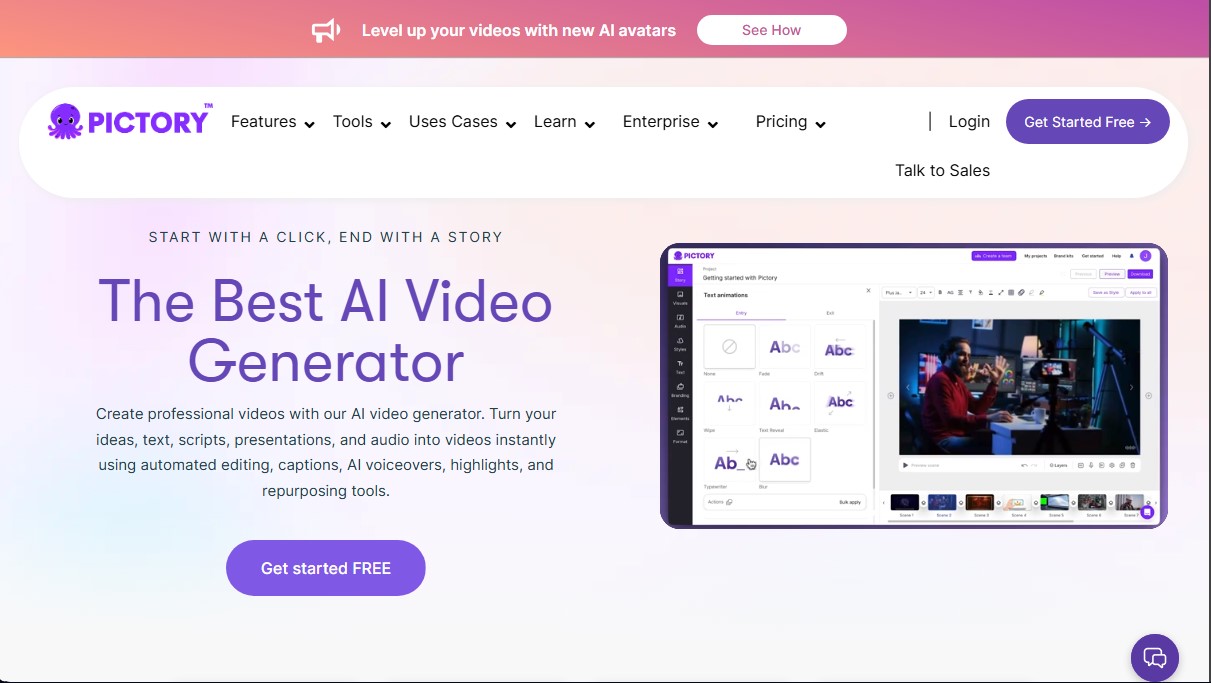
Pictory is an advanced audiovisual content creation platform that functions as a powerful professional AI video generator. Its primary purpose is to automatically transform ideas, scripts, blog posts, presentations, or audio recordings into finished video pieces. It is designed to simplify the workflow for creators, marketing teams, and educators who need to produce content at scale without relying on cameras, complex recording equipment, or technical editing software on their computer.
The tool utilizes natural language processing and computer vision algorithms to analyze input text. By entering a script or a URL, Pictory’s AI identifies key messages and automatically selects high-quality visual clips from extensive libraries such as Getty Images and Storyblocks. Additionally, it integrates ElevenLabs technology to generate realistic AI voiceovers in multiple languages, syncing the audio with auto-generated captions to improve accessibility and the impact of the message.
Among its most notable functional capabilities are:
- Script to Video: Direct conversion of scripts into structured scenes with transitions, background music, and cohesive visual elements.
- AI Video Editor: Allows for video editing using the transcription text, removing segments as easily as deleting words in a text document.
- Long Video Summaries: Automatic extraction of key highlights to create short clips tailored for social media.
- AI Studio: Tools to generate custom images and video clips through text prompts, offering total creative control.
- AI Avatars: Realistic digital presenters that narrate content, allowing for a consistent visual presence without the need for actual filming.
The workflow in Pictory is intuitive and divided into four phases: source selection (text, audio, or link), script and scene refinement, aesthetic customization, and final export in 1080p. Users can apply their own brand kits, including logos, fonts, and corporate colors, ensuring a consistent visual identity. The platform also allows for adjusting the video format (horizontal, vertical, or square) to optimize distribution across platforms like YouTube, TikTok, Instagram, or LinkedIn.
To maximize productivity, the tool offers integrations with Zapier and Make, facilitating workflow automation and the delivery of files to storage systems or shared folders. It also features a Chrome extension to generate content directly from the browser, streamlining the content repurposing of existing materials for marketing campaigns, corporate training, or educational tutorials. Pictory removes the technical barriers of traditional editing, allowing any user to turn an idea into a professional visual story in just a few minutes.
Features and Use Cases of Pictory
How Pictory Works
Frequently Asked Questions about Pictory
What is Pictory and what can I achieve with this tool?
Pictory is an AI-powered video generator that allows you to automatically transform text, scripts, articles, or links into professional-quality videos.
Can I use my own images and video clips in Pictory?
Yes, you can upload your own media files to customize your projects or combine them with the platform's extensive library of stock content.
What video formats does Pictory support?
The tool allows you to create videos in landscape, portrait, or square formats so they fit perfectly on platforms like YouTube, TikTok, or Instagram.
Can I customize the videos with my own branding?
Yes, the platform lets you set up brand kits to easily include your own logos, fonts, and corporate colors in every scene.
Does Pictory include AI-generated voiceovers?
Yes, you have access to a wide selection of realistic voices in multiple languages—including options from ElevenLabs—to automatically narrate your conten
What are Pictory's AI avatars?
They are realistic digital presenters that narrate your content directly within the video scenes, eliminating the need for a camera or microphone.
How does text-based video editing work in Pictory?
You can easily edit your video recordings by modifying the text transcript directly, which makes the process of trimming and selecting scenes much simpler.
Can I automatically generate captions with Pictory?
Yes, the tool instantly transcribes and adds captions to your videos to improve accessibility and boost your content's reach on social media.
Pictory Pricing
Free Trial
Available to start creating videos and testing AI tools at no upfront cost.
Starter
Price: 29 $ per month (or 25 $ per month billed annually).
- 1 user.
- 200-minute video limit.
- 5 GB of storage.
- 1 Brand Kit.
- 60 minutes of ElevenLabs AI voices in 29 languages.
- Access to 5 million stock videos from Getty Images and Storyblocks.
- No watermark.
- Basic AI tools and auto-sync for uploaded voiceovers.
Professional
Price: 59 $ per month (or 35 $ per month billed annually).
- 1 user.
- 600-minute video limit.
- 20 GB of storage.
- 5 Brand Kits.
- Unlimited standard voices in 7 languages.
- 120 minutes of ElevenLabs AI voices in 29 languages.
- Access to 18 million stock videos from Getty Images and Storyblocks.
- 500 AI credits for generating images, videos, and avatars.
- Advanced AI tools and long-video summarization feature.
Team
Price: 199 $ per month (or 119 $ per month billed annually).
- Starting at 3 users.
- 1,800-minute video limit.
- 100 GB of storage.
- 10 Brand Kits.
- 240 minutes of ElevenLabs AI voices in 29 languages.
- 2,400 AI credits for generating images, videos, and avatars.
- Shared workspace for project collaboration and asset sharing.
- Professional onboarding and team-specific training.
Enterprise
Price: Custom (contact the official website).
- Starting at 10 users.
- Custom video minutes and storage based on your needs.
- Unlimited Brand Kits.
- Tailored AI credits and ElevenLabs voice minutes.
- Pictory Central: Interactive video hosting with AI-generated chapters, quizzes, and clickable CTAs.
- Dedicated Success Manager and expert video consulting.
- Custom template creation and early access to beta features.
Pictory Screenshots