
Share
Transcribe YouTube, TikTok, and Instagram videos to text with timestamps. Generate subtitles, AI summaries, and translate content to streamline scriptwriting.
What is PixScript?
PixScript is an AI platform specialized in automated and efficient video-to-text transcription. Its primary goal is to facilitate the conversion of audiovisual content from social media and streaming platforms into accurate written documents. This tool is highly useful for content creators, editors, researchers, and marketing professionals looking to optimize their workflow through transcription automation.
The application’s operation is based on advanced Speech-to-Text algorithms that process audio in seconds. The process is straightforward: users simply paste a URL from a YouTube video, TikTok, or Instagram Reel, or upload a local file from their computer. PixScript’s AI analyzes the audio track and generates structured text that includes precise timestamps, allowing for quick navigation through the original content.
Key technical and functional capabilities include:
- Multi-channel Transcription: Natively supports YouTube, Shorts, TikTok, Instagram, podcasts, and live streams.
- AI Translation: Allows for the translation of the resulting text into more than 50 languages while maintaining a natural and coherent grammatical structure.
- Automatic Summaries: The ability to synthesize a video’s key points or rewrite the content to turn it directly into blog posts or social media updates.
- Versatile Exporting: Users can download results in professional formats such as SRT, VTT, PDF, JSON, or Excel, facilitating the creation of captions and data analysis.
- Batch Processing: Allows for the simultaneous management of multiple links to save time on high-volume projects.
From a practical standpoint, PixScript stands out for its utility in content repurposing. By transforming a video into text, it becomes much easier to improve a website's SEO or create scripts based on previous interviews. The precision of its AI engine minimizes the need for extensive manual corrections, even for content with complex terminology. Additionally, the ability to obtain subtitle files ready for use on mobile devices significantly improves the accessibility of any digital content.
This tool positions itself as a comprehensive solution that combines the power of natural language processing with a simple interface, eliminating technical barriers for those who need to extract value from their video assets immediately and professionally. It is a key resource for converting ephemeral social media content into permanent, editable text assets.
PixScript features and use cases
How to use PixScript
PixScript FAQ
How does PixScript work for video transcription?
Just paste a link from YouTube, TikTok, or Instagram, and the platform will extract the audio and convert it into text with timestamps in just a few seconds.
Can I use PixScript for free?
Yes, we offer a free plan that includes ten transcriptions per month for videos up to five minutes long, with no credit card required.
Which platforms are supported?
You can use links from YouTube, TikTok, Instagram Reels, and Shorts. You can also upload your own video or audio files directly for processing.
What formats can I export my PixScript results in?
Depending on your plan, you can download your content in formats such as TXT, SRT, VTT, PDF, JSON, or even Excel files to help manage your subtitles.
Can I translate my transcriptions into other languages?
Yes, the tool uses AI to translate text into over fifty different languages, providing natural and accurate results.
How accurate are the automated transcriptions?
We use advanced speech recognition technology that provides high accuracy, though results may vary if the audio has significant background noise or very strong accents.
Does PixScript offer a summarization feature?
Our paid plans include an AI feature that generates automatic summaries or rewrites the text for blog posts and social media content.
Is there a limit on the length of the videos I can process?
The Free plan is limited to five-minute videos, the Pro plan allows up to thirty minutes, and the Business plan offers unlimited length for professional users.
PixScript pricing and plans
Free Plan
$0/month
- 10 transcriptions per month.
- Videos up to 5 minutes long.
- Compatible with all platforms (YouTube, TikTok, Instagram).
- Export in TXT format.
- 7-day history.
- No credit card required.
Pro Plan
$9/month (or $69/year)
- Unlimited transcriptions.
- Videos up to 30 minutes long.
- Export in SRT, VTT, and PDF formats.
- Timestamps.
- AI summarization and rewriting.
- Translation into 10 languages.
- Batch processing (up to 20 URLs).
- HD video downloads.
- Unlimited history.
Business Plan
$19/month (or $149/year)
- Unlimited transcriptions.
- Unlimited video length.
- All export formats (TXT, SRT, VTT, PDF, JSON, Excel).
- Timestamps, AI summarization, and rewriting.
- Translation into 50+ languages.
- Batch processing (up to 100 URLs).
- HD and watermark-free video downloads.
- Priority processing.
- Unlimited history.
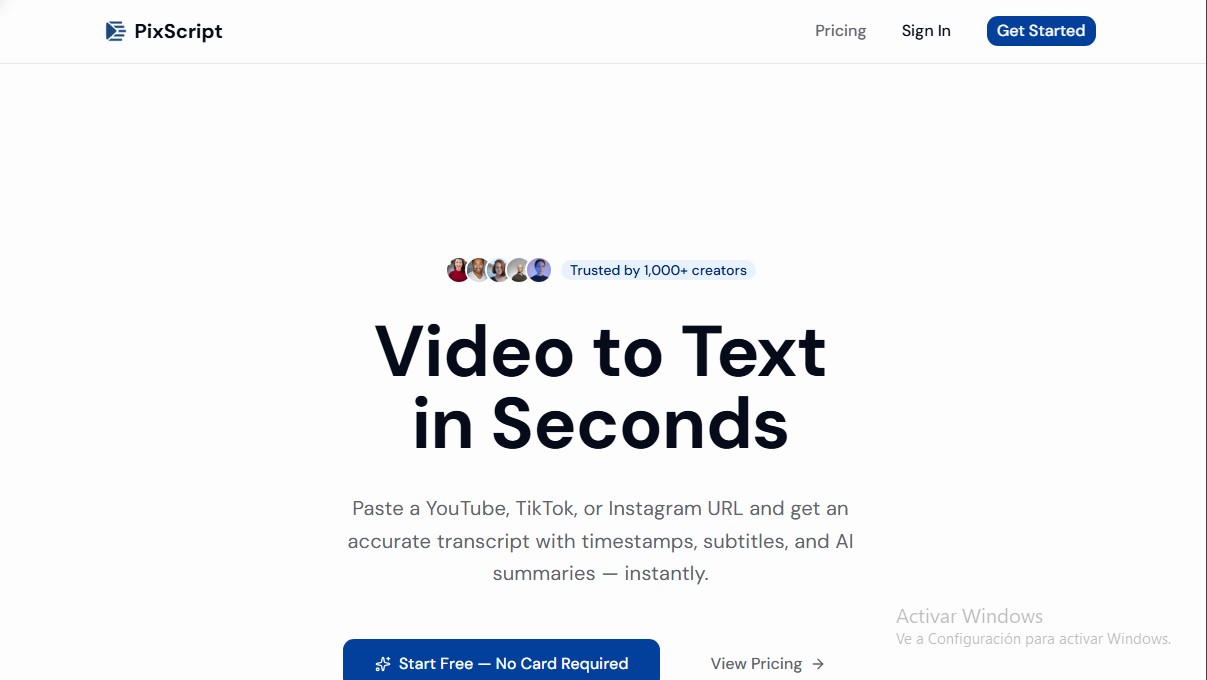
PixScript Screenshots
PixScript user reviews
Write a review
Checking your session...
PixScript Reviews
Loading reviews...
PixScript alternatives

SayLingo.ai
Practice 30 languages with AI tutors. Improve your pronunciation and grammar through real conversations, guided lessons, and official exam preparation.

AI Translate Manga.com
Translate Japanese manga into English or Simplified Chinese directly in the panels. Supports PNG, JPG, and PDF files, plus a Chrome extension for online reading.

Kapwing Hinglish Subtitles Generator
Generate automatic Hinglish captions for videos in 100+ languages. Includes AI-powered editing and dubbing tools to reach bilingual audiences.
Ask BONBON
AI assistant for electricians that answers NEC and CEC code questions with official citations. Includes calculation tools, blueprint analysis, and a voice assistant.