

Share
AI-powered video creation platform to generate ads, avatars, and narratives. Transform text and images into professional content using advanced models.
What is Pixwit AI?
Pixwit AI is a comprehensive AI video creation platform designed to simplify professional audiovisual production. This tool allows you to transform ideas, scripts, images, or even product links into complete video pieces, eliminating the need for advanced technical editing skills. It is a versatile solution for both content creators and marketing teams looking to streamline their workflow from a computer or any compatible device.
The architecture of Pixwit AI stands out for integrating the most advanced generative models on the market, including Sora 2, Kling, Runway Gen 3, Veo 3.1, Wan, and Seedance. This multi-model capability allows users to choose the engine that best suits their specific needs, whether they are looking for photorealism, processing speed, or specific visual styles. Additionally, it features a conversational Video Agent that acts as an interactive assistant to refine user requests and optimize final results.
Among its main features, the platform offers highly specialized video generation capabilities:
- Product Link to Video: Automatically generates promotional videos by extracting information directly from a product URL or website.
- AI Avatar Video: Creates videos with realistic avatars that sync lip movements and expressions with a predefined script, ideal for presentations and training.
- Idea to Video: Converts narrative concepts or long scripts into long-form videos with multiple scenes while maintaining character consistency.
- Reference Image to Video: Uses reference images to ensure that styles, objects, or characters remain consistent throughout the footage.
- UGC Ad Video: Facilitates the creation of ads with a user-generated content aesthetic from static photos.
- Start-End Frame: Allows you to define the first and last frames so the AI can generate a fluid and logical transition between both points.
Beyond video production, Pixwit AI includes an ecosystem of image tools ranging from AI image generation to advanced retouching, background removal, and canvas expansion. The system also features an assisted video editor that allows for the automated addition of subtitles, professional visual effects, and voiceovers.
Thanks to its focus on visual consistency and the versatility of its algorithms, the tool is capable of generating content up to five minutes long. This makes it a valuable resource for producing marketing videos, narrative pieces for social media, and high-quality advertising content, optimizing turnaround times and reducing traditional production costs.
Pixwit AI features and use cases
How to use Pixwit AI
Pixwit AI FAQ
What is Pixwit AI and what is it used for?
Pixwit AI is a comprehensive AI video creation platform that allows you to generate ads, avatars, and long-form narrative videos from text or images.
Can I use Pixwit for free?
Yes, you can start creating content at no cost with the 100 free credits you receive upon signing up, with no credit card required.
What is the maximum length for videos created with Pixwit AI?
Users on paid plans can generate videos up to five minutes long, while the free version allows for short clips of up to 15 seconds.
Can I use the videos generated on Pixwit for commercial purposes?
Yes, subscription plan users own all rights to their creations and are free to use, edit, and commercialize them as they wish.
Which AI models does the platform integrate?
The tool provides access to the industry's leading models in one place, including Sora 2, Kling, Runway, Veo, Wan, and Seedance.
How does AI avatar creation work on Pixwit?
Simply upload a photo of a person and add a script; the tool will generate a realistic video with movement and lip-syncing up to two minutes long.
How long does it take Pixwit AI to generate a full video?
The generation process typically takes between two and five minutes, depending on the project's complexity and current server load.
What image editing tools does Pixwit include?
The platform features an image generator, smart editor, background remover, and an image expansion tool that preserves the original content.
Do I need technical skills to use Pixwit AI?
No, the interface is intuitive and allows you to create professional videos simply by describing your idea or uploading basic media files.
What is the Long-Form Video feature?
It is an advanced feature that interactively generates scripts, character designs, and full video sequences through a conversation with the AI.
Pixwit AI pricing and plans
Free Plan
Price: 0 €
- 100 credits upon signup (no credit card required).
- Limited daily generation quota.
- Maximum video length of 15 seconds.
- Restricted access to premium effect templates.
- Basic customer support.
Plus Monthly
Price: $30 per month (or $15/mo with annual billing)
- 3,000 monthly credits (approximately 250 videos).
- Videos up to 5 minutes long with no watermarks.
- Multi-model support (Sora 2, Kling, Runway, Veo, etc.).
- Access to all tools: Text/Image-to-Video, Image Reference, Long-form Video, and Video Agent.
- AI avatar generator with over 100 supported voices.
- UGC ad creation and image tools (generator, editor, background remover, and expander).
- Approximately 1,500 images per month.
- Commercial use allowed and private video visibility.
- Priority generation queue and prompt optimizer.
Pro Monthly
Price: $50 per month (or $25/mo with annual billing)
- 8,000 monthly credits (approximately 666 videos).
- Videos up to 5 minutes long with no watermarks.
- Includes all Plus plan features and tools.
- Generation of approximately 4,000 images per month.
- Priority email support.
- Advanced customization options.
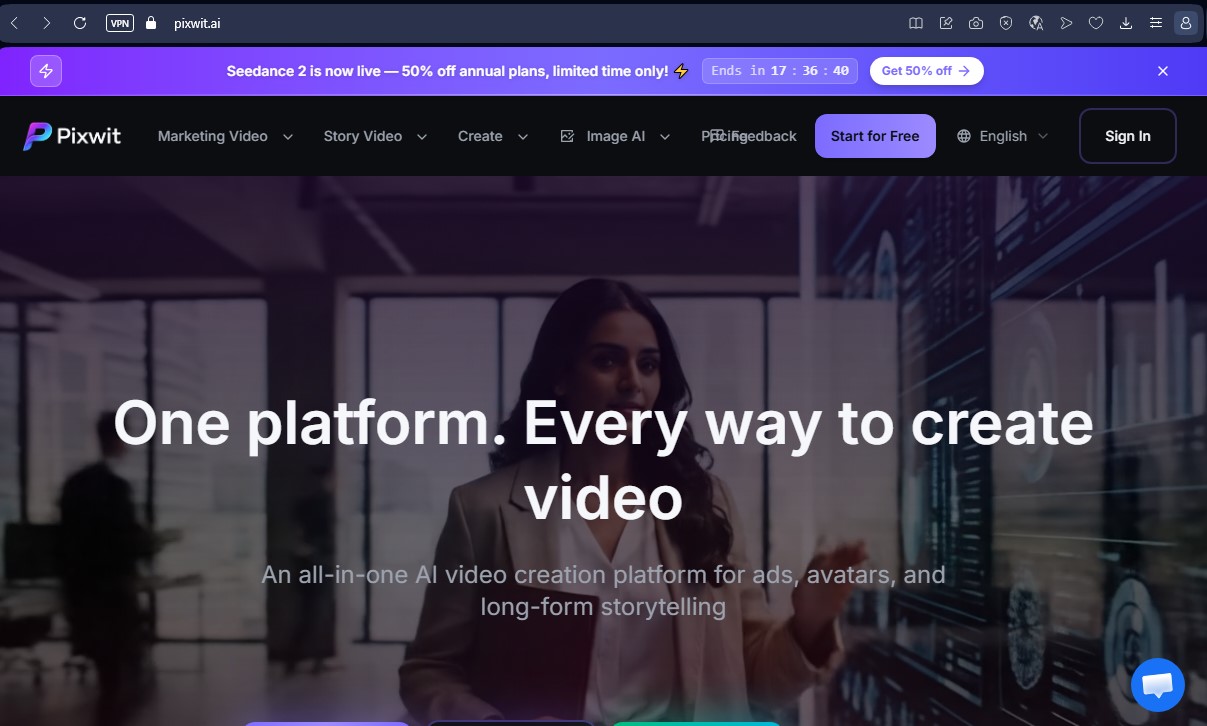
Pixwit AI Screenshots
Pixwit AI alternatives


Osmo Studio
AI animation studio for professional motion graphics and videos. Control every detail, collaborate with teams, and export with transparent backgrounds.

Victoria Secret Runway
Create fashion show videos by integrating your face into real scenes. Just upload a photo to replace professional models and walk the runway.


VideoWeb Video Generator
Generate professional AI videos from text or images. Features realistic avatars, automated scripts, and optimized formats for marketing and social media.

Motion Transfer AI Video Generator
Animate character photos using reference videos. Precisely transfer gestures, dances, and body movements from a clip to an image for realistic results.