
PodText
Share
What is PodText?
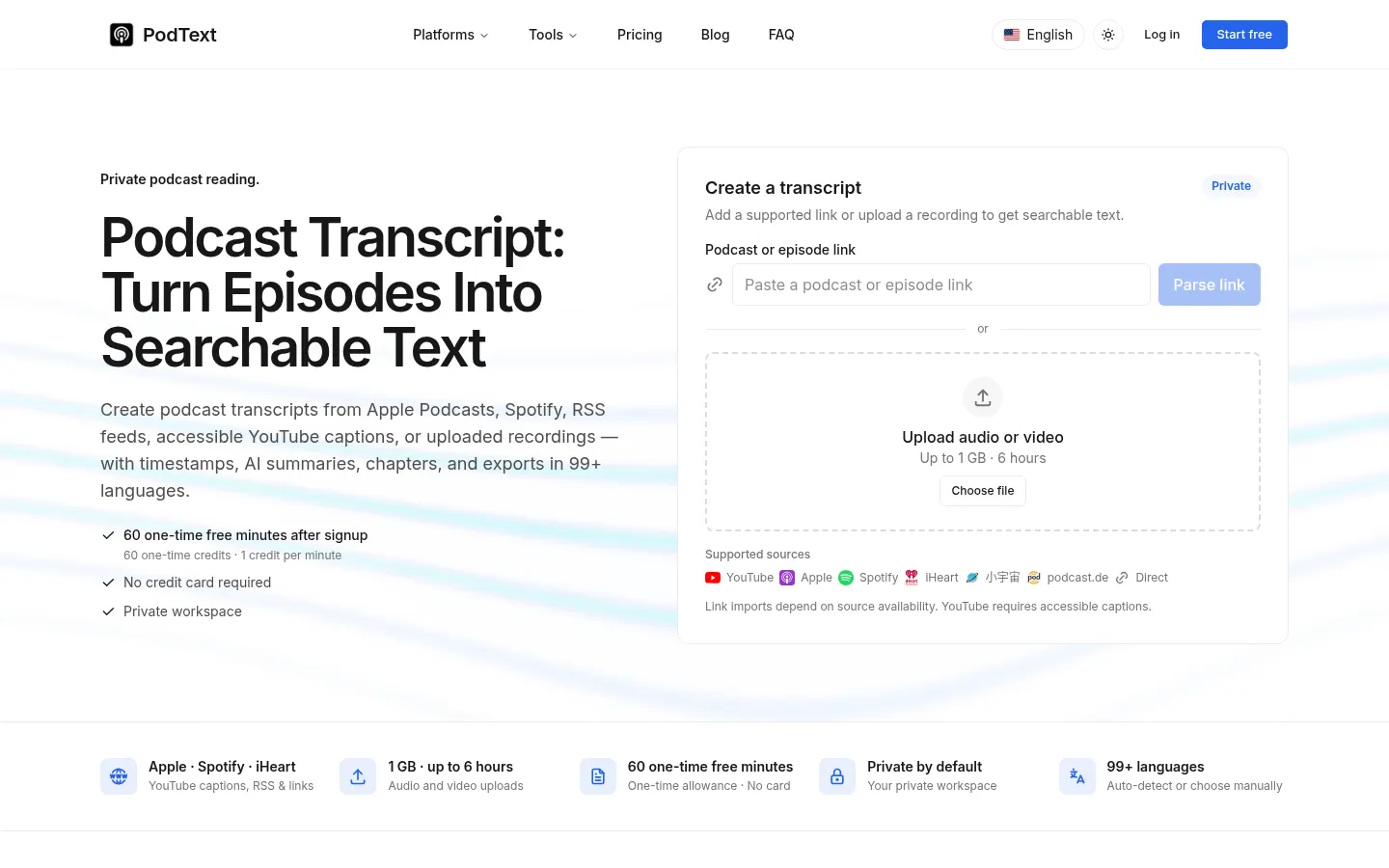
PodText is an AI podcast transcript generator that turns an episode into searchable text from its Apple Podcasts, Spotify, iHeart or RSS link, accessible YouTube captions, or a recording you upload. Every transcript comes with timestamps, chapters and a summary, and lives in a private workspace.
What is PodText used for?
It lets you read a podcast instead of replaying it: search for a topic, jump to the exact minute something was said and quote it accurately. It handles 99+ languages with automatic detection or manual selection, and audio or video files up to 1 GB and 6 hours. Output exports to TXT, Markdown, SRT or VTT, so it works for notes as well as subtitles. During playback the text follows along.
How does PodText work?
Paste the episode link or upload the file, check the estimated minutes and start the job; progress shows in your dashboard. When it's done you get text with timestamps plus an AI-generated episode summary, chapters and highlights. If a job fails, the deducted minutes are returned. YouTube only works when the video has accessible captions; otherwise you'll need to upload the recording with the creator's permission.
Who is PodText for?
- Heavy listeners who want to revisit an idea without replaying the episode.
- Creators turning interviews into articles, quotes and subtitles.
- Students reviewing lectures and educational interviews.
- Researchers who need to cite audio sources precisely.
PodText pros and cons
It stands out for working straight from links on the major platforms and for keeping transcripts private, never published or indexed. On the downside, imports depend on the source being available, accuracy drops with noise, strong accents or crosstalk, and there are no live meeting bots, calendar or CRM integrations, or collaborative editing. Asking questions about an episode is listed as coming soon.
PodText features and use cases
How to use PodText
PodText FAQ
Is PodText free?
You get 60 one-time free minutes at signup with no card; after that there are monthly or yearly plans and credit top-ups (see pricing).
Can PodText transcribe a Spotify podcast?
Yes, just paste the Spotify episode link; it also supports Apple Podcasts, iHeart, RSS feeds and other compatible sources.
Does PodText transcribe YouTube videos?
Only when the video has accessible captions; for private, restricted or caption-less videos, upload the recording if you have permission.
Which languages does PodText support?
99+ languages, including English, Spanish, Chinese, French, German and Japanese, with automatic detection or manual selection.
What export formats are available?
You can export transcripts as TXT or Markdown and subtitles as SRT or VTT.
Are my transcripts private?
Yes, the workspace requires sign-in and transcripts are never published or indexed.
What's the maximum file size?
Up to 1 GB and 6 hours per file; larger files need to be split before upload.
How accurate is PodText?
Accuracy is high on clean audio but drops with background noise, accents or crosstalk, so double-check important passages.
Can PodText handle live meetings?
No, it focuses on finished recordings; there are no meeting bots, calendar or CRM integrations, or team editing.
What are some PodText alternatives?
In our directory you can compare TurboScribe, Castmagic and Descript, which also transcribe audio with AI.
PodText pricing and plans
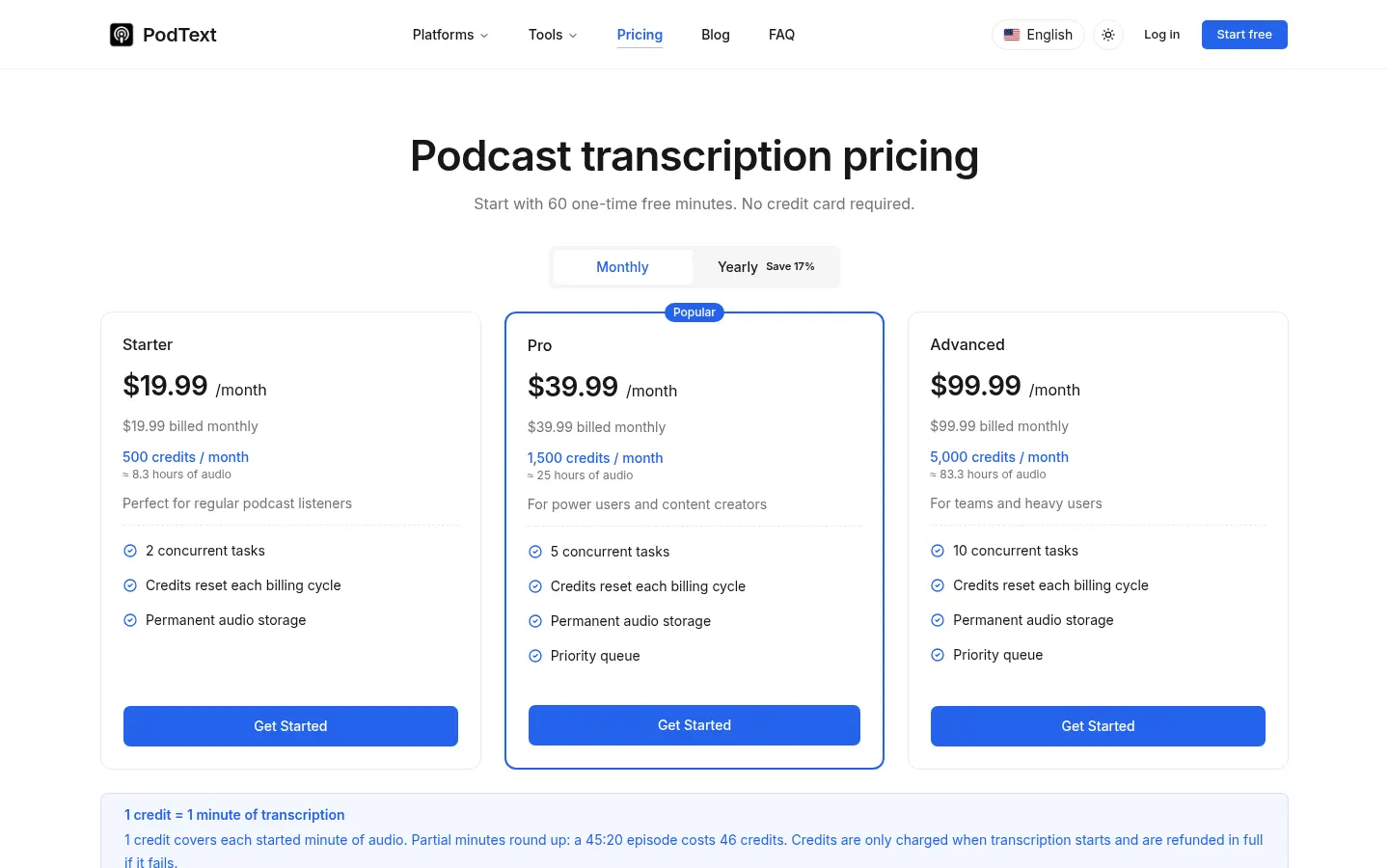
Reference price: 19.99 USD / month. Source · Verified: November 11, 2026
Prices in US dollars from the official website (Checked on: 11/11/2026). 1 credit = 1 minute of audio, rounded up. Signing up gives you 60 one-time free minutes with no card.
Starter: $19.99/month with 500 credits a month (about 8.3 hours), or $199/year ($16.58/month) with 6,000 credits upfront. 2 concurrent tasks and permanent audio storage.
Pro: $39.99/month with 1,500 credits a month (about 25 hours), or $399/year ($33.25/month) with 18,000 credits. 5 concurrent tasks and priority queue.
Advanced: $99.99/month with 5,000 credits a month (about 83 hours), or $999/year ($83.25/month) with 60,000 credits. 10 concurrent tasks.
Pay-as-you-go top-ups: 100 credits for $10 or 250 for $20; they never expire. Subscription credits reset each billing cycle.
PodText Screenshots
PodText user reviews
Write a review
Checking your session...
PodText Reviews
Loading reviews...
PodText alternatives


Civilio AI
Civilio AI is a civic intelligence platform that transcribes, summarizes and makes local government meetings searchable for journalists and newsrooms.

TranscribeBee
TranscribeBee is an AI transcription service that turns audio and video into text with speaker labels and timestamps in more than 90 languages.