Share
Create multiple product angles from a single image. Get consistent front, side, and back views for your catalogs and online stores.
What is ProductViews?
ProductViews is an AI product image generator designed to create multiple viewing angles from a single original photograph. This tool is primarily aimed at e-commerce teams, sellers, and creative directors who need to generate product catalogs or visual storyboards without resorting to expensive and repetitive photo shoots. Its main function is to transform a static image into a set of coherent views, maintaining the visual identity and characteristics of the original object or character in every shot.
The operation of ProductViews is based on identity preservation algorithms that analyze the subject to recreate it from different perspectives. Unlike conventional 3D rendering, this tool uses a multi-angle AI approach that prioritizes visual consistency, ensuring that materials and lighting remain recognizable while the camera's viewpoint changes. The system allows for adjusting technical parameters such as azimuth, elevation, and zoom, offering precise control over the composition of each image generated from your computer.
The platform offers two specialized modes for different professional profiles:
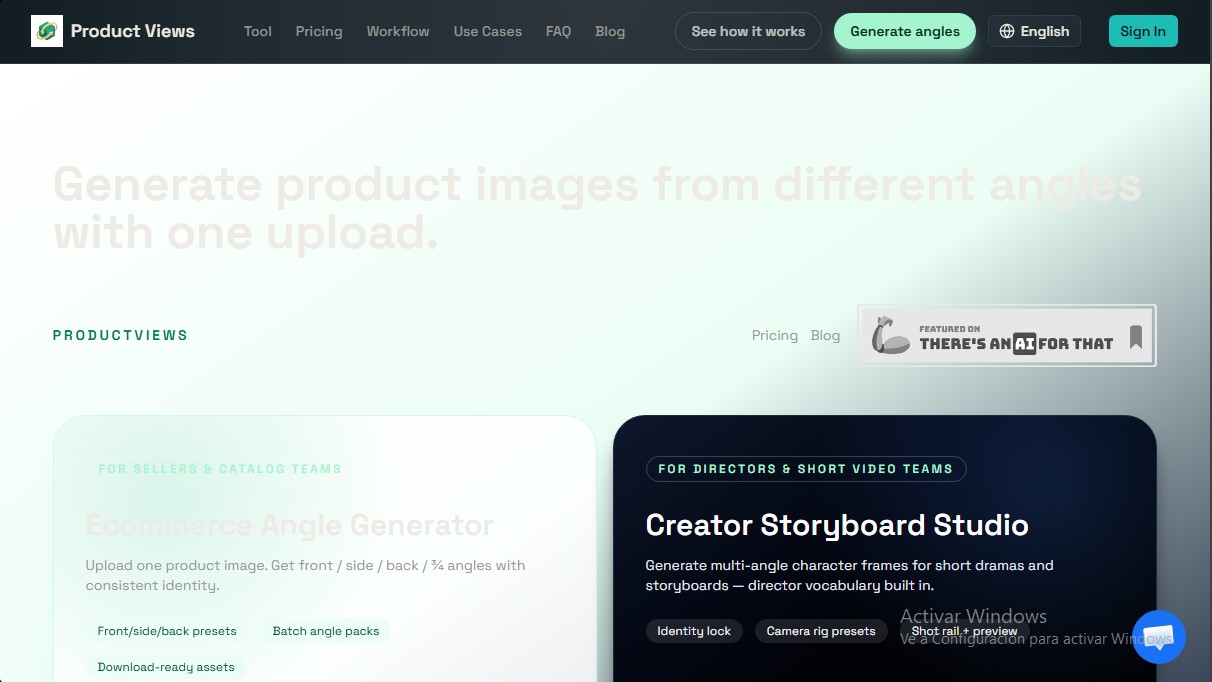
- Ecommerce Mode: Optimized for rapid catalog creation. It allows you to obtain front, side, back, and 3/4 views with a single click, facilitating product launches in online stores.
- Creator Mode: Focused on the production of short videos and dramas. It provides tools to generate character frames with identity locking, making it ideal for planning cinematic sequences and storyboards with integrated technical directing vocabulary.
Among the most notable technical capabilities of ProductViews are:
- Angle Pack Generation: Obtain sets of 6 to 12 different views in less than two minutes.
- Camera Presets: Predefined settings for 0°, 90°, 180°, and 270° angles, as well as top-down views and custom perspectives.
- Composition Control: An interface to manually manipulate azimuth and elevation to capture specific perspectives not covered by automatic settings.
- File Compatibility: Supports uploading images in JPG, PNG, and WebP, with the option to download results individually or in compressed ZIP packs.
- Descriptive Prompts: Allows for optional text instructions to highlight key details the AI should prioritize during the generation process.
For industry professionals, this e-commerce AI tool represents a significant saving of time and resources. By eliminating the need for physical shoots from every position, it streamlines inventory management and the creation of visual marketing content. Furthermore, its ability to generate multi-angle reference images makes it a valuable resource for artists and designers who require absolute visual consistency in their creative projects. The system ensures a smooth workflow even for non-technical teams, allowing for real-time previews before the final asset generation.
ProductViews features and use cases
How to use ProductViews
ProductViews FAQ
What is ProductViews and what is its purpose?
ProductViews is an AI-powered tool designed to generate multiple views of a product or character from a single original image.
How many images do I need to upload to get different angles?
You only need to upload one single photo of your product to automatically generate front, side, back, and three-quarter views.
Can I set up custom camera angles in ProductViews?
Yes. In addition to the presets, you can enter specific azimuth and elevation values to get the exact perspective you need.
What is the credit cost for each generated image?
Each individual angle generation costs 4 credits from your user plan.
Does this tool replace professional 3D rendering?
No. ProductViews generates visual angles for quick references and catalogs, but it does not create precise 3D geometry or replace technical rendering workflows.
Do credits purchased on ProductViews expire?
Credits purchased in any of the available packages are valid for 12 months from the date of purchase.
What file formats can I use to upload my products?
The platform allows you to upload images in JPG, PNG, or WebP format with a maximum file size of 8 MB per file.
How can I download the generated angle packs?
You can download images individually in PNG or WebP format, or download the entire pack as a compressed ZIP file.
ProductViews pricing and plans
Starter
Price: $9 (One-time payment)
- 50 credits (approximately 12 angle generations).
- Each individual angle generation consumes 4 credits.
- Batch angle presets.
- Downloadable angle packs.
- Credits valid for 12 months.
Pro
Price: $19 (One-time payment)
- 150 credits (approximately 37 angle generations).
- Each individual angle generation consumes 4 credits.
- Includes all Starter plan features.
- Priority generation queue.
- Download multiple angles as a ZIP file.
- Credits valid for 12 months.
Studio
Price: $49 (One-time payment)
- 500 credits (approximately 125 angle generations).
- Each individual angle generation consumes 4 credits.
- Includes all Pro plan features.
- Higher batch processing limits.
- Workflows designed for teams.
- Credits valid for 12 months.
ProductViews Screenshots
ProductViews user reviews
Write a review
Checking your session...
ProductViews Reviews
Loading reviews...
ProductViews alternatives



utilz Background Remover
Remove image backgrounds for free with total privacy in your browser. Create transparent or colored backgrounds without uploading files while maintaining original resolution.