
Share
Automate mobile app testing using natural language. Validate backend and UI on real devices without scripts or selector maintenance.
What is Quash?
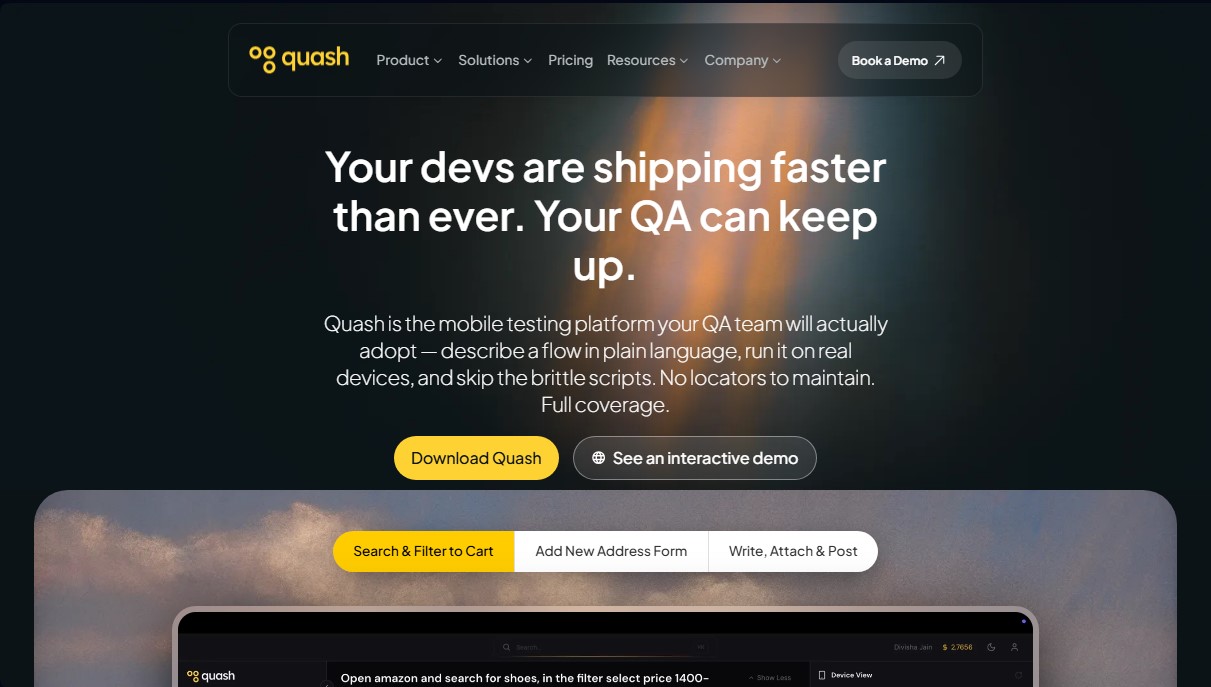
Quash is an advanced mobile testing platform designed for QA teams looking to streamline the software development lifecycle. Its primary function is to simplify mobile app testing through the use of natural language, eliminating the need to write complex scripts or maintain fragile locators. This tool is especially useful for Quality Assurance (QA) engineers, developers, and product managers who need to ensure the stability of their applications in Android and iOS environments without the bottlenecks of traditional automation.
The operation of Quash is based on a generative AI architecture that translates user instructions directly into executable actions on the device. Unlike conventional frameworks, this tool uses an AI-driven automation approach that allows interaction with system elements—such as the camera or file selection—simply through conversational text commands. Quash's technology is capable of automatically adapting to user interface (UI) changes, loading states, and data variations, which drastically reduces test maintenance between different software versions.
Key capabilities of Quash include:
- Natural Language Test Execution: Enables the creation and execution of no-code test flows, turning testing intent into real actions on the mobile device.
- Backend and Database Validation: During the app flow execution, the tool verifies API responses and server-side state changes to detect errors that are invisible on the interface.
- Flexible Device Lab: Support for running tests on real devices, emulators, or your own or the platform's cloud infrastructure.
- Contextual Debugging Reports: Generates detailed reports with screenshots and specific steps so the technical team can understand failures without the need for additional follow-up.
- Comprehensive Test Management: Centralizes creation, execution, and results analysis, facilitating CI/CD integration into existing workflows.
From a practical standpoint, using Quash enables a significant increase in test coverage and a drastic reduction in manual testing effort. By capturing backend logic errors and UI behavior in the same process, teams can detect edge cases more efficiently. Its ability to function as an AI testing agent makes it easy for even non-technical profiles to scale product quality, optimizing test suite creation up to 25 times faster than manual methods. The platform adapts to various industries, from fintech to e-commerce, ensuring that every release is stable and functional.
Quash features and use cases
How to use Quash
Quash FAQ
What is Quash and how does it help my QA team?
Quash is a mobile testing platform that allows you to describe flows in natural language to execute them on real devices without the need for complex scripting.
Is Quash compatible with both iOS and Android applications?
Yes, the tool specializes in mobile device testing and allows for automated tests on both Android and iOS systems.
Do I need programming knowledge to use Quash?
No coding skills are required, as you can create and run tests using plain language instead of traditional code or selectors.
Can Quash validate backend errors during test execution?
Yes, the platform allows you to validate database responses and backend state changes while the application flow is running.
Where is my data stored and how does Quash ensure its security?
Data is stored on ISO-certified cloud servers with high-security encryption to comply with current data protection regulations.
Does the tool allow for testing on real devices or only on emulators?
You can run your tests on local devices and emulators, as well as on an extensive fleet of real devices in the cloud, depending on your subscription plan.
Is my personal data used to train Quash's AI models?
No, the platform guarantees that no personal information or user preferences are retained or used to train its AI models.
Is it possible to host Quash on my own infrastructure?
Yes, the solution offers a self-hosting option for companies that prefer to manage the tool on their own servers.
How does Quash help reduce test maintenance?
The tool automatically adapts to UI changes and different loading states, which prevents you from having to rewrite tests with every update.
What kind of reports does Quash generate after a test execution?
It provides detailed reports that include the steps followed, screenshots, and technical context so developers can understand failures immediately.
Quash pricing and plans
Free Trial
0 $ (One-time free trial)
100 test minutes (one-time).
1 app and 1 user.
1 concurrent cloud session.
Access to cloud, local, and emulated devices.
Full platform access and prompt-based testing.
Detailed execution reports.
Limitation: Does not include real device fleet.
Starter
99 $/mes (79 $/mes with annual billing)
800 test minutes per month.
1 app and 2 users.
1 concurrent cloud session.
Includes all Free Trial features.
Backend validation.
Full test suite management.
Pay-as-you-go option for extra minutes (0,20 $/min).
Limitation: Does not include real device fleet.
Growth
399 $/mes (319 $/mes with annual billing)
3,500 test minutes per month.
2 app projects and 5 users.
3 concurrent cloud sessions.
Includes all Starter features.
CI/CD integration.
Priority support.
Limitation: Does not include real device fleet.
Pro
899 $/mes (719 $/mes with annual billing)
9,000 test minutes per month.
4 app projects and unlimited users.
6 concurrent cloud sessions.
Includes all Growth features.
Scheduled regression runs.
App monitoring via agents.
Real device fleet available as an add-on.
Enterprise
Precio personalizado (Contact Sales)
Custom test minutes and concurrent sessions.
Unlimited apps and users.
Includes all Pro features.
Dedicated real device fleet.
Option to use your own LLM keys.
Test generation from code and Figma.
Custom integrations and dedicated account manager.
SLA and security review.
Quash Screenshots
Quash user reviews
Write a review
Checking your session...
Quash Reviews
Loading reviews...
Quash alternatives

LaunchProof
Audit websites across various browsers and devices to detect security, performance, or accessibility flaws, offering reports with solutions to fix them.

Sitelemetry
AI-powered web audit tool for security, SEO, accessibility, and AI visibility. Provides detailed evidence and technical remediation guides.

localscreenshot
localscreenshot is a screenshot API and MCP server for AI agents, returning clean captures of any web page on phone or desktop from 227 countries.


Confident AI
LLM evaluation platform to test AI workflows, measure quality metrics, and automate testing in the development cycle without relying on engineering.