
Questro | AI Interpreter
Share
Real-time subtitling and translation for events. Transcribes speech into 69 languages with script-based precision. Includes teleprompter, timer, and Q&A management.
What is Questro | AI Interpreter?
Questro is a browser-based platform designed to facilitate language accessibility at live events through AI captioning and real-time translation. Its primary function is to instantly convert a speaker's speech into readable text, allowing multilingual audiences to follow the presentation on venue screens or through their own personal devices. The tool stands out for its technical simplicity, requiring only one operator and a microphone connected to a computer to manage the session without the need for complex installations.
The operation of Questro | AI Interpreter is powered by an artificial intelligence engine specialized in event contexts. One of its most significant capabilities is its script-aware approach, which allows users to pre-load scripts, speaker notes, or terminology glossaries. Thanks to this technology, the AI improves accuracy by recognizing proper names, acronyms, and specific technical terms before the captions go live. Additionally, it utilizes an alignment system that serves as a backup if the original audio experiences interruptions or poor quality.
Questro’s core capabilities include:
Live automated captions: Immediate transcription of the speaker's voice with minimal latency.
Simultaneous translation: Support for 18 source languages (including Spanish, English, Chinese, German, and French) and translation into 69 target languages.
Flexible display: Captions can be shown on large in-venue screens or via a shared link that attendees open on their mobile devices.
Terminology management: "Vocabulary boost" and "Term lock" tools to ensure that keywords are transcribed correctly.
Stage tools: The ecosystem includes an online teleprompter, synchronized timers, and a Q&A app for audience interaction.
This tool is especially useful for conference organizers, AV teams, and speakers at hybrid or in-person events seeking a scalable language accessibility solution. While the AI delivers high performance, the system is designed for situations requiring assistive captioning; for critical legal or medical contexts, professional interpreter supervision is recommended. Questro simplifies the workflow by allowing any browser-compatible microphone to serve as the input source to generate a complete multilingual experience.
Questro | AI Interpreter features and use cases
How to use Questro | AI Interpreter
Questro | AI Interpreter FAQ
What is Questro, and how does it work for live events?
It is a browser-based tool that uses artificial intelligence to generate captions and translations for display on venue screens or mobile devices.
How many languages can Questro translate captions into in real time?
The system can listen to 18 source languages and translate content into 69 different target languages.
What audio equipment do I need to use the AI interpreter?
You can use any microphone compatible with your web browser, including built-in microphones, USB devices, or professional audio interfaces.
How does uploading a script improve Questro’s accuracy?
By uploading a document in advance, the AI learns proper nouns, acronyms, and technical terms to prevent errors during live transcription.
Does this AI tool replace professional human interpreters?
This technology is designed to enhance accessibility at events; however, human interpreters are still recommended for high-stakes legal, medical, or diplomatic settings.
What does the Questro 7-day event pass include?
It is a one-time payment option that provides access to all professional features for a full week without requiring a monthly subscription.
How can the audience view translations on their own devices?
Attendees simply open a viewing link on their smartphones to follow captions and translations in real time from any seat in the house.
Questro | AI Interpreter pricing and plans
Free
Price: $0 per month.
Unlimited events.
Up to 50 questions in the Q&A section.
15-minute trial limit for the AI interpreter.
Exclusive admin control (login required).
Questro watermark visible on display screens.
Pro
Price: $19 per month (save $48 with annual billing).
Everything in the Free plan.
Guest moderator links (delegate control without registration).
Unlimited questions (subject to a fair use limit of 5,000 questions per project).
2-hour AI interpreter limit per month.
Custom image backgrounds and watermark removal.
Data export to CSV.
7-Day Event Pass
Price: $99 (one-time payment, valid for 7 days).
Full access to Pro features for one week.
Guest moderator links.
Unlimited questions.
10-hour AI interpreter limit.
Custom backgrounds and watermark removal.
Data export to CSV.
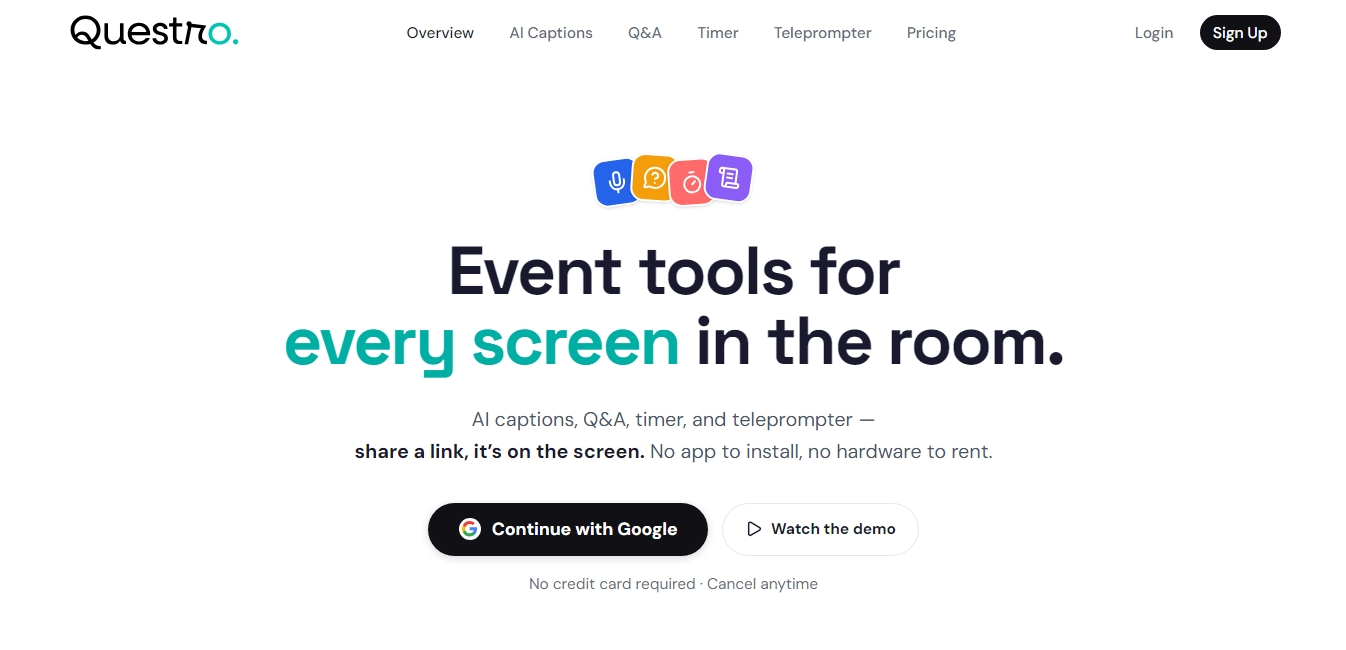
Questro | AI Interpreter Screenshots
Questro | AI Interpreter user reviews
Write a review
Checking your session...
Questro | AI Interpreter Reviews
Loading reviews...
Questro | AI Interpreter alternatives
SayLingo.ai
Practice 30 languages with AI tutors. Improve your pronunciation and grammar through real conversations, guided lessons, and official exam preparation.


AI Translate Manga.com
Translate Japanese manga into English or Simplified Chinese directly in the panels. Supports PNG, JPG, and PDF files, plus a Chrome extension for online reading.

Kapwing Hinglish Subtitles Generator
Generate automatic Hinglish captions for videos in 100+ languages. Includes AI-powered editing and dubbing tools to reach bilingual audiences.
Ask BONBON
AI assistant for electricians that answers NEC and CEC code questions with official citations. Includes calculation tools, blueprint analysis, and a voice assistant.