

Share
Browser extension to chat with any website via ChatGPT. Summarize text, create custom prompts, and analyze screenshots using your own API key.
What is Quicky AI ?
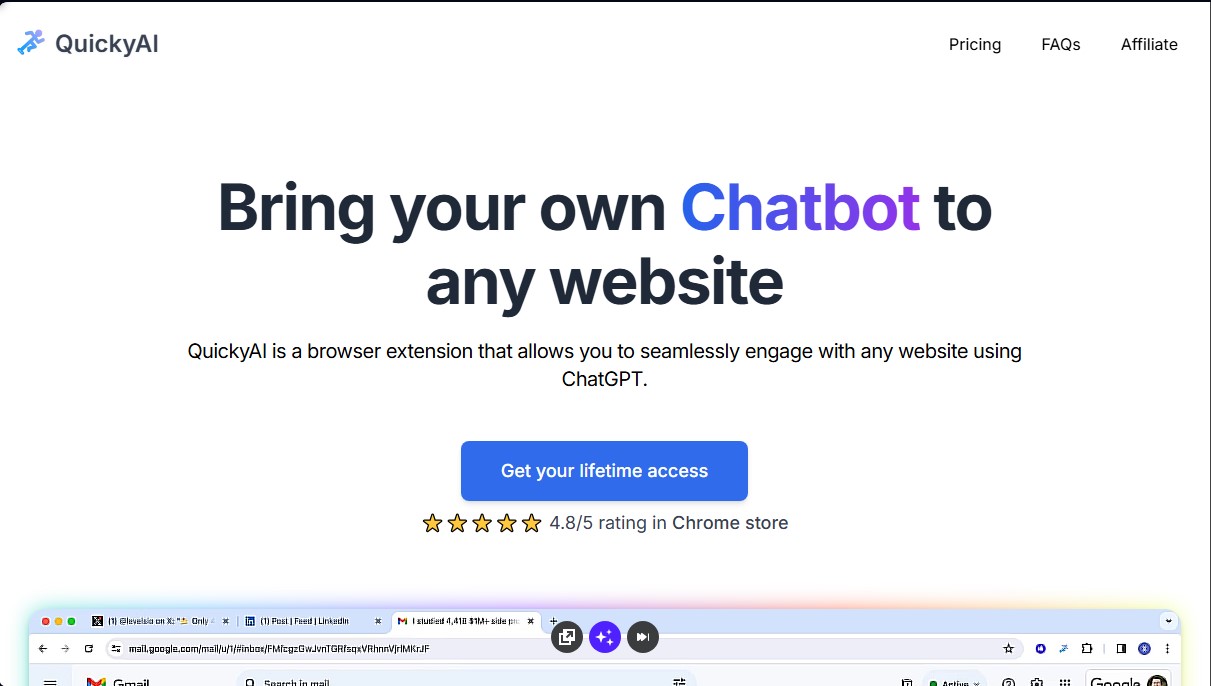
Quicky AI is a browser extension designed to integrate ChatGPT capabilities directly into any website. This tool allows users to interact with artificial intelligence without needing to switch tabs or applications, optimizing their computer workflow. Operating on a "bring your own key" (BYOK) model, it links directly to the OpenAI API, enabling the native use of advanced models like GPT-4o and GPT-4 while browsing the web.
The primary function of Quicky AI is to facilitate contextual interaction with web content. Users can make specific inquiries about a page's text, get clarifications, or dive deeper into complex topics through an integrated chat that "reads" the active page. Key technical and functional capabilities include:
- One-click summaries: Instantly synthesize long articles or entire web pages using a button or keyboard shortcut, making it easy to extract key insights.
- Capture and inquire: Take screenshots of specific areas of the web so the AI can analyze the image and answer questions about its visual or textual content.
- Text selection commands: By highlighting any text snippet in the browser, users can execute predefined prompts to quickly translate, explain, or improve the writing of that information.
- Custom prompts: Create, save, and organize specific roles or instructions (e.g., for marketing, programming, or legal analysis tasks) that can be activated at any time.
This productivity tool is geared toward professionals, researchers, writers, and students who need to efficiently process large volumes of digital information. The architecture of Quicky AI prioritizes privacy and technical security: OpenAI API credentials and user licenses are stored locally in the user's browser and are never shared with external servers. Additionally, the application does not collect browsing data or personal information, acting as a direct bridge between the browser interface and OpenAI's language models.
The extension’s versatility extends to all popular browsers, ensuring the AI assistant is always available. The ability to choose between different GPT models allows users to adjust accuracy and performance based on their specific needs, ranging from simple assistance tasks to deeper data analysis using the latest natural language processing technology. Setup is straightforward and requires no advanced technical knowledge beyond having an active API key.
Quicky AI features and use cases
How to use Quicky AI
Quicky AI FAQ
Which browsers support the Quicky AI extension?
You can use it on all popular browsers, as it is an extension that runs directly within your browser.
Do I need an OpenAI API key to use Quicky AI?
Yes, you must provide your own OpenAI API key and cover the costs associated with your personal usage.
How can I summarize website content with Quicky AI?
You can summarize any article or webpage with a single click or by using a keyboard shortcut.
Does Quicky AI allow me to create and save my own custom prompts?
Yes, you can create your own custom commands to use whenever you need them and get the exact results you're looking for.
Where are my license and API key stored?
Your credentials are saved locally in your browser and are never shared with external servers.
Which GPT models are available in Quicky AI?
The tool supports several OpenAI models, including the latest GPT-4o for your queries.
Do I have to pay a monthly subscription fee for the service?
No, Quicky AI uses a one-time payment model for lifetime access with no recurring fees.
What email address should I use if I have questions about Quicky AI?
You can send all your inquiries, suggestions, or bug reports to [email protected].
Does Quicky AI collect any personal user data?
No data is collected, as the extension runs in your browser and interacts directly with OpenAI.
How can I recover my Quicky AI license key?
You can manage your key by visiting the orders page and logging in with the email address used for the purchase.
Quicky AI pricing and plans
Basic – 29 $ (One-time payment)
- 1 license activation.
- Requires your own OpenAI API key (user pays usage costs directly to OpenAI).
- Lifetime access to the browser extension.
- Instant chat with any website.
- One-click article and website summarization feature.
- Support for multiple models, including GPT-4o and GPT-4.
- Custom prompt creation and text-selection commands.
- Screenshot feature for visual content queries.
Premium – 39 $ (One-time payment)
- 3 license activations.
- Requires your own OpenAI API key (user pays usage costs directly to OpenAI).
- Lifetime access to the browser extension.
- Instant chat with any website.
- One-click article and website summarization feature.
- Support for multiple models, including GPT-4o and GPT-4.
- Custom prompt creation and text-selection commands.
- Screenshot feature for visual content queries.
Quicky AI Screenshots
Quicky AI alternatives

PortuguesePal
Practice Brazilian or European Portuguese with an AI tutor. Improve your fluency and pronunciation with real conversations and instant corrections.




rabbit OS3
Agentic OS that automates tasks and manages files, connecting your computers with AI models to run workflows using natural language.

Agentkit: AI Automations
Automate customer support on Instagram, WhatsApp, and the web with AI agents trained on your content to answer questions and capture leads 24/7.