Share
Desktop app for organizing AI chats using nodes on an infinite canvas. Supports multiple models, file attachments, and local data storage.
What is Slashspace?
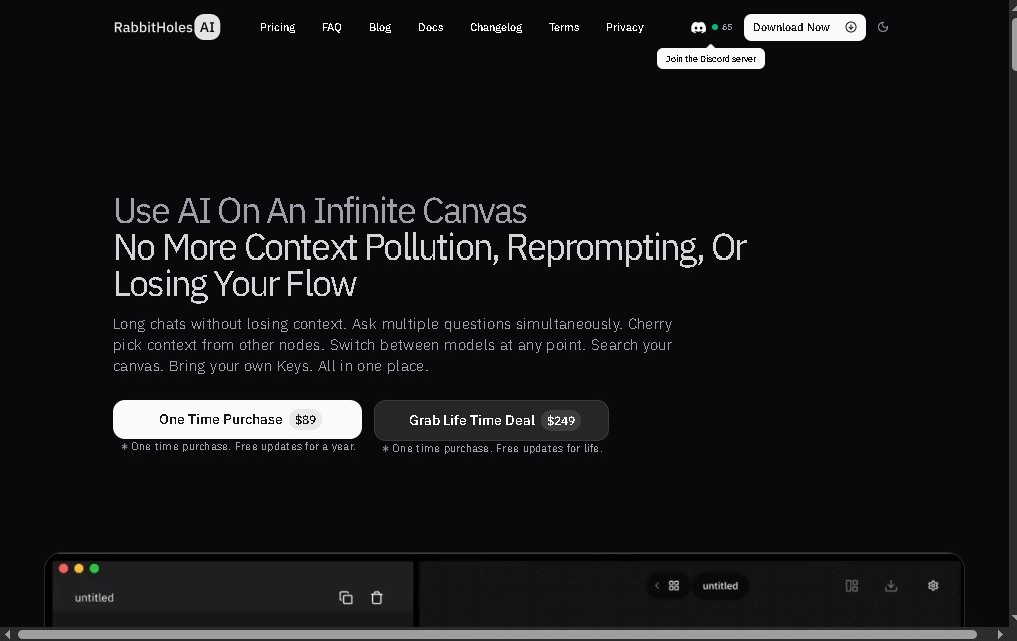
Slashspace (formerly Rabbitholes AI) is a desktop application designed to transform how researchers, students, and knowledge professionals interact with artificial intelligence. Unlike conventional linear chat interfaces, this tool utilizes an infinite canvas that allows for the organization of deep and complex conversations through node-based structures. Its primary function is to facilitate spatial thinking, allowing each message to branch out in multiple directions without losing the train of thought or the context of the research project.
Regarding its technological foundation, Slashspace stands out for its versatility by enabling interaction with various language models simultaneously. Users can connect with leading providers such as OpenAI, Anthropic, and Google, or opt to run local models via Ollama and custom providers. This approach ensures total control over data processing, supported by the local storage of all conversations on the user's computer, which reinforces the privacy and security of sensitive information.
The tool offers a series of advanced capabilities geared toward productivity and technical customization:
- Multi-thread management: Allows for exploring different lines of reasoning from a single initial query through an intuitive visual interface.
- Multimodal data input: Supports uploading PDFs, websites, and images to be used as direct sources and knowledge bases within conversations.
- Customizable model parameters: Full control over variables such as temperature and system prompts to fine-tune the precision and creativity of responses.
- Data export: Easily export workflows and chats into JSON or Markdown formats, allowing for integration into other text editors or personal databases.
Using Slashspace is particularly beneficial for those managing large volumes of information who require an extensive exploration of concepts without the limitations of traditional chat windows. By visualizing the conversation's progress on a node map, cognitive load is reduced, and the ability to organize complex ideas is enhanced. It is a robust solution for writing technical articles, conducting extensive document analysis, or developing research projects where AI responses serve as a starting point for new branches of inquiry. By avoiding cloud synchronization, the user maintains absolute sovereignty over their files and interaction history.
Slashspace features and use cases
How to use Slashspace
Slashspace FAQ
What is Slashspace and what is its purpose?
It is a desktop application designed for deep research, using AI-powered chats organized on an infinite canvas of nodes.
How does the message branching system work in Slashspace?
Every message in a conversation can branch into multiple responses or different threads, allowing you to explore various ideas simultaneously without losing the original context.
Which AI models can I use with this tool?
The application allows you to connect with models from OpenAI, Anthropic, and Google, and it also supports local models via Ollama or custom providers.
Where are my conversations and private data stored?
All chats and files are stored locally on your computer to ensure privacy, and you can export them in JSON or Markdown formats whenever you need to.
Does Slashspace require a monthly subscription?
No, the application is available for a one-time payment of $89, which includes a license for two devices and one year of support and updates.
Can I use my own documents as information sources?
Yes, you can attach PDFs, images, and websites for the AI to use as references during your conversations.
Does Slashspace require me to use my own API keys?
Yes, to use models from external providers like OpenAI or Anthropic, you will need to enter your own API keys for those services.
Is there a web version or cloud synchronization available?
No, it is currently a desktop-only application without cloud synchronization to prioritize security and local data control.
What customization options does Slashspace offer for responses?
You can adjust advanced parameters, such as model temperature, and set specific system instructions to tailor the AI's behavior to your needs.
How many devices does the software license cover?
The one-time purchase includes a license that is valid for installation and use on two different devices belonging to the same user.
Slashspace pricing and plans
Reference price: 89 USD / year. Source · Verified: October 19, 2026
Yearly: $89/year
- Full desktop app while your subscription is active.
- Runs on 2 computers.
- Works with your own API keys or plan, and with local models.
- One-time credit grant for AI tools (1 credit = $0.01); top-ups from $10.
Lifetime: $249 one-time (limited-time offer)
- Permanent access to the desktop app.
- Runs on 2 computers.
Both plans are refundable within 7 days.
Slashspace Screenshots
Slashspace user reviews
Write a review
Checking your session...
Slashspace Reviews
Loading reviews...
Slashspace alternatives
mindmap.io
Create mind maps where each node is an AI chat. Branch ideas while maintaining context, summarize content, and organize information on an infinite canvas.

Plainpaper
Visual canvas for AI agents to manage marketing campaigns. Plan, create, and approve ads or emails by integrating your tools via the MCP protocol.

Clear Cortex
Visual canvas workspace to connect files and AI models. Manage projects with persistent context and sources, eliminating the need to repeat instructions.

Slashspace
Smart canvas for managing multiple AI chats and connecting tools. Organize complex workflows locally and privately without losing context.