Eraser AI
Share
Eraser AI
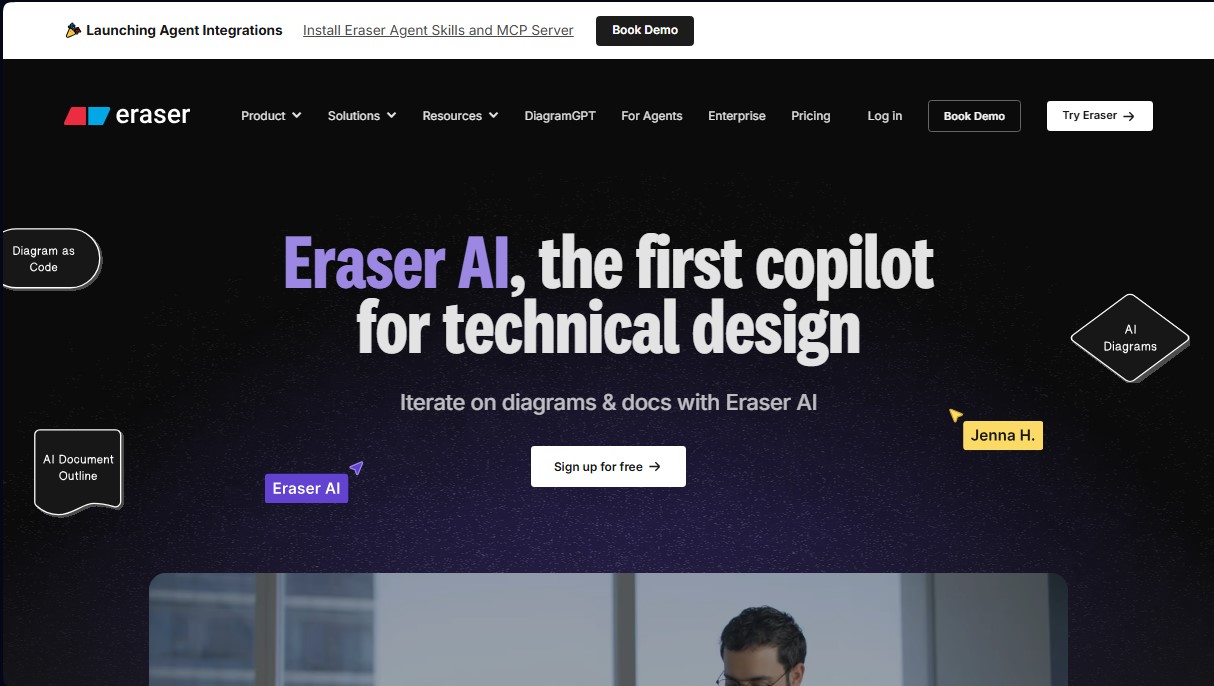
Generate architecture diagrams and technical documentation using natural language. Edit the resulting code, collaborate in real-time, and sync your work with GitHub.
General Information about Eraser AI
Eraser AI positions itself as the market's first technical design copilot, specifically engineered to optimize the workflow for engineers, software architects, and development teams. This artificial intelligence tool transforms natural language prompts into complex technical diagrams and structured documentation, significantly accelerating the systems planning and design phase. Its core function is to act as an intelligent assistant that generates, edits, and maintains visual representations of software architectures, allowing users to focus on logic and strategy rather than manual drawing.
Eraser AI operates on a diagram-as-code approach. Unlike traditional drawing tools, this AI interprets user instructions to generate diagram code (compatible with standards like Mermaid or PlantUML) that renders instantly on an infinite canvas. This technology ensures that results are fully editable and easy to update via new text commands or direct code modifications. Furthermore, the platform guarantees enterprise-grade security through a SOC 2 Type II audit, ensuring that user data is not used to train its language models.
Among the most relevant functional capabilities of Eraser AI are:
- Automatic diagram generation: Instant creation of cloud architecture diagrams (AWS, Azure, Kubernetes), database schemas (ERDs), sequence diagrams, and network flows from text descriptions or code snippets.
- AI-assisted editing: The ability to iterate on existing designs using prompts, allowing complex or tedious changes to be performed automatically.
- Integrated technical documentation: Includes a full Markdown editor to create technical design documents that link directly to the generated diagrams.
- Integration ecosystem: Native synchronization with GitHub, a VS Code extension, and connectivity with platforms like Notion and Confluence.
- Multiplayer collaboration: A real-time workspace that allows teams to visualize, comment on, and iterate over designs simultaneously from any computer.
Using Eraser AI delivers direct practical benefits in technical productivity, facilitating developer onboarding and improving communication across cross-functional teams. By centralizing diagrams and documentation in a single knowledge repository, it reduces the risk of misinformation. It is a versatile solution ranging from the creation of user journey maps to Terraform infrastructure schemas, establishing itself as an essential tool for modern software development and system architecture documentation.
Features and Use Cases of Eraser AI
How Eraser AI Works
Frequently Asked Questions about Eraser AI
What exactly is Eraser AI, and how can it benefit my engineering team?
Eraser AI is the first technical design copilot that allows you to generate and edit diagrams or documents using natural language to boost productivity and collaboration.
Can I use Eraser AI features for free?
Yes, the free plan allows individual users and small teams to create up to three files and perform a limited number of AI generations to test out the tool.
Will my private data be used to train AI models?
No, the platform ensures that user data is not used to train AI models and complies with SOC 2 Type II security audit standards.
Can I manually edit diagrams generated by Eraser AI?
Yes, all outputs are fully editable because they are based on the "diagram-as-code" concept, allowing for precise adjustments using either AI commands or manual edits.
What types of technical diagrams can I create with this tool?
You can generate a wide range of professional graphics, including cloud architecture diagrams, database schemas, sequence diagrams, flowcharts, and UML diagrams.
Does Eraser AI integrate with other development platforms like GitHub?
The tool is built for developers and supports GitHub synchronization, offers a VS Code extension, and allows you to export content to Notion or Confluence.
Is there an API available to integrate diagram generation into my own workflows?
Yes, users on paid plans have access to a dedicated API to generate diagrams programmatically and integrate them into their own applications.
How does the real-time collaboration system work on the platform?
Eraser AI features built-in "multiplayer" capabilities, allowing you to share documents and diagrams with colleagues to present, comment, and iterate together simultaneously.
Eraser AI Pricing
Free Plan
Price: 0 $ per member per month.
- 3-file limit.
- 4 AI diagrams (standard) and 1 AI diagram (premium).
- 7-day version history.
- Unlimited guests.
- Diagram-as-code features and Markdown notes.
- Integrations with GitHub, Notion, Confluence, and VS Code.
Starter Plan
Price: 15 $ per member per month (billed annually) or 20 $ per month (billed monthly).
- Unlimited files.
- 30 AI diagrams (standard) and 10 AI diagrams (premium).
- 90-day version history.
- Private files.
- 20 custom icons.
- API access.
- Includes all Free plan features.
Business Plan
Price: 45 $ per member per month (billed annually) or 60 $ per month (billed monthly).
- Unlimited files.
- 200 AI diagrams (standard) and 50 AI diagrams (premium).
- Unlimited version history.
- SAML SSO authentication.
- 100 custom icons.
- Reference diagrams.
- Includes all Starter plan features.
Enterprise Plan
Price: Contact the official website for details.
- Unlimited files.
- Unlimited AI diagrams.
- Unlimited version history.
- Flexible deployments.
- Customer Success Manager.
- ACH and wire transfer payments.
- Usage reporting.
- Includes all Business plan features.
Eraser AI Screenshots