Share
What is Rask AI?
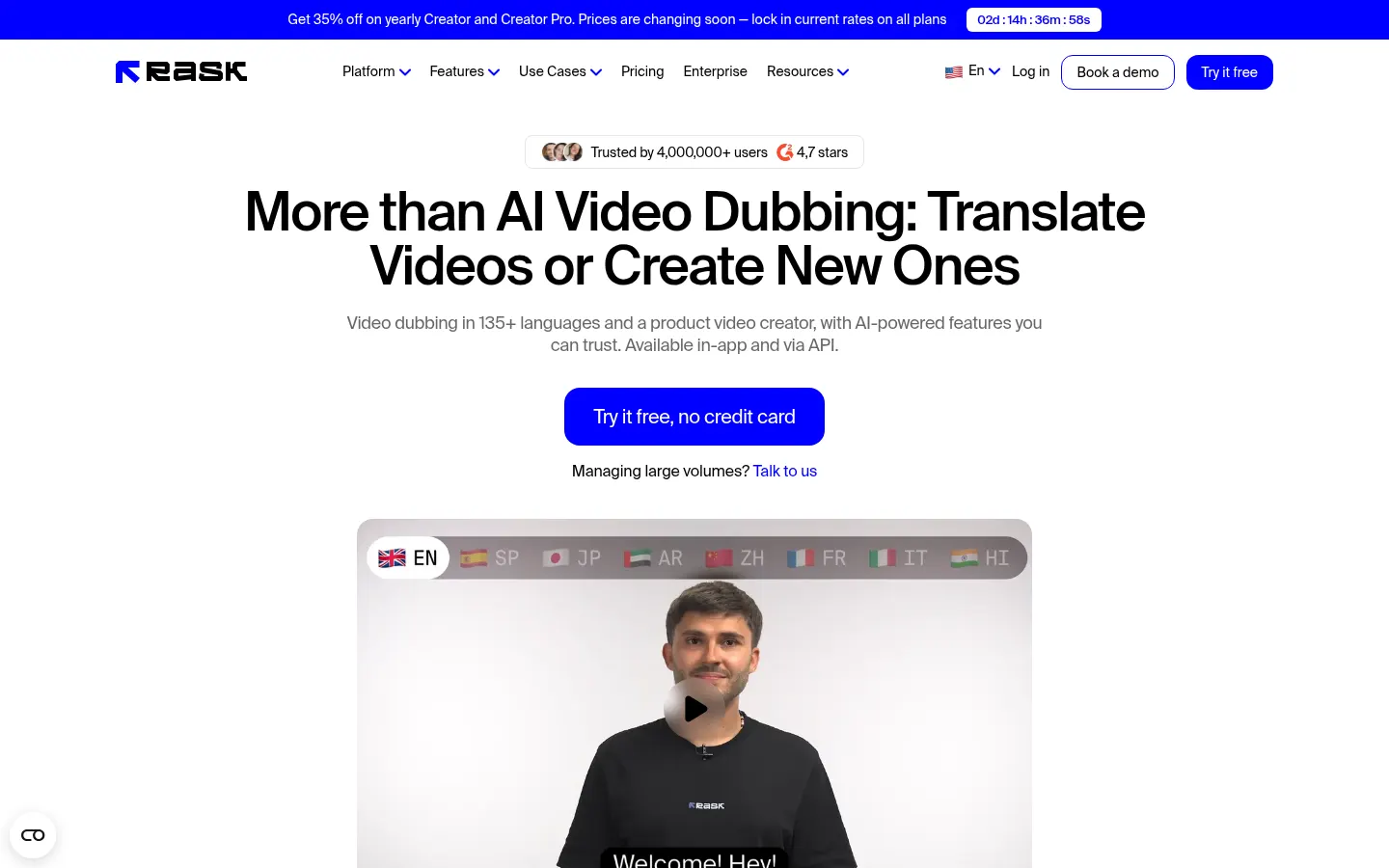
Rask AI is an AI video dubbing and translation platform that transcribes the original audio, translates it into 135+ languages and generates a new spoken track with the speaker's cloned voice, with optional lip-sync. It is used by content creators, marketing teams, corporate training, online education, media and production companies that want to reach audiences in other languages without reshooting.
How does Rask AI dubbing work?
You upload a video or paste a YouTube link, pick the target languages and the tool handles automatic transcription, translation and voice-over. It detects multiple speakers, keeps each voice's identity thanks to voice cloning in 57 languages and can adjust lip movement so the dub looks natural.
How much control do you get over the result?
- Line-by-line editor to review transcript, translation and timing.
- Control over speaking speed and voice settings.
- Translation dictionary for names and brand terminology.
- Translation prompting to set the tone.
- SRT download and upload plus automatic captions.
- Human in the loop for demanding projects.
What else can it localize?
Beyond full videos, it can localize audio only with accent adaptation, translate on-screen text such as slides or captions, and process batches of videos. It includes standalone tools to generate and translate subtitles or transcribe video, plus an AI screen recorder in beta that removes pauses and filler words.
Is it suitable for companies?
Rask AI is SOC 2 Type II and GDPR compliant and offers SSO with SAML, AI safety controls, synthetic voices with usage rights and an API to automate localization at scale. Teams can review projects together and keep terminology consistent.
Rask AI pros and cons
- Pro: 135+ languages and voice cloning in 57
- Pro: lip-sync and a line-by-line editor
- Pro: API, SOC 2 Type II and GDPR
- Con: entry tiers include few minutes
- Con: lip-sync is not available on every tier
Rask AI features and use cases
How to use Rask AI
Rask AI FAQ
What is Rask AI?
Rask AI is an AI video dubbing and translation platform that translates into 135+ languages with the original cloned voice.
Is Rask AI free?
No, it is paid, although you can try 3 minutes with no card. See the pricing section of this page.
Does it dub videos into Spanish?
Yes, Spanish is among its 135+ translation languages, and voice cloning also works in Spanish.
Does it keep my voice?
Yes, it clones the speaker's voice in 57 languages so the dub sounds like the original person.
Does it do lip-sync?
Yes, it matches lip movement to the new audio, a feature available from the Creator Pro tier.
Can I fix the translation?
Yes, the line-by-line editor lets you change text, timing, speaking speed and voice before exporting.
Does it handle multiple speakers?
Yes, it detects several speakers in the same video and gives each one their own voice.
Does it create subtitles?
Yes, it generates automatic captions and lets you download and upload SRT files for reuse.
Does it have an API?
Yes, it offers an API to automate localization and complies with SOC 2 Type II and GDPR.
What are the best Rask AI alternatives?
On GptZone you can compare HeyGen and ElevenLabs.
Rask AI pricing and plans
Reference price: 39 USD / month. Source · Verified: October 31, 2026
Prices in US dollars (USD). Checked on: 31/10/2026.
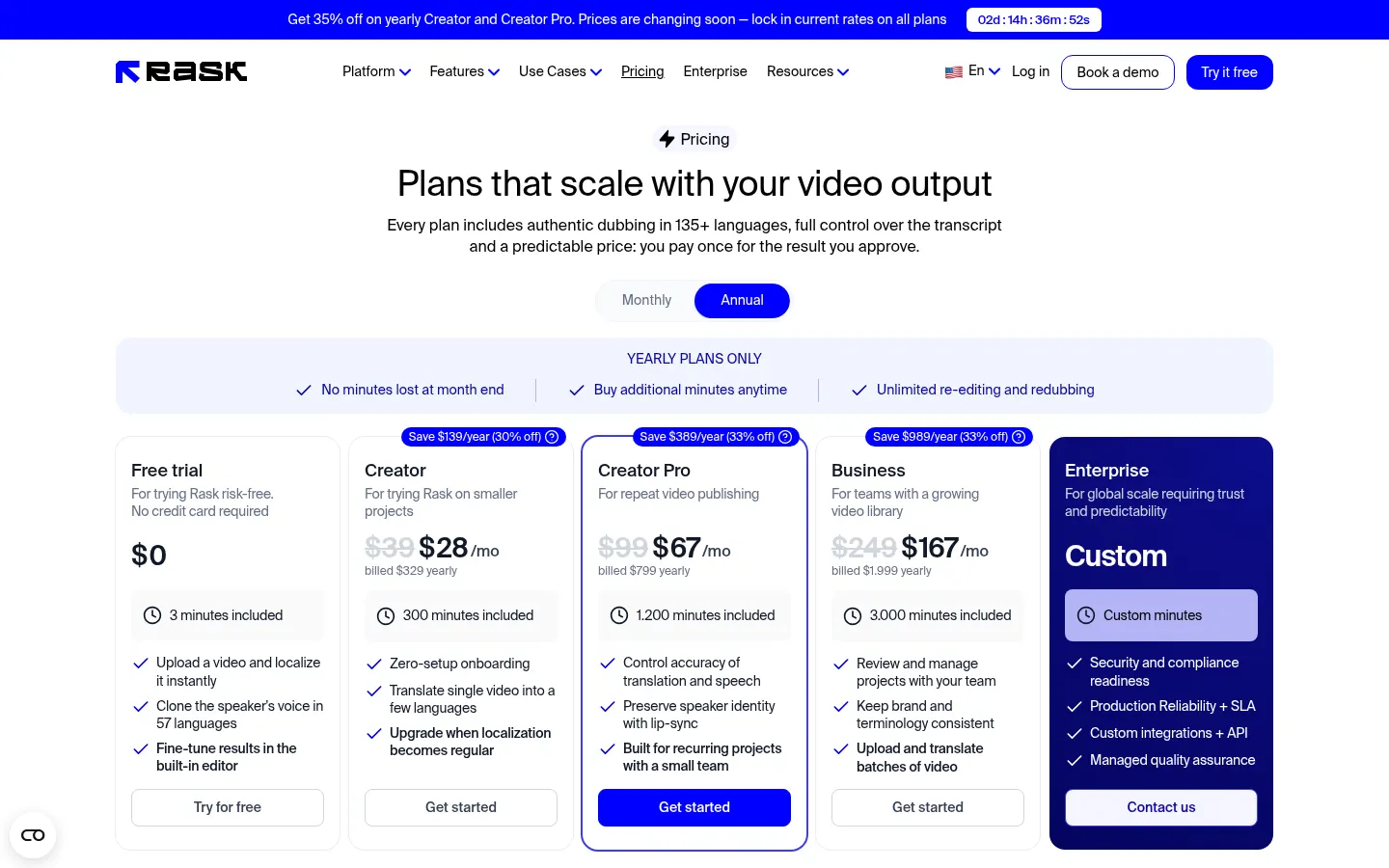
Trial: $0; 3 minutes included, no card required.
Creator: $39/month with 25 minutes a month, or $329/year with 300 minutes a year.
Creator Pro: $99/month with 100 minutes a month, or $799/year with 1,200 minutes; adds lip-sync.
Business: $249/month with 250 minutes a month, or $1,999/year with 3,000 minutes; team work, glossary and batches.
Enterprise: custom. Extra minutes at $3/min on Creator Pro and Business.
Rask AI Screenshots
Rask AI user reviews
Write a review
Checking your session...
Rask AI Reviews
Loading reviews...