Share
What is Async?
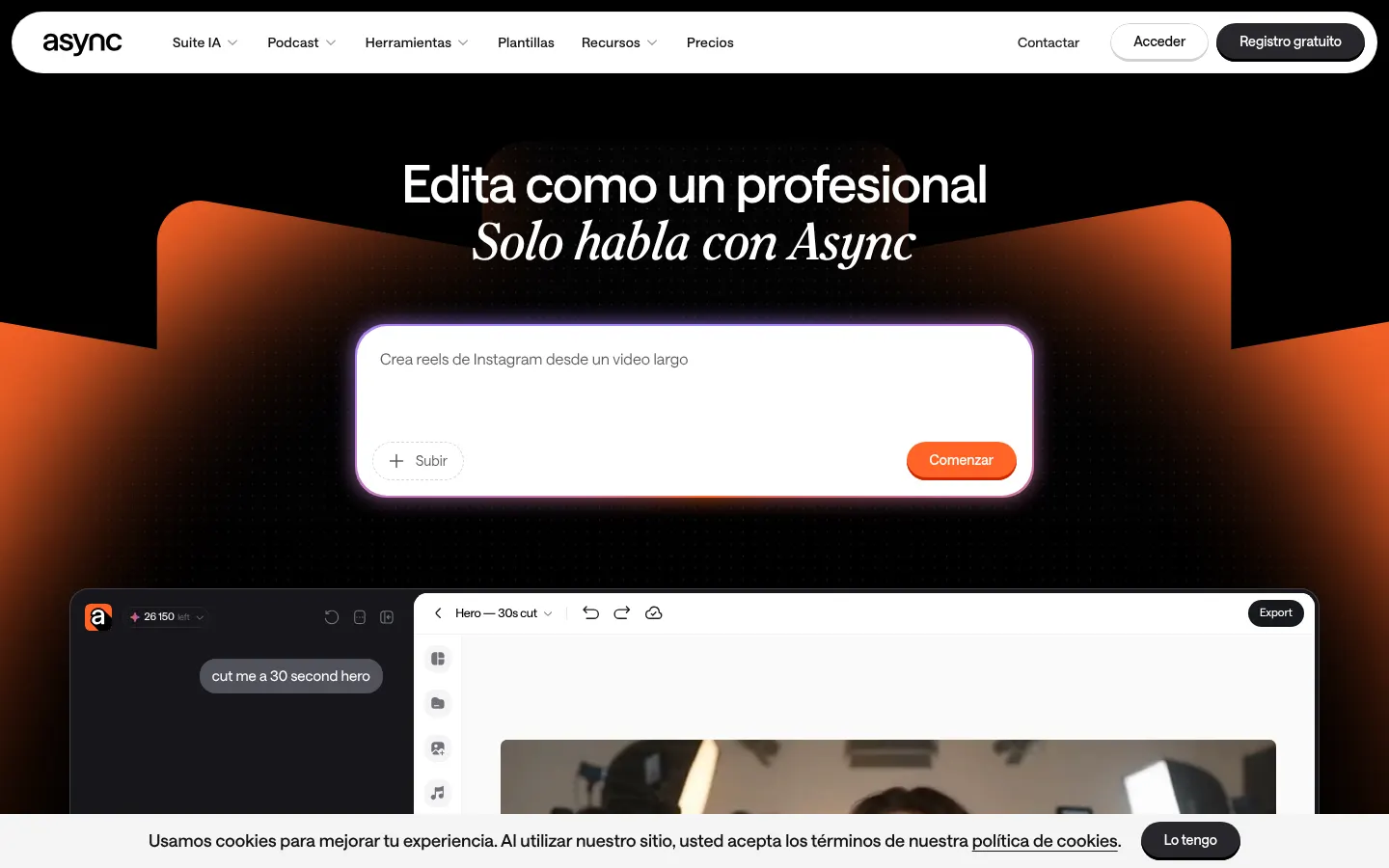
Async is an AI video and podcast editor (the platform formerly known as Podcastle) that edits recordings from plain-language chat instructions, built for creators, podcasters and marketing teams who publish often. Instead of cutting by hand on a timeline, you describe the edit you want and the assistant applies it to your footage.
What is Async used for?
It gets you from raw recording to a publish-ready video in fewer steps. The chat-based editor removes filler words, pauses and retakes, syncs cuts to the beat of the music and adds captions. Magic Dust cleans up voices, reduces background noise and trims silences. From the same chat you can generate supporting assets such as B-roll, music or voiceovers using third-party video and image models, and turn a long episode into vertical clips for TikTok, Reels or Shorts.
How does Async work?
Upload a file or record in the browser-based remote recording studio, which captures 4K video and uncompressed WAV audio on a separate track per speaker and uploads to the cloud while you record. Then ask for changes in natural language, review the result and export. You can save your editing style as a reusable Skill, apply templates and a brand kit, and use AI dubbing with lip sync in 30+ languages while keeping your cloned voice.
Who is Async for?
- Podcasters who interview remote guests and want to edit without technical skills.
- Creators and marketing teams who repurpose long videos into short social clips.
- Brands that want to take their content into other languages with dubbing and captions.
Async pros and cons
- Pro: recording, editing, audio cleanup, asset generation and dubbing live in one platform.
- Pro: chat-based editing cuts most of the manual timeline work.
- Con: AI features consume credits, so usage needs watching on long projects.
- Con: after the rebrand from Podcastle, some docs and reviews still use the old name.
Async features and use cases
How to use Async
Async FAQ
What is Async?
An AI platform for recording and editing videos and podcasts through a chat. It was previously called Podcastle.
Is Async the same as Podcastle?
Yes. podcastle.ai now redirects to async.com, which keeps the recording studio and voice tools and adds chat-based video editing.
Is Async free?
There is a basic tier with a few credits to try it. Paid options are listed in the pricing section.
Does Async work in Spanish?
The site and interface are available in Spanish and dubbing covers 30+ languages. Some features, such as captions on the Essentials tier, are English only.
Can I record remote guests?
Yes. The browser-based studio records each participant on a separate track, with up to 4K video and uncompressed WAV audio.
Which models does Async use for video and images?
Async plugs in third-party models such as Kling, Seedance, Google Veo and GPT Image to create B-roll and images from the chat.
Does Async have an API?
Async has a developer section at async.com/developers; check it to see which features are exposed.
Is there a mobile app?
Yes, the recording studio has an iOS app in addition to the web version.
What are the best Async alternatives?
Descript for text-based video and audio editing and OpusClip for turning long videos into clips, both listed in the GptZone directory.
Async pricing and plans
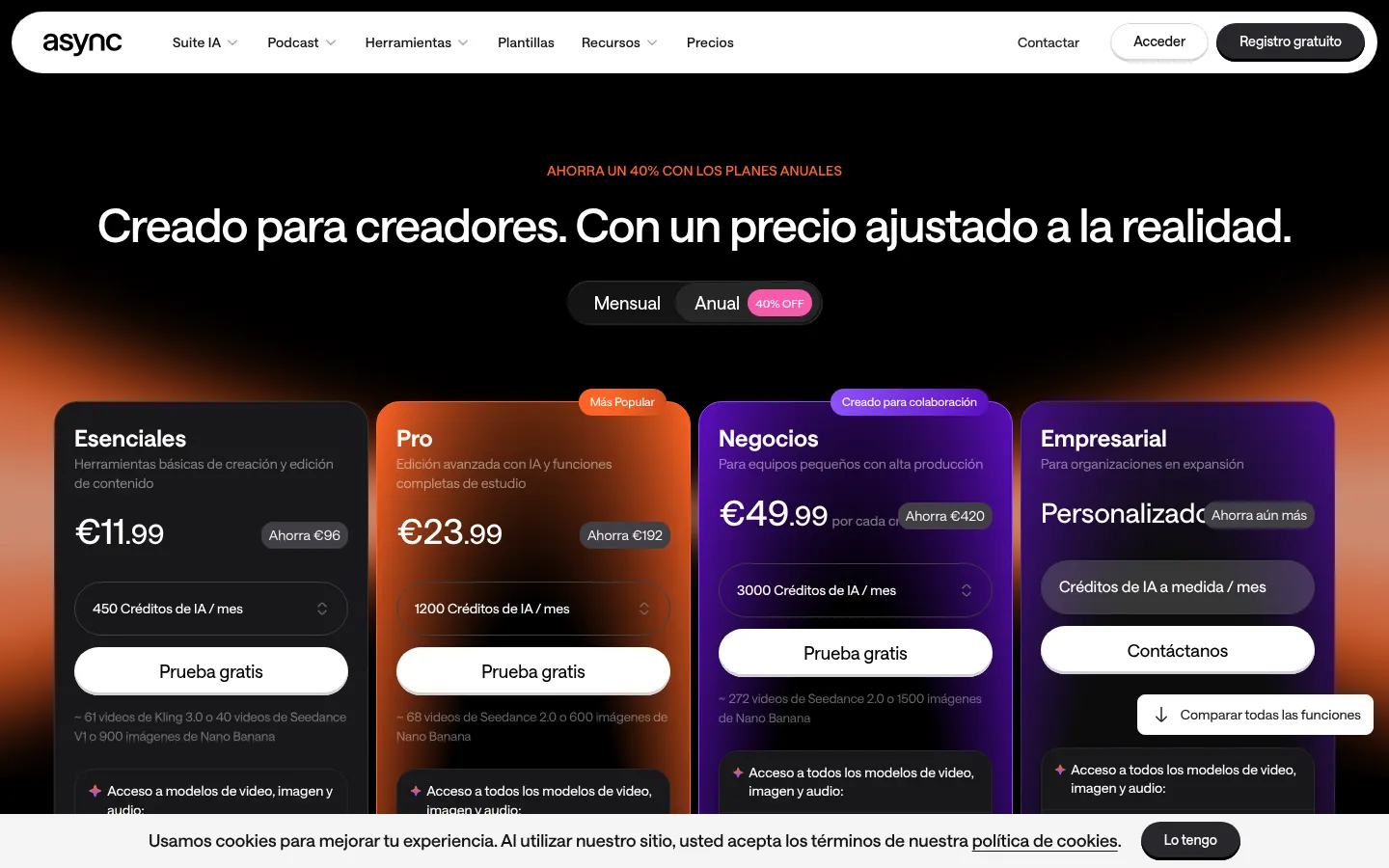
Reference price: 11.99 EUR / month. Source · Verified: October 27, 2026
Prices in euros (EUR) shown with yearly billing (40% saving vs monthly). Credit-based system. Checked on: 27/10/2026.
Basic: €0; 10 lifetime credits, 1 hour of uploads, MP3 export at 160 kbps and watermark.
Essentials: €11.99/month; 450 credits per month, 4 hours of recording, 2 hours of text to speech and 20 GB of storage.
Pro: €23.99/month; 1,200 credits per month, 20 hours of recording, 10 hours of text to speech and 120 GB.
Business: €49.99/month per creator; 3,000 credits per month. Enterprise: custom pricing. Extra credit packs are available.
Async Screenshots
Async user reviews
Write a review
Checking your session...
Async Reviews
Loading reviews...
Async alternatives




Osmo Studio
AI animation studio for professional motion graphics and videos. Control every detail, collaborate with teams, and export with transparent backgrounds.