Share
What is ReelMuse?
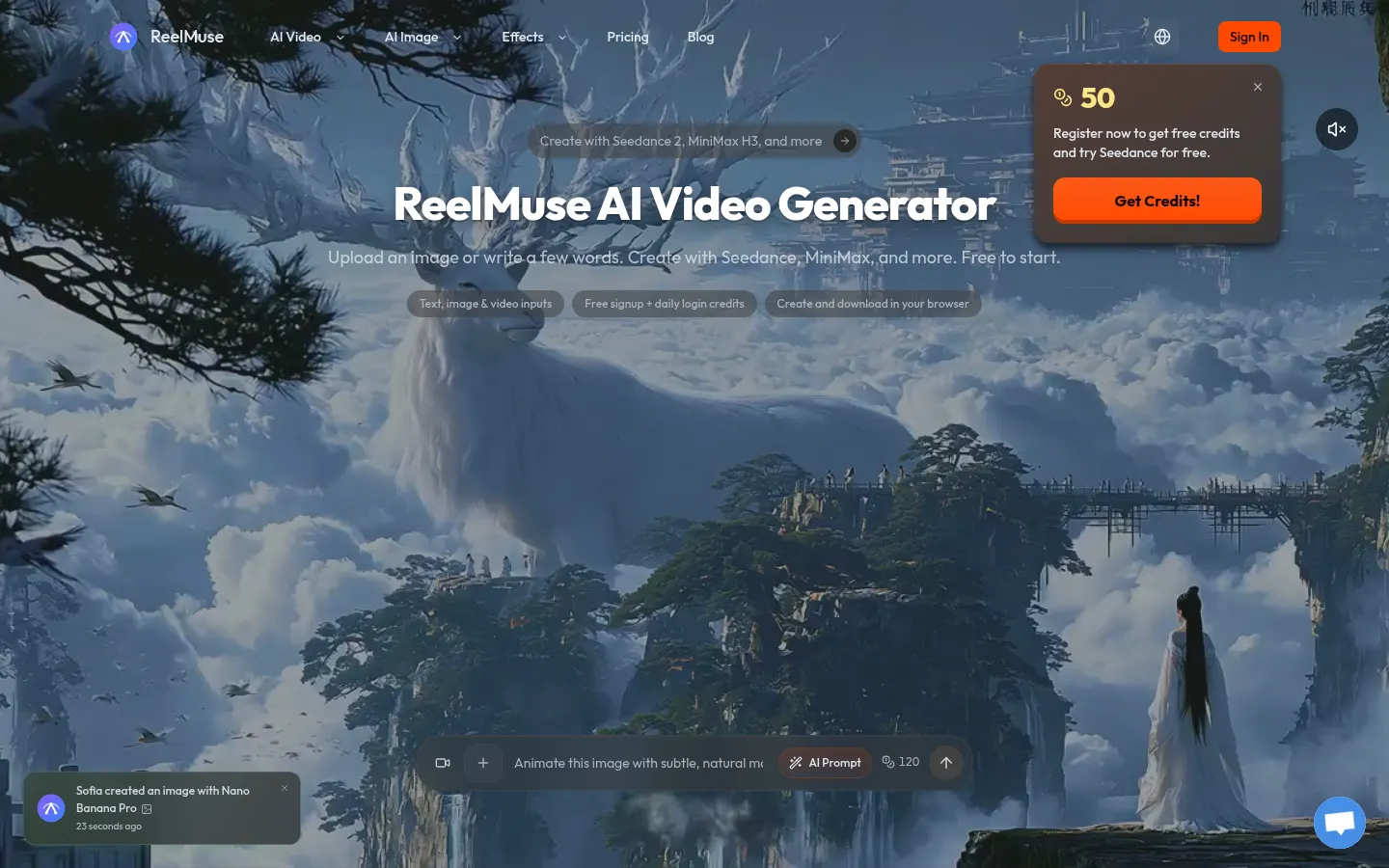
ReelMuse is a browser-based AI video generator for social media creators, small brands and anyone who wants to turn an idea into a clip: write a description, upload a photo or add a reference video, and it generates the scene without a timeline or editing software.
What is ReelMuse and which video models does it include?
ReelMuse brings several third-party video models into one workspace, including Seedance 2 and 2.5, MiniMax H3, Google's Veo 3.1 (with native audio in supported modes), Kling 3.0 Omni and Wan 3.0. For images it adds GPT Image 2 and Nano Banana. The credit usage of each model is shown before you generate, so you can weigh duration, resolution and credit use before starting a job.
How do you make an AI video with ReelMuse?
- Text to video: describe the subject, action, setting and visual style.
- Image to video: animate a photo or illustration with a motion and camera prompt.
- Video to video: use an existing clip as a guide and change its style or scene.
- First and last frames, aspect ratios and camera direction on models that support them.
Pending jobs and finished videos live in the Generate section, where you can review and download them.
What kinds of videos can ReelMuse make?
Beyond cinematic scenes, it offers ready-made effects such as AI dance videos for people, babies or pets from a single photo, photo-to-video without writing a prompt, and AI Live Swap, aimed at Reels, TikTok and greetings.
ReelMuse pros and cons
Pros: several leading models under one account, credit usage shown upfront and no watermark on paid downloads. Cons: models burn credits at very different rates, output quality depends on the model you pick, and the site is English-only.
ReelMuse features and use cases
How to use ReelMuse
ReelMuse FAQ
What is ReelMuse?
ReelMuse is a browser-based AI video generator that creates clips from text, images or videos with models such as Seedance, Veo 3.1, Kling and MiniMax.
Is ReelMuse free?
You can start with sign-up and daily login credits; for more videos there are subscriptions and credit packs, listed in the pricing section.
Does ReelMuse have an API?
The site does not offer a public API; it is used as a web app in the browser.
Does ReelMuse work in Spanish?
The interface is in English. You can write prompts in Spanish, though results depend on the video model you choose.
Which video models does ReelMuse include?
It includes Seedance 2, Seedance 2.5, MiniMax H3, Veo 3.1, Kling 3.0 Omni and Wan 3.0, among others.
Do ReelMuse videos have a watermark?
According to the site, videos generated on paid accounts download without a ReelMuse watermark.
Can I use ReelMuse videos commercially?
Yes, commercial use is included as long as you hold the rights to the images or clips you upload.
Do ReelMuse credits expire?
Paid credits never expire; sign-up and daily login credits follow their own expiry rules.
How long are ReelMuse videos?
It depends on the model: Veo 3.1, for example, outputs 4, 6 or 8-second clips from 720p to 4K.
What are the best ReelMuse alternatives?
On GptZone you can compare Runway, Luma Dream Machine and Kling IA for AI video generation.
ReelMuse pricing and plans
Reference price: 9.9 USD / month. Source · Verified: November 4, 2026
Prices in USD from the official site (Checked on: 04/11/2026).
Free: sign-up credits plus daily login credits (these expire).
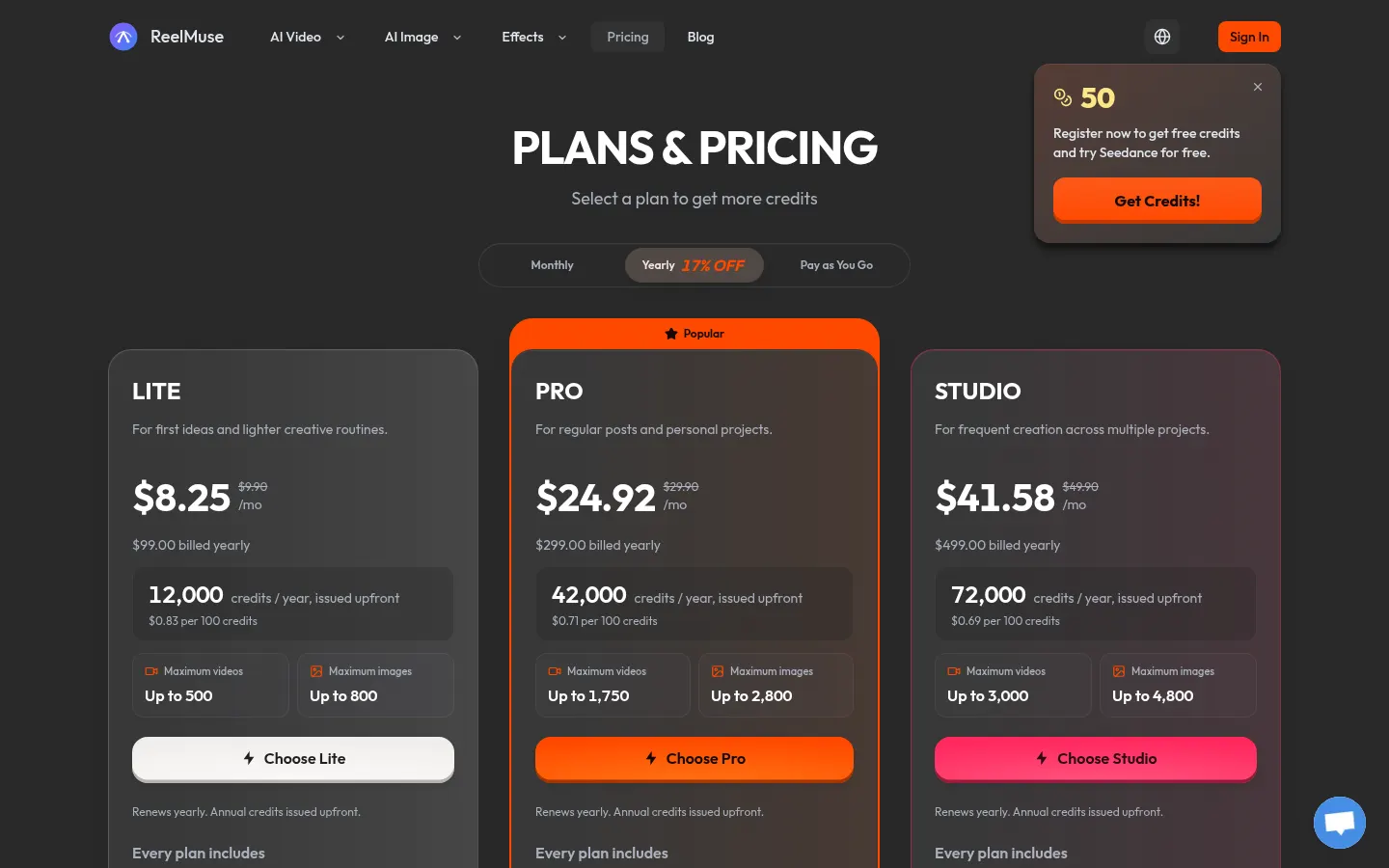
Lite: 9.90 USD/month or 99 USD/year (12,000 credits per year).
Pro: 29.90 USD/month or 299 USD/year (42,000 credits per year).
Studio: 49.90 USD/month or 499 USD/year (72,000 credits per year).
- One-time credit packs are also available.
- Paid credits never expire, even after cancelling.
- Every plan includes all models, no watermark and commercial use.
- Example usage: Seedance 2.0 Mini uses 60–120 credits per video; Seedance 2.5 and MiniMax H3 use 120–240.
- Full refund if requested within 72 hours with no credits used.
ReelMuse Screenshots
ReelMuse user reviews
Write a review
Checking your session...
ReelMuse Reviews
Loading reviews...
ReelMuse alternatives


Black Forest Labs (FLUX)
Black Forest Labs is the AI lab behind FLUX, a family of image and video generation models available via API, in a playground and as open weights.