Share
What is CapCut?
CapCut is an AI video editor that runs in the browser, on desktop and on mobile, built for making content for YouTube, TikTok, Instagram and other social platforms. It mixes classic timeline editing with video, image and voice generation tools and a huge library of trend-driven templates.
What is CapCut used for?
It lets you cut, assemble and polish videos without technical skills: transitions, effects, music, auto captions in multiple languages and HD export without a watermark. You can also start from a template and simply swap in your own clips and text.
What can CapCut generate with AI?
- Video from text, images or keyframes using Dreamina's Seedance models.
- A creative agent that builds a full video from a chat: style, avatar and script.
- Images and layouts for social posts, covers and marketing assets.
- Text to speech with natural voices for narration and podcasts.
Which photo tools does CapCut include?
It removes backgrounds in one click, sharpens and upscales photos, and resizes images for each social network with smart cropping, all in the browser with nothing to install.
Who should use CapCut?
Content creators, social media managers, small brands and marketing teams that publish short-form video often and value speed over a professional post-production pipeline. Teams can share workspaces.
CapCut pros and cons
- Pro: very gentle learning curve and lots of up-to-date templates.
- Pro: editing, video generation, voice and image tools in one app.
- Pro: available on web, Windows, Mac, iOS and Android.
- Con: video generation uses credits that run out fast with heavy use.
- Con: less fine control than a professional editor for long projects.
CapCut features and use cases
How to use CapCut
CapCut FAQ
What is CapCut?
It is an AI video editor for web, desktop and mobile focused on social media content.
Is CapCut free?
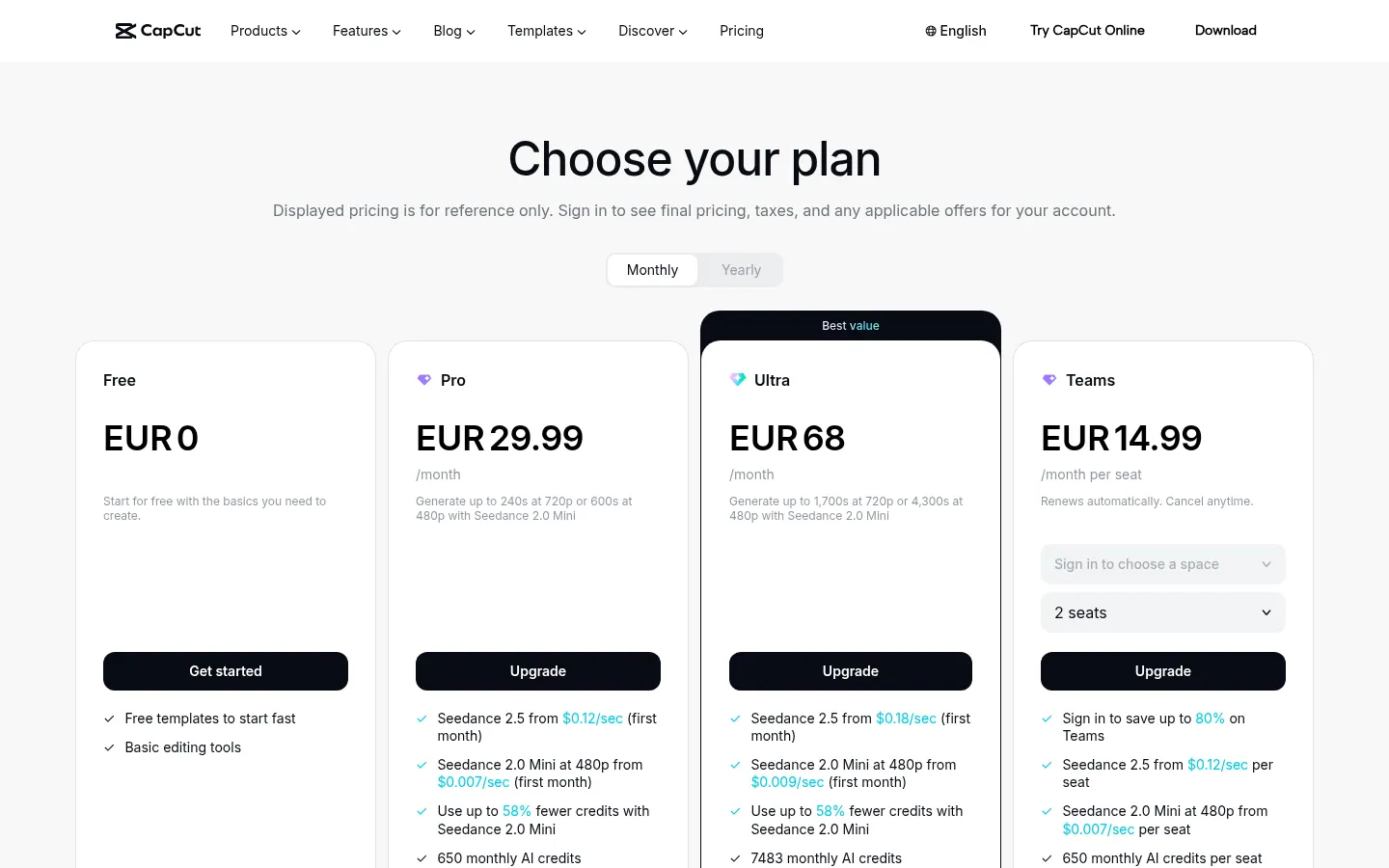
There is a free plan with basic features. Pro costs 259.99 EUR a year and Ultra 779 EUR a year.
Does CapCut have an API?
It does not offer a general public developer API; you use it through the web editor and apps.
Does CapCut work in Spanish?
Yes. The interface is available in Spanish and auto captions work in multiple languages, including Spanish.
Can I use CapCut without installing anything?
Yes, the online editor runs in the browser; there are also apps for Windows, Mac, iOS and Android.
Does CapCut add a watermark?
The site says you can export HD videos without a watermark from the online editor.
What is Seedance in CapCut?
Dreamina's video generation models built into CapCut to create clips from text or images.
Does CapCut work for teams?
Yes, the Teams plan adds shared workspaces and Pro features for every seat.
What are the best CapCut alternatives?
On GptZone you can compare Descript, Captions and Submagic for AI video editing and captions.
CapCut pricing and plans
Reference price: 259.99 EUR / year. Source · Verified: November 3, 2026
CapCut Screenshots

CapCut user reviews
Write a review
Checking your session...
CapCut Reviews
Loading reviews...