

Share
What is Wisecut?
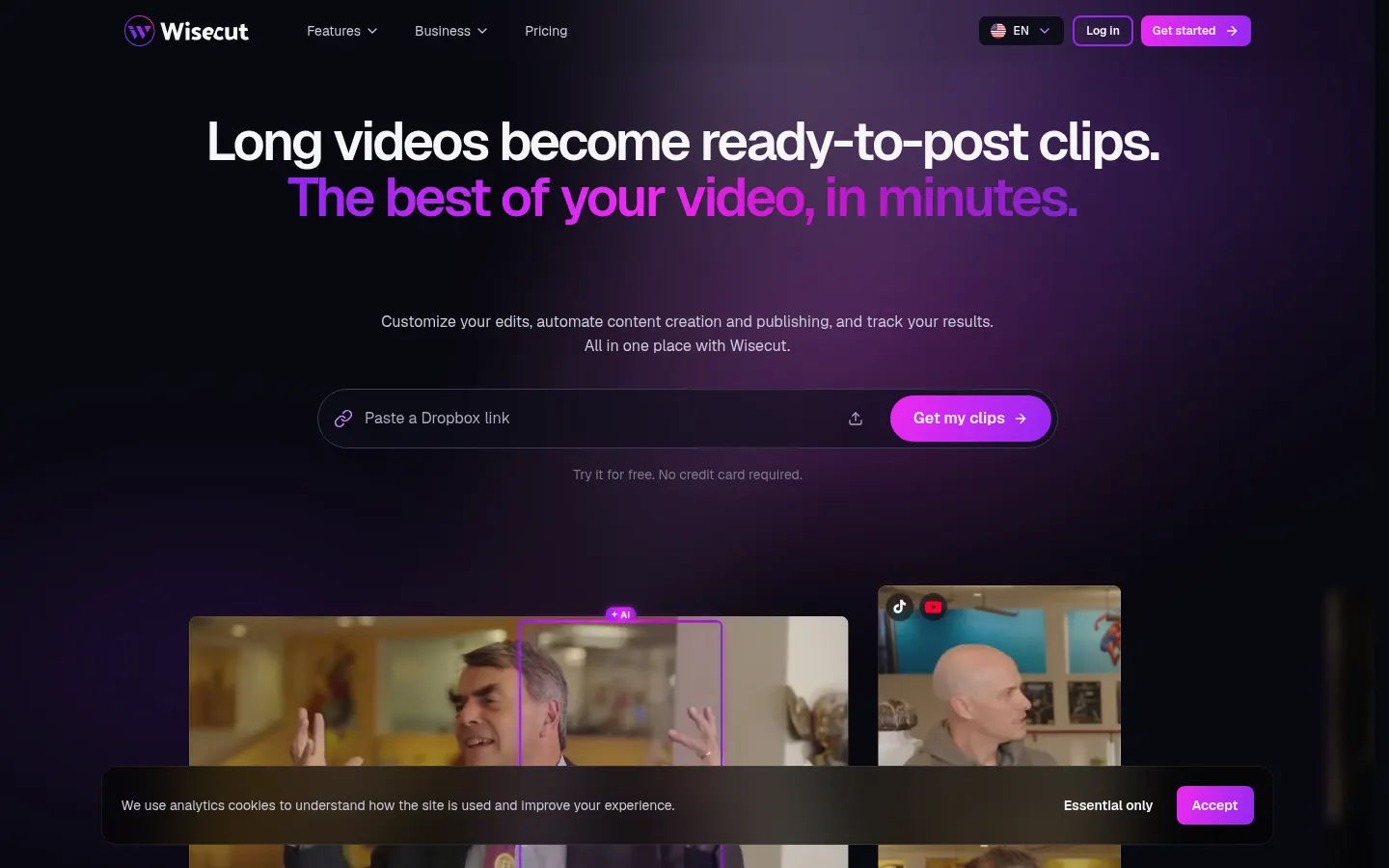
Wisecut is an AI video editor that turns long videos into ready-to-post clips. It finds the best moments, removes silences and bad takes, adds captions and reframes to vertical, and it can publish clips to your connected networks. More than 1.5 million creators and businesses use it, including YouTubers, podcasters, educators, marketing teams, social media managers and media outlets.
How do you edit videos in Wisecut?
You paste a video link or upload a file and Wisecut suggests clips with the most interesting moments for you to choose from. You can then ask Wish, its editing agent, for changes in plain language, or edit directly in the transcript, deleting sentences as if it were a text document.
Which automatic editing features does it include?
- Clean Edit and automatic silence removal.
- Customizable captions and translation.
- Auto reframe to 9:16 for vertical formats.
- Auto punch-in and punch-out zooms for pacing.
- Hook title at the start of the clip.
- Studio voice, background music that ducks automatically and thumbnails.
What do Autopilot and Live Clipping do?
Autopilot watches your channel: with every new video it finds the best moments, edits clips, adds captions and publishes them to the channels you choose, following your instructions. Live Clipping creates clips while the stream is still live so you can post highlights on the spot. The Social Hub brings together the calendar and scheduling for every connected network.
Can it integrate with other tools?
Wisecut offers an MCP server to connect it to your AI assistant and API access on the top tier, aimed at high-volume workflows. The same credits work across the editor, Autopilot and Wish, and there are custom options for companies.
Wisecut pros and cons
- Pro: from long video to published clips hands-off
- Pro: editing through the transcript and plain language
- Pro: real-time clips from live streams
- Con: the entry version caps resolution at 480p
- Con: Autopilot uses twice as many credits per minute as the editor
Wisecut features and use cases
How to use Wisecut
Wisecut FAQ
What is Wisecut?
Wisecut is an AI video editor that turns long videos and live streams into edited clips ready to post.
Is Wisecut free?
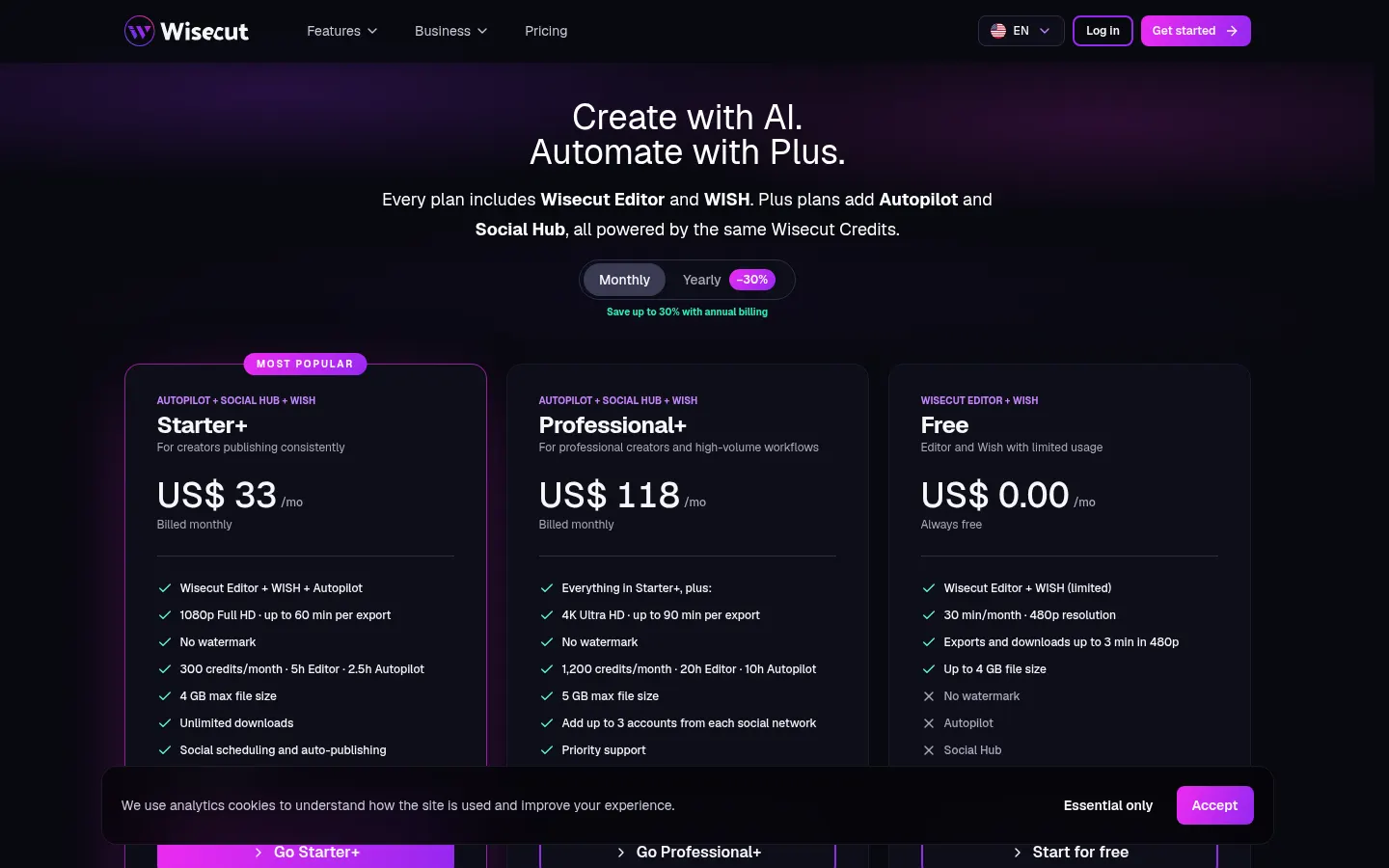
It has a free version limited to 30 minutes a month at 480p, plus paid tiers. See the pricing section of this page.
Does it add a watermark?
No, exported videos carry no watermark, not even on the free version of the tool.
What is Wish?
It is the editing agent: you ask for changes in plain language and it applies them to the video.
Can I edit through the text?
Yes, you can delete sentences in the transcript and the video is cut at the same points automatically.
Does it publish to social media?
Yes, the Social Hub schedules and publishes clips to your connected networks from a calendar.
What does Autopilot do?
With every new video on your channel it creates, edits and publishes clips automatically, following your instructions.
Does it work with live streams?
Yes, Live Clipping creates clips while the broadcast is still running so you can post them right away.
Does it have an API?
Yes, it offers an MCP server to connect your AI assistant and API access on the Professional+ tier.
What are the best Wisecut alternatives?
On GptZone you can compare Opus Clip, Vizard and Submagic.
Wisecut pricing and plans
Reference price: 33 USD / month. Source · Verified: October 31, 2026
Prices in US dollars (USD) billed monthly; annual billing saves up to 30%. Checked on: 31/10/2026.
Free: $0; limited editor and Wish, 30 minutes a month, 480p, exports up to 3 minutes and no watermark.
Starter+: $33/month; 300 credits a month (5 h of editor or 2.5 h of Autopilot), 1080p, exports up to 60 minutes and Social Hub.
Professional+: $118/month; 1,200 credits a month (20 h of editor or 10 h of Autopilot), 4K, up to 90 minutes, 3 accounts per network, API and priority support.
Editing-only and custom enterprise options are also available.
Wisecut Screenshots
Wisecut user reviews
Write a review
Checking your session...
Wisecut Reviews
Loading reviews...
Wisecut alternatives





OptimaClip
Turn long videos and podcasts into social clips. AI detects viral moments, adds captions, reframes, and schedules content automatically.