Share
What is Vizard?
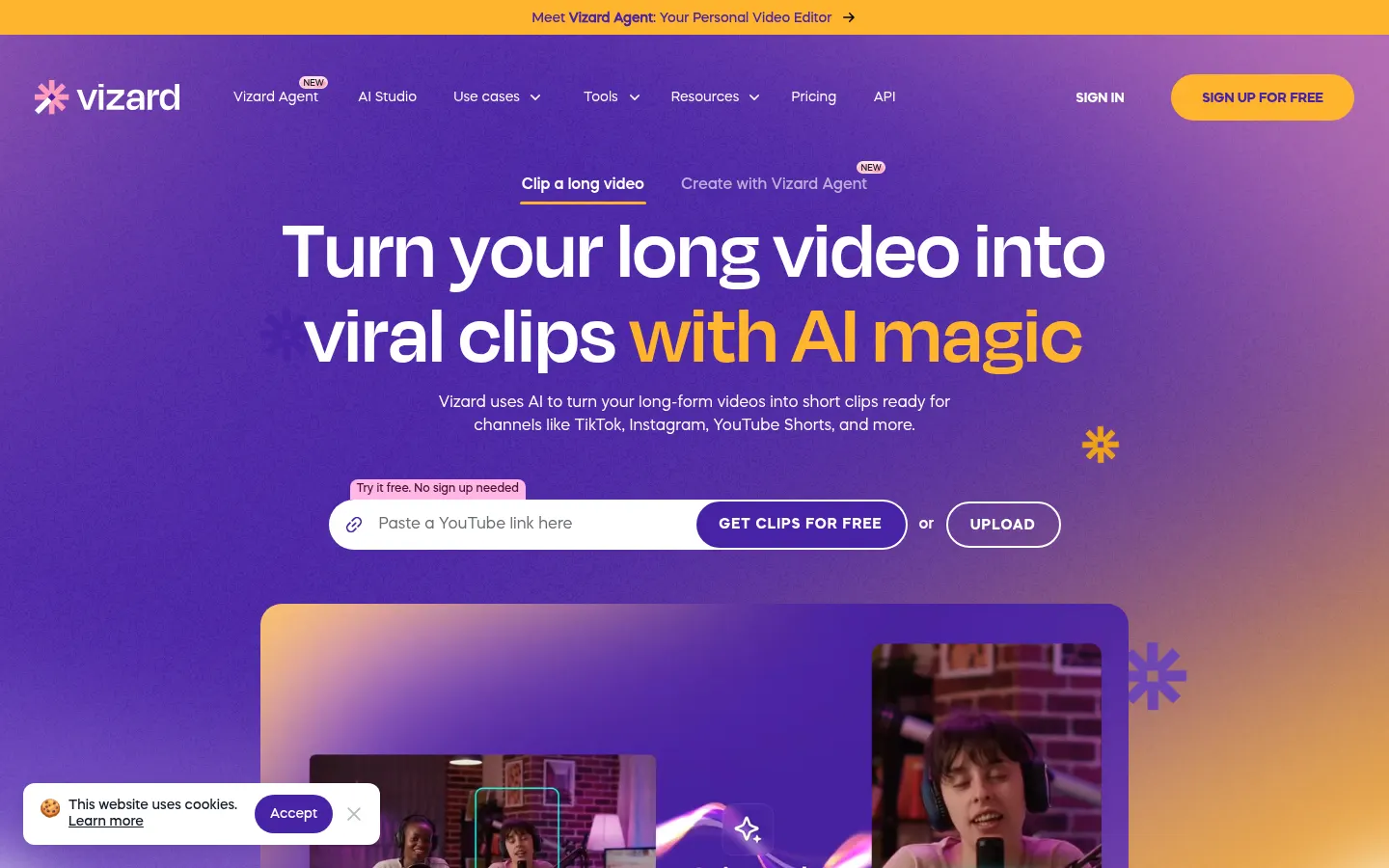
Vizard is an AI video editor that analyzes long videos, such as podcasts, webinars, interviews or lessons, finds the most engaging moments and turns them into captioned vertical clips ready for TikTok, Instagram Reels, YouTube Shorts or LinkedIn. The company says more than 10 million creators and businesses use it.
How does Vizard turn a long video into clips?
You upload a file or paste a link, Vizard transcribes the audio, identifies speakers and, with one click on Get AI clips, produces 30+ fully designed clips. Auto reframing keeps the speaker centered in vertical format, so there is no manual cropping, and every clip comes with captions, emojis and highlighted keywords.
What can you edit afterwards in Vizard?
- Text-based editing: delete sentences from the transcript and they disappear from the video, just like editing a doc.
- Timeline for second-level trimming.
- Caption translation into 100+ languages.
- One-click aspect ratio changes for each social network.
- Brand templates with your own fonts, colors and outros.
- AI-generated B-roll and post copy suggestions.
What is Vizard Agent?
It is the newest mode: you describe the video you want and the agent produces it from 22 templates, such as product ad, talking head, tutorial, UGC ad, event recap or podcast clips. It complements the classic clipper when you are not starting from a long recording.
Who is Vizard built for?
For podcasters, coaches and consultants who want to repurpose recordings, marketing teams turning one webinar into four weeks of content and agencies handling several clients. The shared workspace lets you invite editors, share projects by link and schedule posts across several social accounts; there is also an API, an n8n template and a skill for Claude Code or Cursor.
Vizard pros and cons
- Pro: finds highlights and reframes to vertical with no manual work
- Pro: very fast text-based editing for people who cannot edit video
- Pro: direct publishing and scheduling to social media from the same tool
- Con: the interface is in English
- Con: automatic clips always need a quick review to fine-tune starts and endings
Vizard features and use cases
How to use Vizard
Vizard FAQ
What is Vizard?
Vizard is an AI video editor that turns long videos into captioned vertical clips for TikTok, Reels, Shorts and LinkedIn.
Is Vizard free?
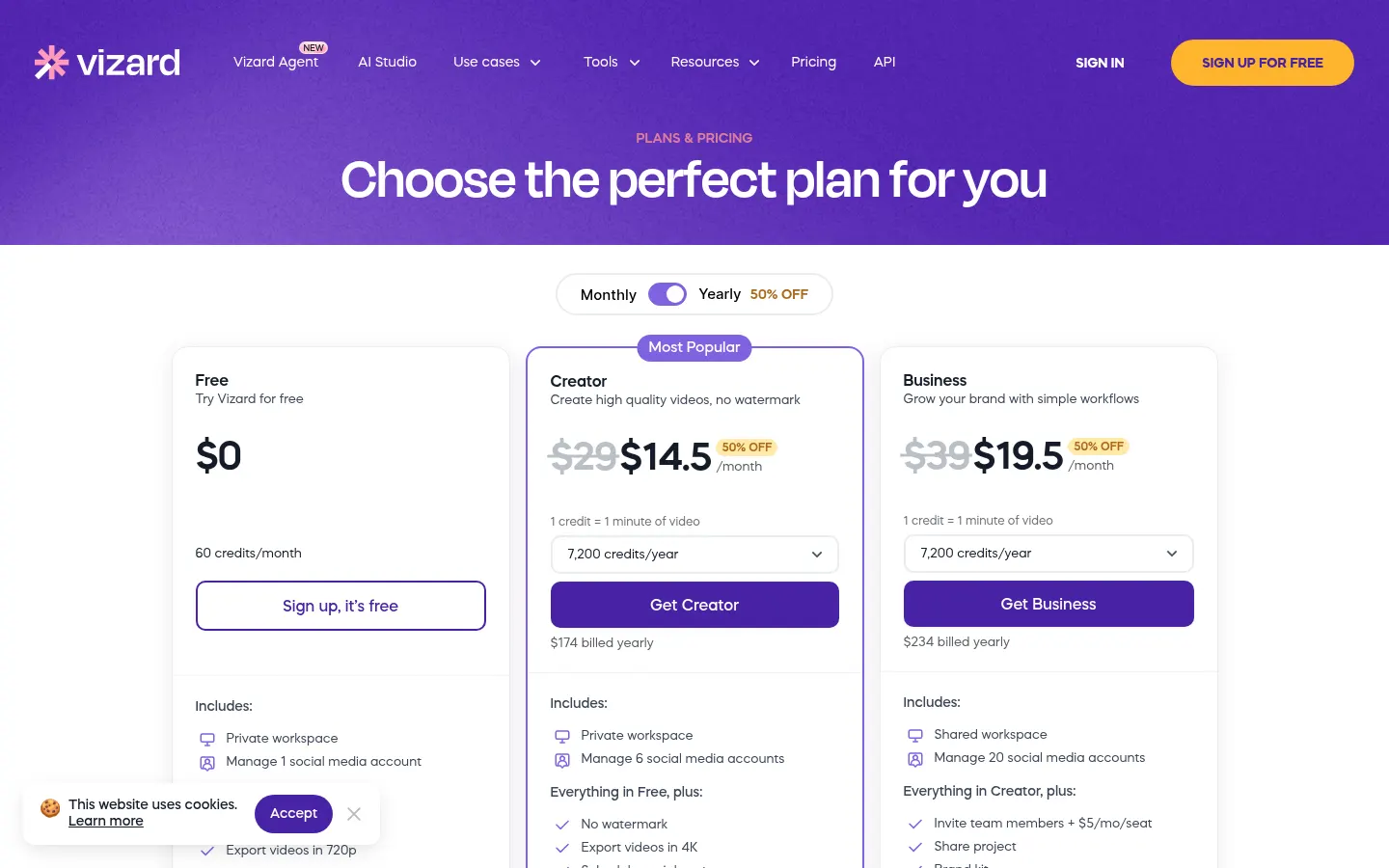
There is a free tier with 60 minutes of video a month and 720p export; paid tiers remove the watermark and add 4K. See the pricing section of this page for details.
How many clips can it make from one video?
Vizard says 30+ clips from a single long video in one click, depending on length and content.
Does Vizard work in Spanish?
The interface is in English, but captions can be translated into 100+ languages so you can publish in your audience's language.
What is text-based editing?
It means editing the video from its transcript: delete a sentence in the text and Vizard cuts that part of the video.
Can I publish straight to social media?
Yes. You can publish or schedule clips to your social accounts and save copies to Google Drive.
Does Vizard have an API?
Yes. It offers an API to automate clip creation, an n8n template and a skill for Claude Code or Cursor.
Is it good for teams and agencies?
Yes. The Business tier includes a shared workspace, brand kit and editor invites.
What are the best Vizard alternatives?
On GptZone you can compare Opus Clip, Submagic and Descript, other tools for editing video and making clips with AI.
Vizard pricing and plans
Reference price: 29 USD / month. Source · Verified: October 30, 2026
Prices in US dollars (USD). 1 credit = 1 minute of uploaded video. Checked on: 30/10/2026.
Free: $0; 60 credits a month, 720p export, 1 social account and 3-day storage.
Creator: $29/month billed monthly or $14.50/month billed yearly ($174/year); from 600 credits a month, no watermark, 4K, 6 social accounts, scheduling and 100 GB.
Business: $39/month billed monthly or $19.50/month billed yearly ($234/year); shared workspace, 20 social accounts, brand kit and extra members at $5/month per seat.
Custom plans available from sales.
Vizard Screenshots
Vizard user reviews
Write a review
Checking your session...
Vizard Reviews
Loading reviews...
Vizard alternatives


StoryShort
Create short social media videos with consistent scripts and characters. Automate production and posting to TikTok and Instagram without recording or editing.