Share
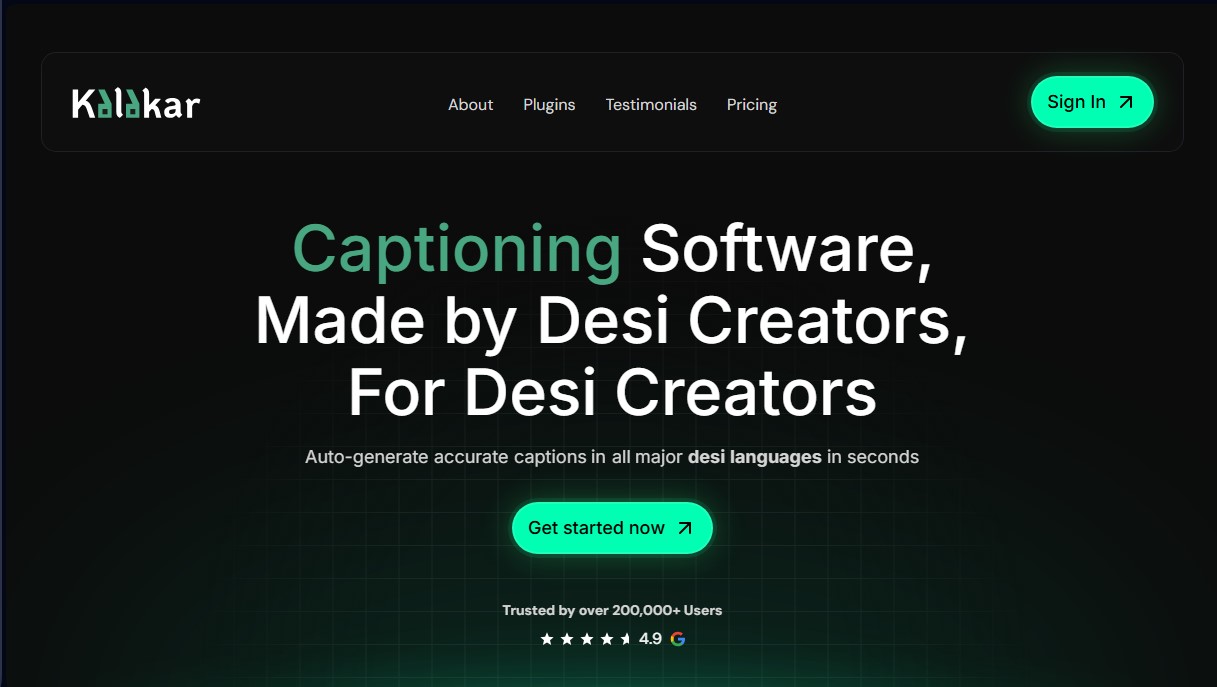
Auto-generate subtitles for South Asian languages. Features accurate transcription, editable templates, AI audio enhancement, and SRT or alpha channel export.
What is Kalakar?
Kalakar is an artificial intelligence tool specializing in automatic subtitle generation and audio enhancement, specifically designed to meet the needs of content creators working with South Asian languages. This platform automates the transcription process with up to 97% accuracy in languages such as Hindi, Urdu, Bengali, Tamil, and the popular "Hinglish," among many others. Its primary focus is to eliminate the technical and time barriers of manual subtitling in markets that are often overlooked by conventional editing software.
Kalakar's functionality is based on advanced natural language processing (NLP) algorithms and transcription models optimized to capture regional nuances and specific dialects. Users can upload their video or audio files directly to the platform or integrate the tool into their existing workflow using plugins for Adobe Premiere Pro and DaVinci Resolve Studio. This integration allows professional editors to generate and adjust subtitles without switching applications, optimizing performance on the editing computer.
In addition to transcription, the tool incorporates studio-grade AI audio enhancement technology. This system uses complex algorithms to clean audio tracks affected by background noise, traffic, hiss, or white noise, achieving crisp results even in recordings made under difficult conditions. It is a comprehensive solution for content creators and video editors looking to quickly professionalize their productions.
Kalakar’s core capabilities include:
- Automatic subtitle generation: Rapid transcription in seconds for over 20 regional languages and their combination with English.
- Fully customizable templates: Access to dynamic and modern subtitle styles, allowing for adjustments to colors, fonts, animations, and positioning.
- Professional export: Support for SRT, VTT, and alpha channel rendering (Apple ProRes), facilitating subtitle overlays with transparency in any editing software.
- Smart translation: The ability to translate content from local languages into English and more than 70 additional languages.
- 4K video support: High-quality rendering for platforms that demand maximum visual resolution.
Kalakar is positioned as a highly efficient AI subtitling solution for teams managing large volumes of content. By allowing batch uploads and offering a shared workspace for teams, it facilitates collaboration on complex projects. Its ability to handle custom fonts and manual hex codes ensures that any brand's visual identity remains consistent across all videos. In essence, it is a practical tool that transforms the transcription of complex languages into a simple, accurate, and visually appealing process.
Kalakar features and use cases
How to use Kalakar
Kalakar FAQ
What are the main features Kalakar offers for content creators?
Kalakar allows you to generate highly accurate auto-captions, translate dialogue into over 70 languages, and enhance audio quality using AI.
How accurate are Kalakar’s automated transcriptions?
The system achieves up to 97% accuracy for major languages, though this can vary slightly depending on the quality of the original audio.
Can I manually edit the captions after they have been generated?
You have full control to correct any word, add new phrases, or delete parts of the text directly within the platform’s editor.
How do I integrate Kalakar into my Premiere Pro workflow?
You can install our dedicated Premiere Pro plugin, which makes it easy to import captions and templates without ever leaving your editing software.
What export options are available for professional editors?
Kalakar lets you export files in SRT or VTT formats, as well as MP4 renders in up to 4K resolution or via alpha channel for complex compositions.
Can the default design templates be customized?
Yes, every component of the templates is editable, including hex color codes, custom fonts, animations, and word placement.
Which payment methods are accepted for subscriptions?
Payments are processed securely through Stripe, accepting international credit and debit cards, as well as Apple Pay and Google Pay.
Is it difficult to cancel an active Kalakar subscription?
The cancellation process is very straightforward and can be done in just two clicks from the main page, with no hidden hoops to jump through.
What are the benefits of the free plan for new users?
The free plan lets you try all transcription features and export videos without watermarks using our basic design templates.
How does team management work on the platform?
With the Studio plan, you can add unlimited members to share projects, credits, and storage within a single collaborative workspace.
Kalakar pricing and plans
Free Plan
Price: $0 (free forever).
- Access to all available languages.
- 5-minute free trial with full templates.
- 5 GB cloud storage.
- 2-minute maximum video length.
- 3 audio enhancement credits (1 credit = 1 video).
- Watermark-free exports on basic templates.
Editor Plan
Price: $8.35 per month (or $5.8 per month billed annually).
- Everything included in the Free plan.
- 2 hours of transcription.
- 20 GB cloud storage.
- 2-minute maximum video length.
- Audio enhancement for 50 videos.
- Custom font uploads.
- Unlimited batch uploads.
- 1080p and 30 FPS exports.
Creator Plan
Price: $13 per month (or $8 per month billed annually).
- Everything included in the Editor plan.
- 5 hours of transcription.
- 60 GB cloud storage.
- 5-minute maximum video length.
- Unlimited audio enhancement.
- 4K and 60 FPS exports.
- Chroma key exports (green/blue screen).
- 2 hours of translation (from regional languages to English and 70+ additional languages).
- SRT file exports.
- Audio-only file uploads (such as mp3).
Studio Plan
Price: $33.72 per month (or $21 per month billed annually).
- Everything included in the Creator plan.
- 12 hours of transcription.
- 150 GB cloud storage.
- 30-minute maximum video length.
- Alpha channel exports (transparent background).
- 5 hours of translation.
- Option to add unlimited team members in a shared workspace (additional $5 per member per month).
Kalakar Screenshots
Kalakar user reviews
Write a review
Checking your session...
Kalakar Reviews
Loading reviews...