Share
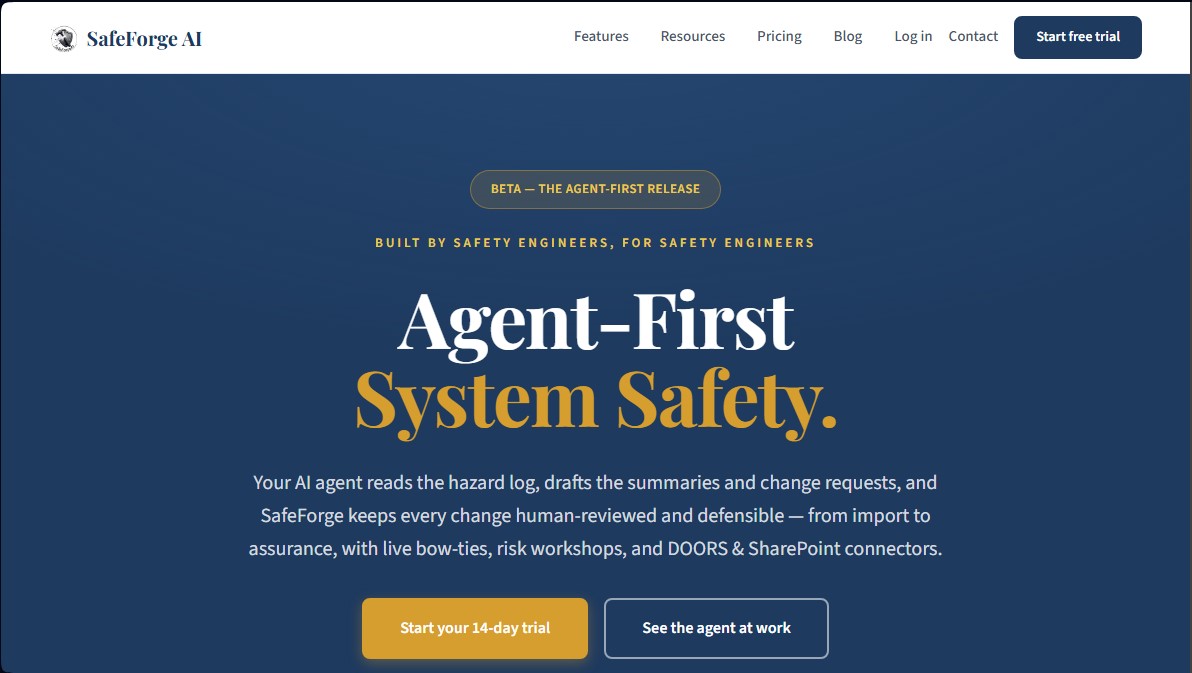
Optimize safety in critical sectors with AI. Manage hazard logs, generate risk diagrams, and automate technical reports under human supervision.
What is SafeForge AI?
SafeForge AI is an agent-oriented system safety engineering platform designed to optimize risk management in critical industries. Its primary function is to assist engineers in creating, maintaining, and auditing hazard logs, ensuring that every change is defensible and rigorously documented. The tool integrates AI capabilities to process complex technical data volumes and proactively propose improvements to safety protocols.
The operation of SafeForge AI is based on a specialized AI agent that reads hazard logs and automatically drafts summaries and change requests. This technology enables interaction with the user's tool ecosystem via the MCP protocol, facilitating a workflow where the AI assists in root cause investigations and control proposals. A fundamental aspect of its architecture is the mandatory human review approach: the agent generates drafts and suggestions, but no modification enters the official log without explicit validation from a professional. This ensures that final responsibility and critical decision-making always rest with the human expert, maintaining system integrity.
Key functional capabilities and practical benefits include:
- Interactive Bow-Tie Risk Analysis: Enables end-to-end visual risk mapping, connecting causes, top events, and consequences with clickable preventive and mitigative barriers.
- Smart Import: Uses AI for intelligent column mapping from Excel, CSV, or DOORS exports, eliminating the need for manual data re-entry.
- Risk Workshop Assistance: The agent acts as a co-pilot capable of researching published real-world incidents and proposing controls based on international best practices, citing verifiable sources.
- Governance and Traceability: Implements a two-person review system, baseline management, and a complete audit trail to satisfy external audits.
- Live Connectors: Direct synchronization with SharePoint and DOORS modules, allowing the hazard log to update automatically whenever requirements change in the source file.
This solution is especially beneficial for engineers and safety managers in sectors such as rail, aviation, defense, and energy. It facilitates compliance with demanding international standards such as EN 50126, ARP 4761, MIL-STD-882E, and ISO 31000. SafeForge AI helps identify coverage gaps in controls and ensures that safety documentation is consistent, up-to-date, and meets the most rigorous engineering standards.
SafeForge AI features and use cases
How to use SafeForge AI
SafeForge AI FAQ
What is SafeForge AI and how does it help safety engineers?
SafeForge AI is a platform designed to manage system safety through an AI agent that assists in drafting summaries, hazard logs, and risk analyses.
Can I import existing logs from Excel or DOORS into SafeForge AI?
Yes, the tool features a smart import function that automatically maps your file columns to integrate your current data quickly and easily.
Does the AI make safety decisions autonomously?
No, the system follows a mandatory human-in-the-loop principle where the agent proposes drafts that must be validated and confirmed by a responsible user before being applied.
What features do the interactive bow-tie diagrams offer?
They allow you to visualize end-to-end risks with clickable causes and mitigations, facilitating real-time editing and the creation of summaries for stakeholders.
Does SafeForge AI offer a trial period for new users?
The platform offers a 14-day free trial with all features included, allowing teams to evaluate the tool before signing up for a subscription.
What is the free read-only access included with the tool?
Every paid subscription includes one read-only seat at no extra cost, which is ideal for auditors or clients to oversee logs and diagrams without being able to make changes.
How can I apply the beta discount to my subscription?
Enter the code FORGEDSAFE at checkout to receive a 50% discount on the final price for the duration of the platform's beta phase.
Can SafeForge AI be connected to external tools like SharePoint?
Yes, the platform includes connectors that allow for live data synchronization from SharePoint files or DOORS modules to keep hazard logs constantly updated.
Where is the data stored and what security measures does the platform use?
Data is hosted on AWS servers with enterprise-grade encryption, and authentication is managed through systems that include support for Single Sign-On (SSO).
What happens to my data if I decide to cancel my subscription?
If your subscription expires, your projects and data will remain accessible in read-only mode so you can reference them whenever needed.
SafeForge AI pricing and plans
14-day free trial
• Full access to all tool features.
• Test the AI agent and integrations before subscribing.
Monthly Plan: $79/month per user (Beta Price: $39.50/month with code FORGEDSAFE)
• Includes 1 free read-only seat for every paid seat.
• Comprehensive hazard log management.
• Interactive bow-tie diagrams.
• AI-powered column mapping for imports.
• Professional Excel export and re-import.
• Access to risk worksheet templates.
• Change request process with two-person review.
• Full audit log and change history.
• Pooled AI credits shared across all organization users.
Annual Plan: $69/month per user, billed annually at $828 (Beta Price: $34.50/month)
• Includes all Monthly plan features.
• 13% discount compared to monthly billing (equivalent to 2 months free).
• Priority technical support.
• 1 free read-only seat for every paid seat.
Enterprise Plan: Custom pricing (for 30+ users)
• Volume-based pricing tailored to your needs.
• Includes 1 free read-only seat for every paid seat.
• Dedicated account manager.
• Custom integrations with other systems.
• Service Level Agreement (SLA) guarantee.
• On-site team training options.
SafeForge AI Screenshots