

Share
Generate professional videos from text with scripts, voiceovers, and visuals. Create social media series with consistent characters fast—no editing skills required.
What is Scenes AI?
Scenes AI is an advanced AI video generation platform designed to transform ideas and text prompts into professional audiovisual productions in minutes. Unlike other generators that create isolated clips, this tool stands out for its ability to produce coherent content series, maintaining character consistency, visual style, and narrative flow across multiple episodes. It is a comprehensive solution that automates the entire workflow, from scriptwriting to final editing.
The operation of Scenes AI is based on an eight-phase automated process that runs in the background. Users only need to describe their vision in natural language, specifying the tone, audience, and desired duration, which can range from 15 seconds to 5 minutes. Based on this input, the artificial intelligence analyzes the prompt, writes the script with precise visual directions, breaks down the scenes, and assigns timing and transitions. The system generates the visual elements, integrates AI voiceovers, adds background music, and renders the final video in 1080p resolution.
The tool's core capabilities include:
- Character Consistency: The AI remembers the faces, clothing, and gestures of the protagonists, ensuring they look identical in every installment of a series without the need for manual adjustments.
- Consistent Visual Identity: It allows you to lock in color grading, framing, and typography so that all content maintains a uniform brand aesthetic.
- Batch Creation: You can generate an entire season of a series from a single concept, automatically maintaining the story arc between episodes.
- Native Multi-platform Adaptation: The system allows you to export videos in 16:9, 9:16, and 1:1 formats, optimized for publishing on YouTube, TikTok, Reels, or Instagram from a single project.
The platform offers six distinct visual styles to suit any project: Cinematic Realism, Anime, Watercolor, Minimalist, Clean Corporate, and Retro Illustration. This versatility makes Scenes AI an ideal tool for marketing teams needing to scale their ad production, creators managing episodic channels, and educators requiring visually engaging teaching materials.
Thanks to this video production automation approach, users can have their first file ready for download in less than 10 minutes from their computer. By eliminating the need for technical editing skills, the tool allows any professional to focus on strategy and creativity, leaving the technical execution to the AI. All generated content includes commercial use rights.
Scenes AI features and use cases
How to use Scenes AI
Scenes AI FAQ
What exactly is Scenes AI and what is it used for?
Scenes AI is an artificial intelligence video generator designed to create series and episodic content while maintaining consistent characters and visual styles across every installment.
How does the Scenes AI payment system work?
The tool uses a pay-as-you-go model with no monthly subscriptions, where you only pay five cents per second of the final rendered video.
Do I need prior video editing knowledge to use this platform?
No technical experience is required because the AI handles the entire process—from scriptwriting to the final edit—based on your text prompts.
What does it mean that Scenes AI maintains character consistency?
It means the system remembers your characters' physical traits and clothing so they appear exactly the same in every episode of your series without unexpected variations.
Can I use the generated videos for commercial purposes?
Yes, you have complete freedom to use the rendered content on your social media, YouTube channels, or professional projects, as you own the content entirely.
What formats and resolutions can I export my Scenes AI projects in?
You can export your videos in 1080p high definition with aspect ratios tailored for TikTok, Instagram, or YouTube, available in vertical, horizontal, or square formats.
How long does it take the tool to generate a full episode?
A 60-second video is typically ready for review in about five minutes, including all stages of image generation, voiceover, and music.
What visual styles does Scenes AI offer for my creations?
The platform features six distinct styles, including cinematic realism, anime, watercolor, minimalism, clean corporate, and retro illustration.
Scenes AI pricing and plans
Free Version (Start for free)
Price: Free (initial trial).
- Create your first video to test the tool's workflow.
- Access to basic script and visual generation features.
Pay-As-You-Go Model
Price: $0.05 per second of rendered video (examples: $1.50 for 30s / $3.00 for 1 min / $15.00 for 5 min).
- No monthly subscriptions or hidden fees; pay only for what you generate.
- Export video in Full HD (1080p) quality.
- Access to all 8 AI production stages: prompt analysis, scriptwriting, scene breakdown, style definition, visual generation, voiceover, music, and final rendering.
- Character continuity: maintain consistent faces, clothing, and gestures across different episodes.
- Style consistency: lock in color grading, framing, and typography for content series.
- Native platform formats: horizontal (16:9), vertical (9:16), and square (1:1).
- Batch generation to create entire series seasons at once.
- Includes commercial usage rights for social media, YouTube, and client projects.
- Video duration limit: from 15 seconds up to a maximum of 5 minutes.
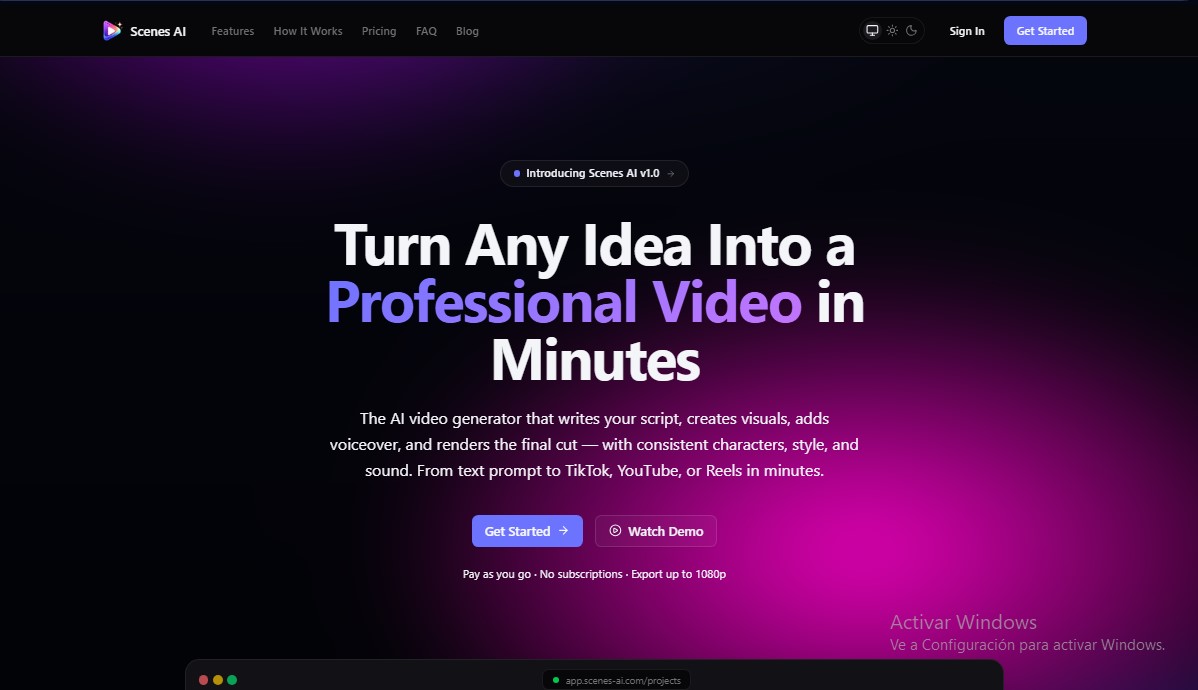
Scenes AI Screenshots
Scenes AI alternatives


VideoWeb Video Generator
Generate professional AI videos from text or images. Features realistic avatars, automated scripts, and optimized formats for marketing and social media.

Motion Transfer AI Video Generator
Animate character photos using reference videos. Precisely transfer gestures, dances, and body movements from a clip to an image for realistic results.

AlreadyRan
AlreadyRan brings dozens of AI image, video and audio models into one web studio with a single credit balance and the cost shown before every generation.


Vidverse AI
Vidverse AI brings several AI video, image and voice models into one web and mobile app, so you can turn text or photos into clips, images and voiceovers.