
Share
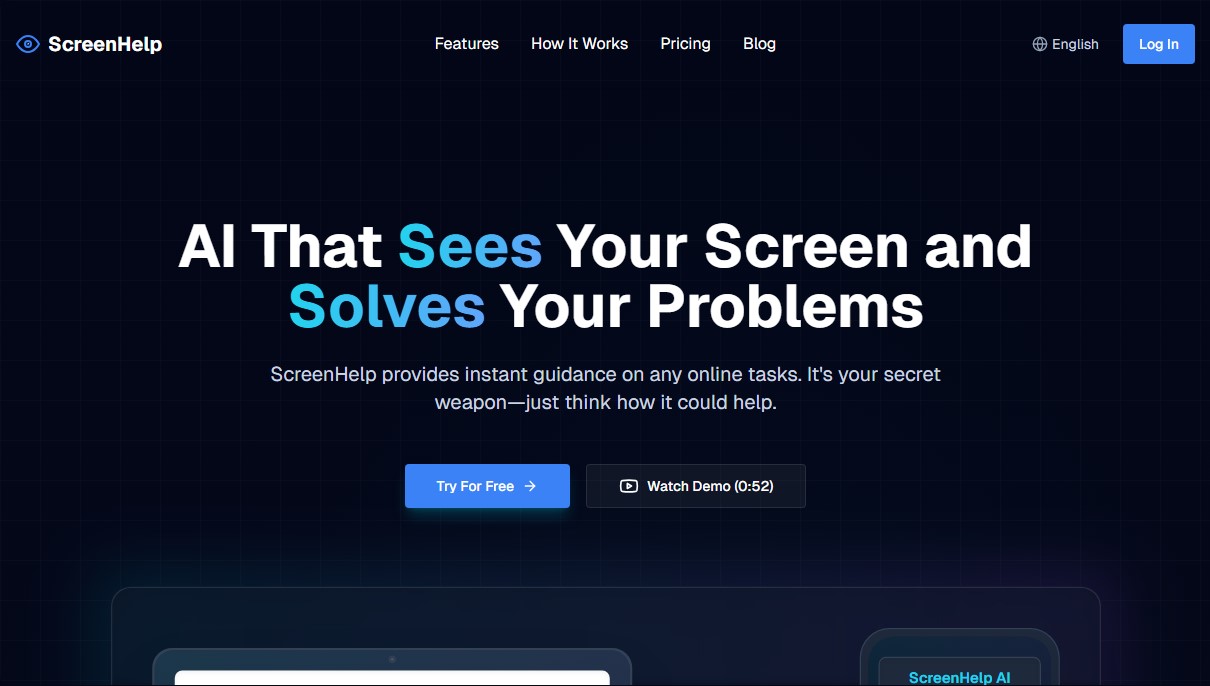
AI assistant that analyzes your screen to solve quizzes and coding questions in real-time via instant screenshots and customizable keyboard shortcuts.
What is ScreenHelp?
ScreenHelp is an advanced visual assistance tool that uses vision AI to provide immediate help with any task displayed on your computer screen. This application is designed to act as a discreet and efficient assistant, capable of interpreting complex content in real time—from online quizzes and exams to programming challenges or math problems. Its primary goal is to facilitate problem-solving through the direct analysis of what the user is seeing, offering not just answers, but also detailed explanations that improve conceptual understanding.
ScreenHelp’s operation stands out for its simplicity and focus on productivity. As a fully web browser-based tool, it requires no downloads or additional software installations on your operating system. The process follows a structured workflow: the user shares their screen (whether a tab, a window, or the entire desktop), uses a combination of custom keyboard shortcuts to capture what they need to solve, and instantly receives a response processed by state-of-the-art AI models. This mechanic allows the tool to integrate naturally into any workflow without causing unnecessary distractions.
Core capabilities and functional benefits:
- Intelligent Screen Analysis: The AI has the ability to "see" and understand any visual element, making it possible to resolve questions in contexts where text cannot be easily copied or extracted.
- Instant and Reasoned Answers: Unlike traditional search tools, it generates step-by-step explanations, which is highly valuable for learning and information retention.
- Custom Prompt Configuration: Users can define specific instructions so the AI responds in a certain way based on the task type—whether it's for coding, translating, or explaining.
- Discreet and Flexible Interface: The application window can be hidden to avoid obstructing the main view, and results can be viewed from a second monitor or even via mobile.
- Total Control via Commands: Queries are executed using quick key combinations, significantly optimizing study or work time.
This solution is ideal for students preparing for exams, programmers facing logical challenges, and professionals who handle dense visual information. ScreenHelp transforms your screen into an interactive data source, allowing any user to optimize their tasks through the practical and direct application of computer vision technology. Its focus on speed and precision makes it a valuable resource for anyone looking to maximize their performance in digital environments and solve complex problems in seconds.
ScreenHelp features and use cases
How to use ScreenHelp
ScreenHelp FAQ
What exactly is ScreenHelp and what is it for?
It’s an AI tool that visually analyzes your screen to provide immediate solutions and explanations for any task, code, or exam.
Do I need to install any software to use ScreenHelp?
No downloads are necessary since the tool runs entirely through your computer's web browser.
How does ScreenHelp analyze my screen content?
The app requests permission to share your screen and, after you press a keyboard shortcut, sends a screenshot to the AI for processing.
Can ScreenHelp be used discreetly?
Yes, the app window can be hidden so it doesn't get in the way, and the user has full control over when the assistant is activated.
What are the limitations of the ScreenHelp free plan?
The free plan allows for up to fifty responses per month and includes all core features, such as screen analysis and custom prompts.
Can I set up custom keyboard shortcuts?
Absolutely. You can configure your own key combinations to quickly run queries while you are working in another window.
Can I view ScreenHelp results on my mobile phone?
Yes, the tool allows you to view help and answers on both a second screen and mobile devices for added convenience.
What is the difference between the Pro and free plans?
The Pro plan offers unlimited responses, access to more advanced AI models, and the option to cancel your subscription at any time.
ScreenHelp pricing and plans
Free
$0/month
- 50 responses per month.
- Access to all core features.
- AI screen analysis.
- Custom prompts.
Pro
$12/month
- Unlimited responses (subject to fair use policy).
- Smarter AI models.
- Cancel anytime.
ScreenHelp Screenshots
ScreenHelp alternatives

ImageToSTL.org
Convert JPG and PNG images into STL files for 3D printing using AI. Generate detailed 3D models ready for instant download.

AI Translate Manga.com
Translate Japanese manga into English or Simplified Chinese directly in the panels. Supports PNG, JPG, and PDF files, plus a Chrome extension for online reading.

Image to Music AI
Transform your photos into original music. This tool analyzes color, light, and mood to automatically create a track that reflects the image's atmosphere.


image2slides
Convert screenshots and photos into editable PowerPoint slides. Extract text and graphics to modify and export them in PPTX format.