Share
Analyzes threads and drafts for omissions or inappropriate tone. Offers instant, precise corrections to ensure clear, risk-free professional communication.
What is Second Glance?
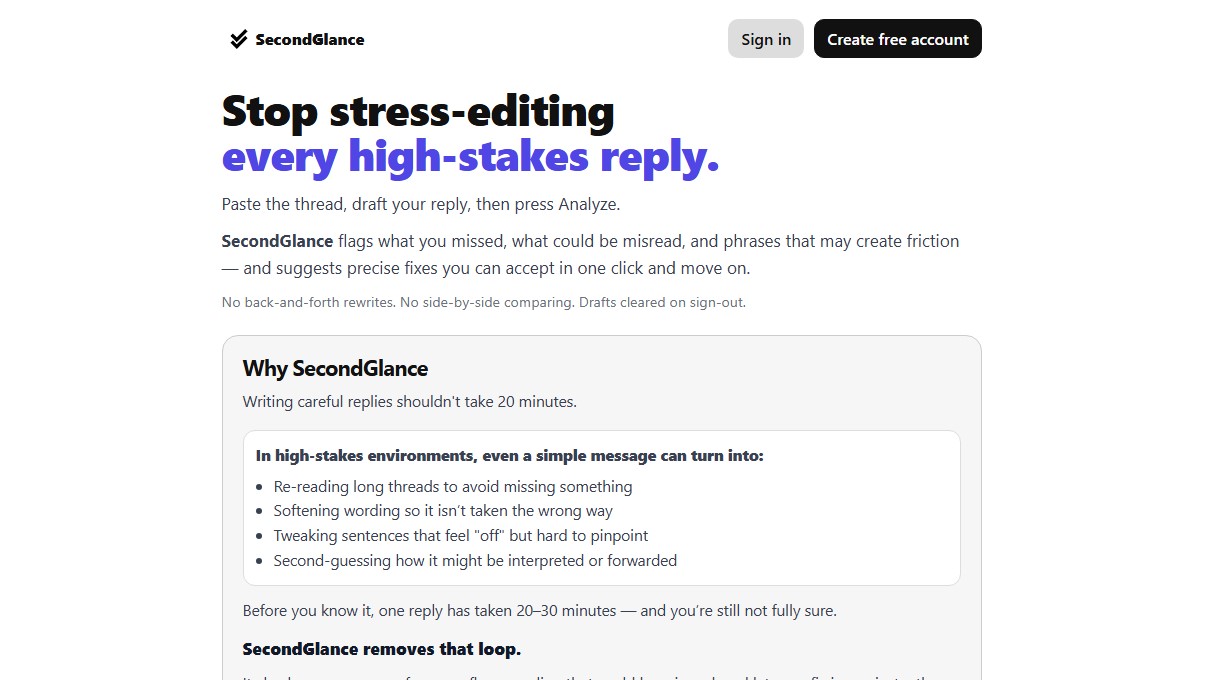
Second Glance is an AI tool designed to optimize professional communication in high-stakes environments. Its primary function is to act as a critical filter before sending important replies, preventing users from falling into endless editing loops or making interpretation errors. Unlike other writing assistants, this software focuses on message validation and detecting friction points, ensuring every response is complete, clear, and professional.
The way Second Glance works is straightforward and efficient. Users paste the original conversation thread and write their draft directly in the platform's editor. Upon activating the analysis feature, the AI scans the text for missing key information or unanswered questions from the original thread. Additionally, it uses natural language processing algorithms to identify phrases that may sound abrasive, defensive, or ambiguous, flagging them with color codes based on their risk level.
Key capabilities include:
- Coverage Control: Verifies that no important points from the previous conversation have been overlooked, ensuring comprehensive responses.
- Risk and Tone Detection: Automatically highlights expressions that could be misinterpreted or cause unnecessary conflict, using amber and red visual indicators.
- Replacement Suggestions: Offers precise alternatives that users can accept with a single click, integrating them directly into the draft without the need to rewrite the entire content.
This AI tool stands out from general-purpose models or spellcheckers because it does not seek to transform the user's personal style, but rather to validate what has already been written. Its value lies in strategic validation, allowing professionals to maintain their original voice while removing elements that could compromise message clarity. It is an ideal solution for professionals managing complex email threads on their computer or critical messages where tone is essential to the success of the interaction.
Regarding data management, Second Glance prioritizes speed and security. Drafts are stored locally and automatically deleted upon closing the session, ensuring that sensitive information does not remain on the platform. By reducing the time spent on manual review and "overthinking," this productivity tool transforms tedious editing processes into just a few seconds of assisted analysis, boosting the sender's confidence before hitting the send button.
Second Glance features and use cases
How to use Second Glance
Second Glance FAQ
What exactly is Second Glance?
Second Glance is a tool that reviews your responses in important conversations to ensure you haven't missed anything and that your tone is on point.
How is Second Glance different from other writing tools?
Unlike other services that rewrite your text, this tool validates your original draft and flags specific risks without forcing you to change all your content.
How does Second Glance analyze my message content?
You paste the conversation thread and draft your response; the system then detects unanswered questions or phrasing that could be seen as confrontational.
Can I try Second Glance for free?
Yes, when you create a free account, you receive ten analysis credits to test the full workflow, and you can earn more credits over time.
What about the privacy of my drafts?
Your text is stored only locally and is automatically deleted from the system as soon as you log out.
What do the different alert colors mean?
Amber indicates sections you should consider reviewing, while red flags risky phrasing that could be misinterpreted by the recipient.
How much does the paid version cost?
The premium subscription is priced at nine dollars per month and allows for unlimited analysis with all tool features available.
How are the system's suggested changes applied?
The tool provides targeted corrections that you can accept with a single click to instantly update your draft, or you can ignore them if you prefer your original version.
Second Glance pricing and plans
Free
- 10 initial analysis credits to test the full workflow.
- Earn additional credits progressively over time.
$9.00 / month
- Unlimited analyses with all features enabled.
- Full access to the tool for power users.
- Optimize message review time.
Second Glance Screenshots
Second Glance user reviews
Write a review
Checking your session...
Second Glance Reviews
Loading reviews...
Second Glance alternatives

ProWritingAid
AI grammar checker and style editor for novelists, with in-depth writing reports, chapter critiques, manuscript analysis and a virtual beta reader.



NeuronWriter
NeuronWriter is an SEO content editor that studies search results with NLP, scores your drafts and keeps an eye on your visibility in AI search.