Share
What is Skydive?
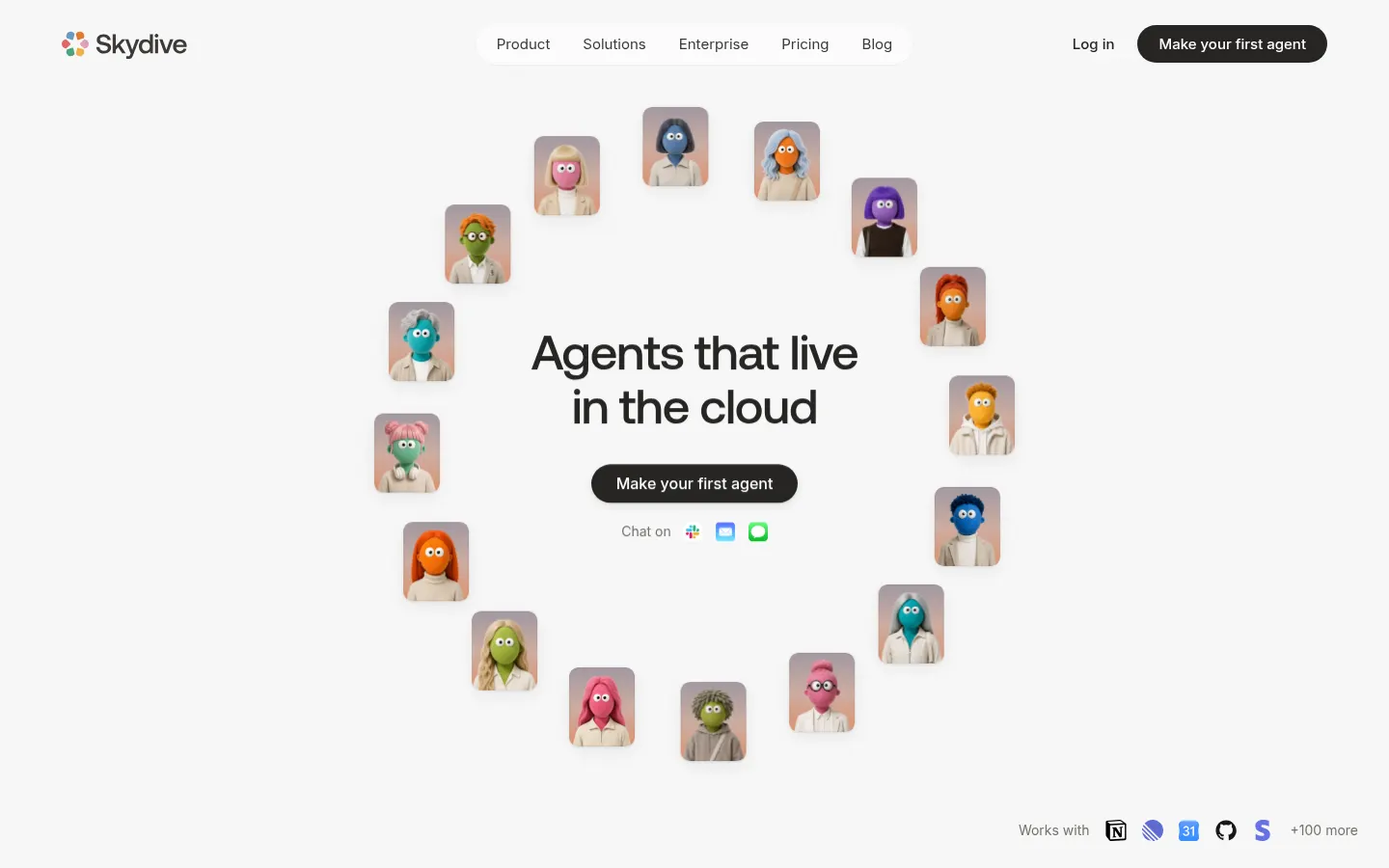
Skydive is a platform for AI agents that live in the cloud and work with their own computer. It is not meant as a chatbot or a rigid workflow: you set up an agent with a name and a role, grant access to the tools you approve, and talk to it on the web, in Slack, email or iMessage, with one identity and one memory. It is for teams that want to hand over support queues, recaps, campaigns or work that should keep moving after they close the laptop.
What is Skydive and how do you use it day to day?
You tell Skydive what you need and, in under a minute, it builds an agent with its own environment: it can browse the web, create and organise files and finish a task end to end. The same agent replies in Slack, by email or by iMessage. You can turn recurring work into routines: the agent watches, acts and keeps going even when you are away. In Turbo mode the agent team picks the next useful thing itself, instead of waiting for the next instruction.
How is it different from a chatbot or a coding assistant?
Skydive is clear that its agents are not chatbots, mere workflows, or a stand-in for a coding assistant in the editor. Each one has a real computer, a role and access only to the tools you approve. There are templates, a desktop app, a command line and an API. On the enterprise side you get audit logs, fine-grained permissions, single sign-on and spend controls. Model usage is charged on top, with no markup on what the model provider charges, according to the official site.
Skydive pros and cons
- Pros: an agent with its own computer, the same conversation in Slack, email and iMessage, routines that keep going after you close the laptop, and uncapped agents already on the entry tier.
- Cons: model usage is added on top of the fixed charge; the entry tier covers up to five people; and it is worth reviewing what the agent sends when money or sensitive data is involved.
Skydive features and use cases
How to use Skydive
Skydive FAQ
What is Skydive?
It is a platform for building cloud AI agents, each with its own computer. You talk to them on the web, in Slack, by email or by iMessage, and they work with the tools you approve.
Is Skydive a skydiving company?
No. Despite the name, Skydive is a cloud AI-agent product, not a skydiving service.
Are the agents chatbots?
No. The site presents them as agents with their own computer, a name and a role, not as a chatbot or a rigid workflow.
Where can I talk to an agent?
On the web, in Slack, by email and by iMessage, with one identity and one memory.
Is AI usage included?
The fixed charge for each tier is complemented by model usage, which is charged according to the work the agents do, with no markup on the model cost, according to the site.
How many agents can I create?
The site says agents are uncapped already on Starter. What changes is the number of people (five on Starter) and the amount of usage included.
Can I try it without a monthly tier?
Yes. There is a one-off usage credit to try the product if you are not ready to commit to a tier.
What does Enterprise add?
Single sign-on, advanced security, audit logs, custom usage and contracts, and dedicated Slack support.
What is Turbo mode?
In Turbo, the agent team looks at what is still outstanding and starts the next most useful thing, instead of waiting for the next instruction.
Where can I check the amounts?
At www.skydive.com/pricing.
Skydive pricing and plans
Reference price: 20 USD / month. Source · Verified: November 27, 2026
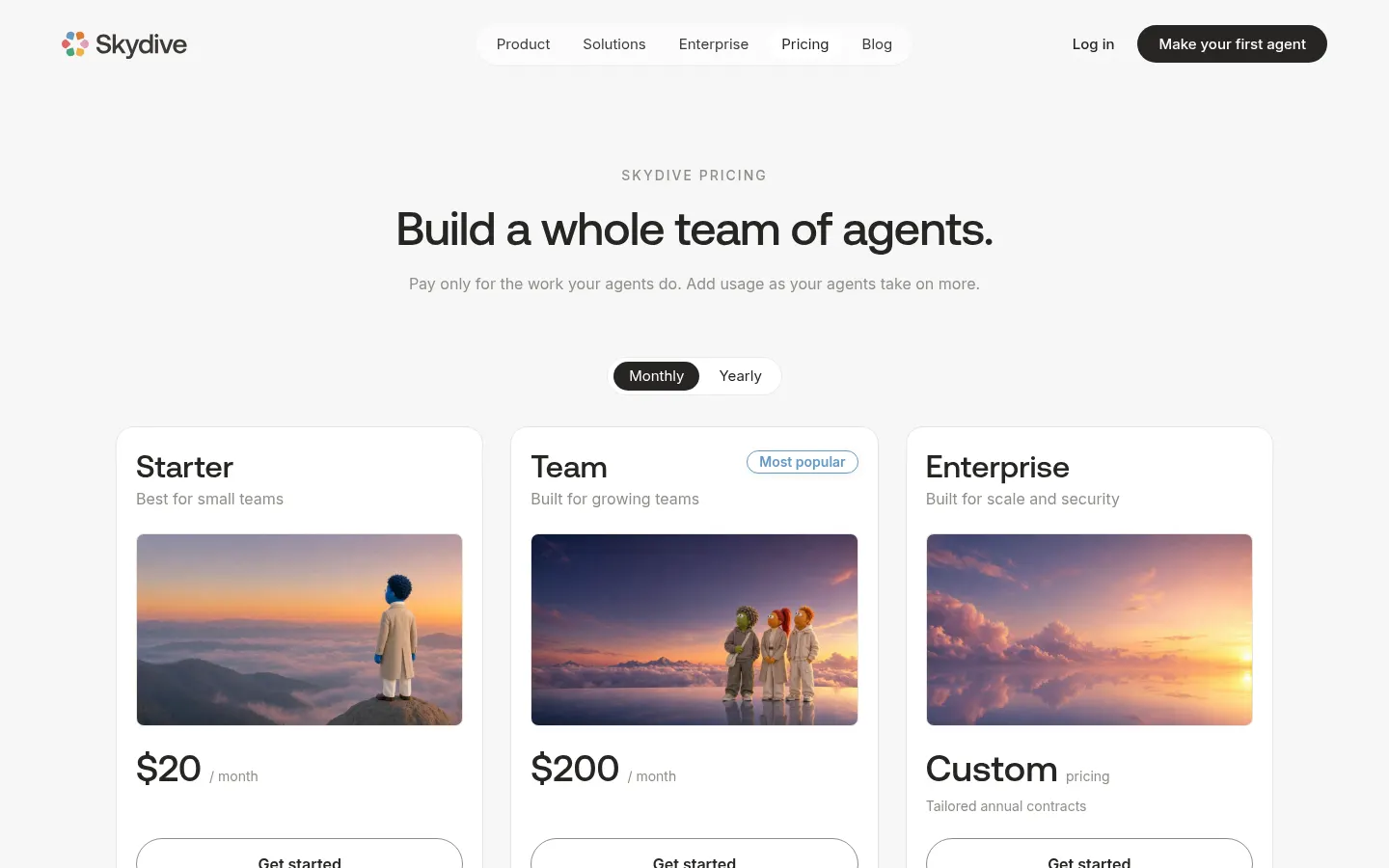
Prices from the official website (www.skydive.com/pricing). There is a monthly and a yearly toggle; the figures below are the monthly amounts visible on 27/11/2026. Model usage is charged on top, with no markup on the model cost. You can also buy a one-off usage credit, without committing to a tier, to try the product. Checked on: 27/11/2026.
Starter: US$20 a month. Uncapped agents, up to 5 people, usage based on the work the agents do, no markup on the model cost, and email support.
Team: US$200 a month. Everything in Starter, with 10× the usage of Starter, and priority support. The site marks it as the most common choice.
Enterprise: custom, on a yearly contract. Everything in Team, plus single sign-on (SSO and SAML), advanced security, audit logs, custom usage, custom contracts and dedicated Slack support.
The site also shows an illustrative comparison between hiring a person and an agent (sample figures, not the product charge).
Skydive Screenshots
Skydive user reviews
Write a review
Checking your session...
Skydive Reviews
Loading reviews...