Share
Multi-model platform for generating AI images, videos, and music. Create, remix, and refine content through text-to-image and image-to-image workflows.
What is SkyGen Plus?
SkyGen Plus is an advanced multimedia artificial intelligence platform designed to centralize the creation of visual, audio, and video assets within a single workspace. This tool functions as a multi-model ecosystem that allows users to generate, refine, and remix content using the most powerful engines on the market today. Its primary focus is to provide technical versatility through text-to-image and image-to-image workflows, enabling both designers and digital creators to produce high-quality results from their desktop or mobile device.
The application's architecture stands out for integrating a wide variety of specialized models. In the AI image generation section, users can toggle between options such as FLUX.2 Pro, GPT Image 2.0, Grok Imagine, Nano Banana Pro, and Qwen 2. Each of these models offers specific capabilities, ranging from recreating ultra-realistic skin textures and iPhone-style photography aesthetics to designing complex infographics, sports posters, or detailed storyboards for film productions.
Regarding its practical features, SkyGen Plus provides comprehensive control over the creative process:
- Video Generation: Utilizes cutting-edge technologies like Kling 3.0, Veo 3.1, and Seedance 2.0 to transform text descriptions or static images into high-resolution dynamic clips.
- Music Composition: Integrates models such as Suno V5.5 for the creation of original soundtracks and audio pieces.
- Editing and Refinement: Users can utilize reference images to maintain visual consistency, adjust aspect ratios (such as 1:1 or 9:16), and apply image-to-video techniques.
- Prompt Library: Offers a catalog of examples and command structures to optimize the precision of the results.
The technology behind this tool is based on state-of-the-art diffusion models and neural networks that interpret detailed instructions regarding color, shape, texture, and composition. By unifying various workflows, SkyGen Plus eliminates the need to switch between multiple applications, allowing users to manage their credits and projects in a centralized manner. It is an ideal solution for marketing professionals, digital artists, and agencies in need of a multimedia content generator capable of producing everything from Korean "idol" style portraits to complex collages and professional product visualizations. Additionally, the platform features a public showcase for exploring trends, while offering members the option to keep their generations private to ensure project confidentiality.
SkyGen Plus features and use cases
How to use SkyGen Plus
SkyGen Plus FAQ
What is SkyGen Plus, and what kind of content can I create with it?
SkyGen Plus is an advanced AI platform that lets you create high-quality images, videos, and music using text-to-image and image-to-video workflows.
How does the SkyGen Plus unified credit system work?
You have a single credit balance that can be used interchangeably to generate images, music, or video clips across any of the available models.
Which AI models can I use on SkyGen Plus?
The platform integrates a wide range of cutting-edge models, including FLUX.2, Nano Banana, GPT Image, and Qwen for images, as well as Kling for video and Suno for music.
Can I keep my creations private on SkyGen Plus?
Yes, active subscribers have the option to disable public sharing so their generations do not appear in the community gallery.
Do credits from one-time purchase packages expire?
No, credits included in one-time purchase packages do not have an expiration date and will remain in your account until you decide to use them.
Can I use my own images as a base for my creations on SkyGen Plus?
Yes, the platform supports image-to-image and image-to-video workflows, allowing you to refine, transform, or animate your own files as a reference.
What are the benefits of an annual SkyGen Plus subscription compared to a monthly one?
Annual plans offer savings of up to 50% and provide a higher monthly credit allowance for high-volume production workflows.
How do I download the images I generate on SkyGen Plus?
Once the generation is complete, you will see a direct download button along with options to use the result as a reference for new videos or images.
SkyGen Plus pricing and plans
Free Version
Registration required to generate content.
Approximate cost of 1 credit per image generation.
Generations are visible in the public showcase (only subscribers can disable this option).
One-Time Credits (Starter) - 29,9 $
1,000 permanent credits that never expire.
Shared usage across image, video, and music modules.
Access to current and future AI models.
One-Time Credits (Pro) - 49,9 $
2,000 permanent credits that never expire.
Use across all available generation models.
Access to future model releases at no additional cost.
One-Time Credits (Advanced) - 89,9 $
4,000 permanent credits that never expire.
Shared balance for high-volume workflows.
Access to all image, video, and music models.
Monthly Subscription (Starter) - 9,9 $ al mes
300 credits every month.
Credits renew with each billing cycle.
Option to disable the public showcase for private generations.
Access to future models while the subscription is active.
Monthly Subscription (Pro) - 29,9 $ al mes
1,100 credits every month.
Use across all image, video, and music modules.
Privacy option to hide generations from the public showcase.
Optimized for creators and agencies with daily production.
Monthly Subscription (Advanced) - 49,9 $ al mes
2,200 credits every month.
Higher monthly capacity for professional teams and workflows.
Includes all privacy features and access to new models.
Annual Subscription (Starter) - 99 $ al año (8,3 $ / mes)
350 credits every month.
39% savings compared to the monthly plan.
Includes privacy features for generations.
Annual Subscription (Pro) - 288 $ al año (24 $ / mes)
1,450 credits every month.
50% savings compared to the monthly plan.
Automatic access to all new models during the plan period.
Full control over image privacy.
Annual Subscription (Advanced) - 360 $ al año (30 $ / mes)
2,650 credits every month.
Maximum capacity for large-scale production and team operations.
Full access to all image, video, and music models on the platform.
SkyGen Plus Screenshots
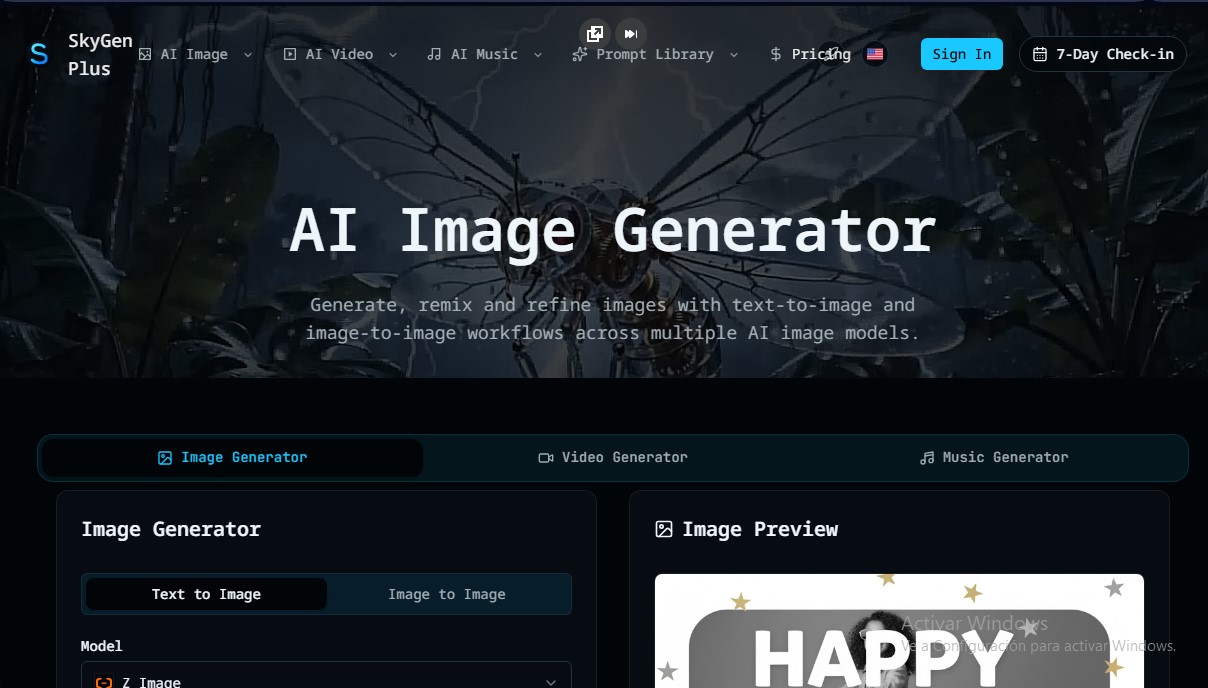
SkyGen Plus alternatives

ColorCraft
Create Amazon KDP books. Generate coloring pages, stories, puzzles, and print-ready full covers, plus promotional mockups in a single workflow.


Tesla Wrap Generator
Tesla Wrap Generator uses AI to paint designs onto the official UV template of each Tesla model for Paint Shop, with a 3D preview before you download.