

Share
Draft replies in your style, schedule meetings, and automate follow-ups to save time managing your inbox.
What is Slashy?
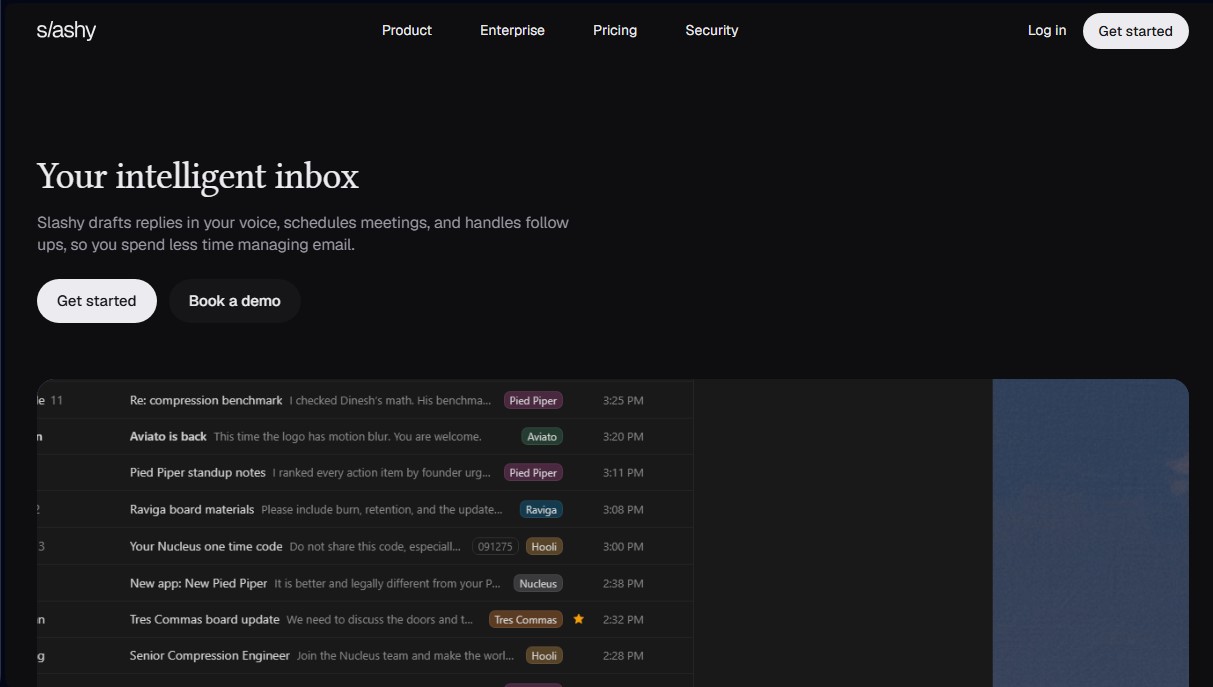
Slashy is an AI-powered email management tool designed to function as a smart inbox. Its primary goal is to drastically reduce the time spent on email administration by automating drafts, tracking threads, and scheduling meetings. This solution is geared toward founders, investors, content creators, and professionals with heavy communication workloads who need to optimize their daily workflow without losing a personal touch.
Slashy's operation is based on the AI's ability to read entire conversation threads and generate replies that mimic the user's voice and style. Thanks to its personalized memory, the system learns from past decisions, contact relationships, and specific communication preferences. It is not limited to static text generation; it allows for voice drafts that the application transforms into polished, professional responses, maintaining communicative consistency at all times.
Key features and practical benefits include:
- Smart Drafting: Analyzes the full context of incoming messages to propose accurate responses in seconds.
- Integrated AI Assistant: Allows you to highlight any text fragment to instantly rewrite, shorten, or change the tone.
- Calendar and Appointment Management: The tool checks user availability, proposes times, and books meetings directly from the email thread.
- Automated Follow-ups: Detects unanswered threads and generates reminders or new drafts to ensure no important tasks are overlooked.
- Custom Automations: Enables workflow configurations based on specific senders, labels, or upcoming events, such as preparing summaries before a meeting.
- Snippet Usage: Saves frequent responses that can be quickly inserted with a single keyboard command.
The platform allows you to interact with your inbox through various messaging apps. It is compatible with iMessage and Slack, making it easy to manage emails using natural language as if it were a standard chat. Additionally, it features a mobile app (iOS) for triaging emails, getting summaries, and performing quick searches via voice commands.
In terms of security, Slashy is SOC 2 Type II certified and uses AES 256 encryption to protect data at rest. A fundamental privacy feature is that emails are not used to train third-party AI models. The tool integrates with the standard professional ecosystem, including connections with HubSpot, Salesforce, Notion, and Google Workspace, allowing users to unify multiple accounts into a single view and facilitate team collaboration through internal comments within conversation threads.
Slashy features and use cases
How to use Slashy
Slashy FAQ
What are the main features Slashy offers for managing my email?
Slashy drafts emails in your personal style, schedules meetings, and handles follow-ups to save you time.
Is Slashy safe for my sensitive information?
Yes, your data is encrypted. The platform never uses your information to train AI models, and third parties are never allowed to retain it.
Which email providers are currently compatible with Slashy?
The tool works with Gmail and Google Workspace, and Outlook support will be available soon.
Can I use Slashy on mobile devices?
Slashy has an iPhone app and allows you to manage your inbox via iMessage, with an Android version currently in development.
How does Slashy help manage my calendar and meetings?
The tool checks your availability, suggests times, books appointments, and resolves scheduling conflicts directly within the email thread.
Is there a way to try Slashy before I pay?
The Professional plan offers a seven-day full-access trial so you can test all the smart features before your first payment.
What kind of follow-up tasks can Slashy automate?
The tool monitors pending replies, alerts you if a thread stalls, and automatically drafts follow-up reminders.
How does Slashy learn my writing style?
The tool analyzes your previous emails, decisions, and preferences to generate drafts that sound exactly like you.
Can Slashy be used for team collaboration?
Yes, the platform allows you to add internal comments to any email thread to collaborate with team members without leaving the app.
What is included in the Slashy Enterprise plan?
This plan offers advanced security controls, personalized support, SSO integration, and guided onboarding for large teams.
Slashy pricing and plans
Professional
Price: $30 per user per month (or $25 per user per month billed annually).
Includes a 7-day full-access free trial (credit card required).
Smart email drafting and rewriting.
Multi-inbox and calendar management.
Follow-up automations and reminders.
Access via iMessage, Slack, voice commands, and mobile app.
Restrictions: Currently only compatible with Gmail and Google Workspace (Outlook and Android coming soon).
Enterprise
Price: Custom (Contact sales).
Includes all Professional plan features.
SSO and SCIM implementation.
Guided team onboarding.
Custom security and data controls.
Slashy Screenshots
Slashy alternatives






DigiStorms
AI agent that automates your SaaS onboarding. Analyzes behavior, detects milestones, and sends personalized emails to convert free users into paying customers.