
Share
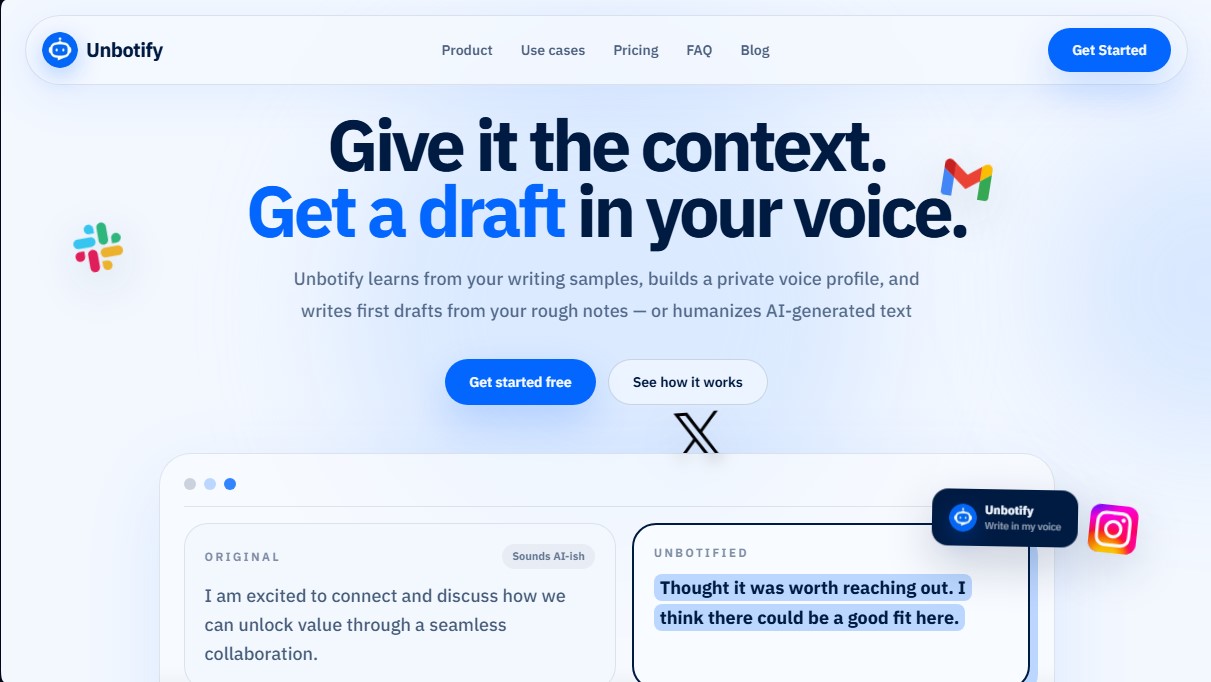
It learns your writing style to draft or humanize AI text, ensuring your messages sound natural and always reflect your own voice.
What is Unbotify?
Unbotify is an artificial intelligence tool specialized in text personalization and humanizing AI-generated content. Unlike conventional text generators that produce generic results, this application analyzes real writing samples to build a unique and private voice profile. Its primary goal is to allow professionals across various sectors to maintain their verbal identity when writing emails, sales notes, or social media posts, saving time without losing the human essence in their digital communications.
The way Unbotify works is based on a structured learning process through its Knowledge Base. The user provides examples of their own writing or uploads previous documents so the tool's technology can extract patterns of formality, warmth, vocabulary, and punctuation. With this information, the AI doesn't just mimic the style; it identifies phrases the user typically avoids and adjusts the rhythm and paragraph structure to match their habitual communication, eliminating common language model expressions that can sound artificial.
This solution offers two fundamental operational capabilities to optimize your desktop workflow:
- Contextual Drafting: Allows you to generate a complete first draft from quick notes, key points, or a brief description of intent, directly applying the trained voice profile.
- Rewriting and Humanizing: Transforms previous drafts or "AI-style" texts into direct, natural messages, removing the robotic tone and fine-tuning the message’s precision.
The platform includes different adjustment modes, such as Light, Natural, and Direct, which allow you to scale the AI's level of intervention based on the current need. Additionally, Unbotify lets you manage platform-specific voice profiles, adapting the tone for Gmail, LinkedIn, Slack, X, or Google Docs, recognizing that communication on a professional network requires different nuances than an internal chat or a social media platform.
Key user profiles that can gain a practical benefit from Unbotify include:
- Founders and Executives: To streamline updates and announcements while maintaining a personal connection with their teams.
- Sales Teams and Recruiters: To avoid cold templates and better connect with candidates or potential clients through personalized messages.
- Customer Support: To transform automated responses into warmer, more empathetic solutions.
- Freelancers: To write proposals and cover letters that consistently reflect their professional personality.
Regarding privacy and security, the tool uses an anonymized style memory. Documents are processed to extract linguistic style rather than factual data, allowing users to review, deactivate, or delete their profile at any time. By integrating directly where the user already writes, Unbotify eliminates the need to switch between different applications to fix the natural flow of their text.
Unbotify features and use cases
How to use Unbotify
Unbotify FAQ
What is Unbotify and what exactly is it for?
It’s a tool designed to learn your personal writing style to draft content or humanize AI text so it sounds exactly like you.
How does Unbotify learn my writing style?
The platform analyzes your text samples to identify your vocabulary, level of formality, punctuation habits, and specific formatting patterns.
Can Unbotify write messages from scratch?
Yes, you just need to provide a few quick notes or key points and the system will generate a complete first draft while maintaining your unique voice profile.
Is my knowledge base in Unbotify secure and private?
Your samples are processed only once to create an anonymized style profile that you can manage, deactivate, or delete at any time.
What platforms can I use the tool on?
You can use it directly wherever you usually write, including services like Gmail, LinkedIn, Slack, Instagram, and Google Docs.
What is the difference between the Free plan and the Pro plan?
The Free plan allows for ten lifetime uses, while the Pro plan offers 5,000 monthly uses, platform-specific profiles, and the ability to create drafts from notes.
Can I choose the tone of the generated text?
Yes, you have access to various presets such as casual, natural, or direct to ensure the final result matches your communication goals.
What elements does the style memory feature analyze?
It extracts patterns such as warmth, sentence length, preferred vocabulary, and phrases you prefer to avoid so that the content is indistinguishable from something you wrote yourself.
Unbotify pricing and plans
Free
0 $
10 drafts and rewrites (lifetime limit).
3 preset tone adjustments.
Support for Gmail and LinkedIn.
Pro
9 $ per month or 99 $ per year
3-day Pro trial with 50 drafts and rewrites.
5,000 drafts and rewrites per month limit.
Generate initial drafts from context or basic notes.
Train the model with your own writing samples.
Private voice profile in the Knowledge Base.
Platform-specific writing voices (Gmail, LinkedIn, Slack, etc.).
Custom tone adjustments.
Compatible with all supported websites.
Unbotify Screenshots
Unbotify alternatives

UltraHumanizer
Transform AI text into natural, human-like content. Customize styles, process documents, and preserve the original meaning to bypass automatic detection.
Humanize Max
Transform AI text into natural, human-sounding content. Customize styles, adjust length, and rewrite sentences for free with no sign-up required.