

Share
Draft and design internal team emails from a single sentence. Create professional announcements ready for Gmail or Outlook in under a minute.
What is Wren?
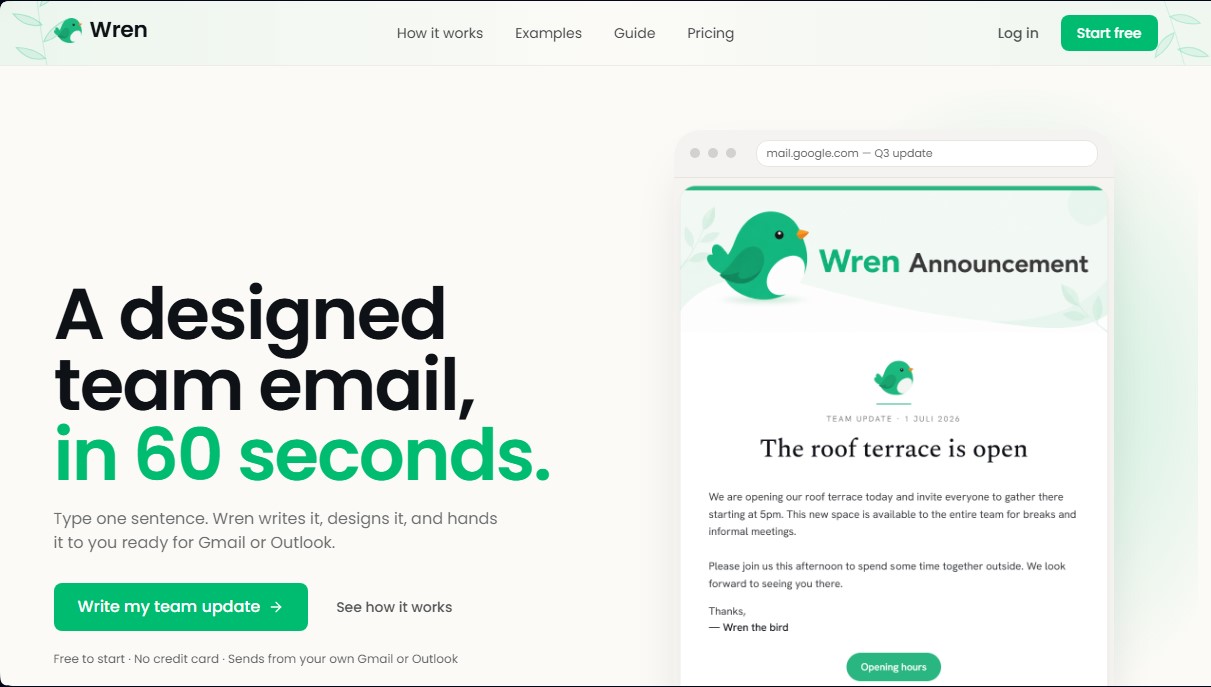
Wren is an artificial intelligence application specializing in writing and designing internal emails for teams and organizations. Its primary function is to transform short, unstructured instructions into professional corporate communications in less than a minute. This tool is geared toward professionals who manage internal communications—such as team leads, executives, or HR departments—eliminating the need to face a blank page or use complex template editors.
Wren’s operation is based on a simplified three-stage process designed for workflow efficiency. First, the user enters one or two descriptive sentences about the message's objective into the interface. From this input, the AI technology generates a professionally written draft, while its design engine automatically applies a clear visual structure, advanced typography, and cohesive color schemes. Finally, the system allows the result to be exported directly to email clients like Gmail or Outlook, ensuring that the HTML formatting, fonts, and visual elements remain intact upon receipt.
Key features and functional benefits of this tool include:
- Automated content generation: The ability to write complete, coherent text from basic concepts, saving time on draft creation.
- Professional visual design: Creation of clean layouts without the need for technical knowledge in graphic design or HTML coding.
- Native compatibility: Direct integration with your computer by pasting designed content into standard Gmail and Outlook inboxes.
- Versatile use cases: Optimized for new hire announcements, office alerts, internal policy updates, or project summaries.
- Brand customization: Allows for adjusting colors and visual elements to ensure communications remain consistent with the company’s corporate identity.
Using Wren offers a competitive advantage in business communication by significantly improving the aesthetics of internal messages. By replacing conventional plain-text emails with professionally designed pieces, it facilitates visual scanning and increases employee engagement. It is a practical solution for those looking to optimize productivity and ensure that important messages do not go unnoticed in the team's inbox. The tool positions itself as a comprehensive communication assistant that handles both copywriting and visual presentation in a single step.
Wren features and use cases
How to use Wren
Wren FAQ
What exactly is Wren?
Wren is a tool that writes and designs internal emails for teams in less than a minute, using just a single descriptive sentence.
How does the creation process work?
Simply type in a general idea for your message, and the tool handles writing the content and automatically applying a professional design.
Is Wren compatible with my current email account?
Yes, the final design can be pasted directly into Gmail or Outlook while maintaining the original formatting, colors, and fonts.
Do I have to pay to start using the tool?
No, there is a free plan that allows you to generate up to 25 drafts per month and use all available designs without having to enter a credit card.
How can I remove the footer from my emails?
You can remove the watermark by purchasing a one-time credit pack or by subscribing to the Pro plan for unlimited, ad-free emails.
Do I need design skills to get a good result?
No prior skills are necessary, as the tool uses elegant typography and clean layouts to ensure your communications always look polished.
Can I customize emails with my company’s colors?
The Pro plan allows you to save a brand kit with your logo and corporate colors, and also offers saved templates to speed up your recurring emails.
What is the difference between standard emails and those created with Wren?
While a conventional email is usually plain text, this tool transforms your announcements and updates into visually engaging messages that improve open rates.
Wren pricing and plans
Free
Free (0 $ forever). Ideal for occasional team communications.
- Unlimited team emails.
- 25 AI-written drafts per month.
- Access to all Wren designs.
- Send via Gmail or Outlook.
- Includes "Made with Wren" branded footer.
Credit pack
9 $ (one-time payment, no subscription). Designed for one-off sends that require a more professional look.
- 15 emails without branded footers.
- Credits never expire.
- Removes the "Made with Wren" footer.
- Includes all Free plan features.
Pro
39 $ per month (billed monthly, cancel anytime). For users with regular weekly sending needs.
- Unlimited team emails.
- Permanent removal of branded footers.
- Saved brand kit (includes logo and brand color).
- Saved custom templates and signatures.
Wren Screenshots
Wren alternatives






DigiStorms
AI agent that automates your SaaS onboarding. Analyzes behavior, detects milestones, and sends personalized emails to convert free users into paying customers.