STUDIO AI
Share
STUDIO AI
Visual no-code design platform for building professional websites with content management, animations, SEO, and Figma import.
General Information about STUDIO AI
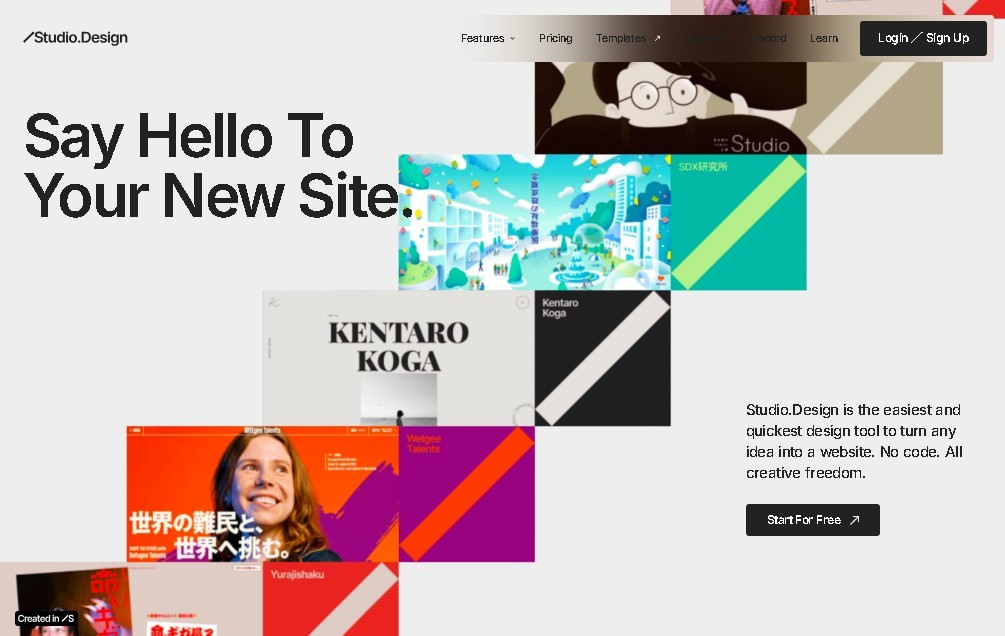
STUDIO AI is an advanced no-code website building platform designed to transform the digital design and publishing process into a professional environment. This tool allows users to build complete websites using a purely visual editor, eliminating the need for technical programming knowledge. It is a solution specifically geared toward web designers, freelancers, creatives, and businesses that require technical agility to launch digital projects from their computer with a high-end aesthetic finish.
The functionality of STUDIO AI centers on an intelligent visual builder that uses drag-and-drop logic to structure the interface. Its technology enables seamless integration with professional workflows, highlighting its ability to import from Figma. This feature allows for the direct conversion of static designs into functional websites while maintaining the fidelity of the original design. Additionally, the platform automates optimization for different devices, ensuring the site is fully responsive and displays correctly on a mobile phone or tablet.
Among its core capabilities, the tool offers a series of critical functions for web management:
- Integrated CMS: Facilitates dynamic content management for blogs, portfolios, product collections, or directories.
- SEO Optimization: Includes native tools for managing metadata and technical settings that improve visibility in search engines.
- Animations and Modern Design: Supports Lottie animations and advanced transitions, allowing for the creation of interactive and visually engaging user experiences.
- Team Collaboration: Features tools for cooperative work, allowing multiple users to edit and manage projects simultaneously.
- Contact Forms: Enables the creation and management of forms for data collection and lead generation without the need for external tools.
The practical benefit of using STUDIO AI is the drastic reduction in development time. By unifying the design and deployment phases, users can autonomously publish landing pages and complex corporate sites. The tool positions itself as a complete ecosystem where creative freedom is not limited by technology, offering a robust infrastructure to host and scale web projects with a professional and modern approach. It is also worth noting its ability to handle everything from single-page sites to web structures with large volumes of dynamic data.
Features and Use Cases of STUDIO AI
How STUDIO AI Works
Frequently Asked Questions about STUDIO AI
What is STUDIO AI and what is it used for?
It is a no-code web design platform that lets you visually create and publish professional websites without any programming required.
Do I need to know how to code to use STUDIO AI?
No, the tool features a drag-and-drop visual editor designed to let anyone build complete websites.
Can I import my Figma designs into STUDIO AI?
Yes, the platform allows you to directly import your Figma projects and easily turn them into functional websites.
Is there a free version to try out the tool?
Yes, there is a "free forever" plan that includes up to 2,000 monthly visitors and allows you to publish using a platform subdomain.
Does STUDIO AI support dynamic content like blogs or portfolios?
Yes, it features a built-in content management system (CMS) to efficiently manage blogs, portfolios, and product collections.
Can I use a custom domain with STUDIO AI?
Yes, this option is available starting with the Mini plan, allowing you to connect your own domain name to your site.
What paid plans are currently available?
There are several subscription tiers, ranging from the Mini plan at about five dollars a month to advanced options for large enterprises.
Can I collaborate with others on the same project in STUDIO AI?
Yes, the tool includes team collaboration features that allow multiple users to work together on a design.
STUDIO AI Pricing
Free Plan
Price: Free forever.
- Up to 2,000 monthly visitors.
- Publish on a studio.site subdomain.
- Access to basic design tools.
Mini Plan
Price: Approximately 5 €/month (billed annually).
- Designed for 1 or 2-page websites.
- Custom domain support.
- Includes basic forms.
Personal Plan
Price: Approximately 10 €/month (billed annually).
- Build full websites up to 150 pages.
- Increased visitor capacity.
Business Plan
Price: Approximately 25 €/month (billed annually).
- Geared toward businesses or high-traffic sites.
- Includes a more robust CMS (Content Management System).
Business Plus Plan
Price: Approximately 80 €/month (billed annually).
- Support for large-scale sites.
- Advanced permissions and extended analytics tools.
Workspace Plans
Price: See official website.
- Collaborative project management for team members.
STUDIO AI Screenshots