Share
Task and project manager integrating notes, lists, and real-time collaboration. Uses AI to automate personal and professional organization.
What is Superlist?
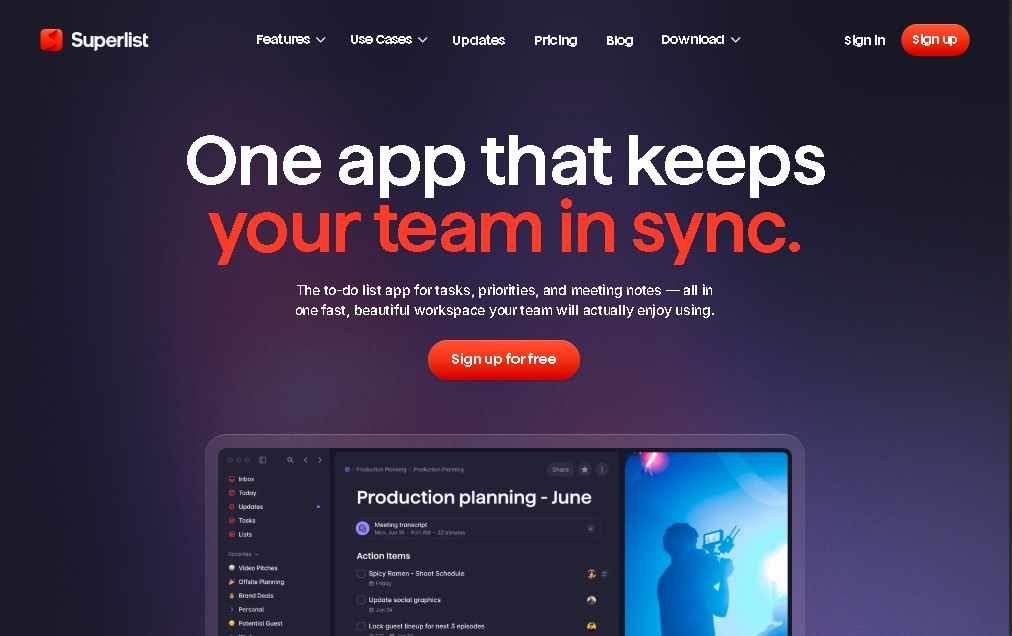
Superlist is an advanced task and project management platform designed to unify personal and professional organization within a single sleek, technical interface. This tool functions as a hybrid ecosystem that combines to-do lists, rich note-taking, and real-time team collaboration features. Its primary goal is to solve information fragmentation, allowing both individual users and workgroups to centralize their daily workflows without the need to jump between multiple standalone applications.
The technology behind Superlist stands out for integrating AI-driven productivity capabilities. By using Voice AI, the system allows users to capture ideas via voice and automatically transform them into structured tasks. Additionally, the application leverages AI to process complex information, enabling the generation of meeting summaries and the creation of dynamic content from previous notes. This technological approach facilitates smarter information management, optimizing the time users spend managing their responsibilities, whether on a desktop or via mobile.
The functional capabilities of this tool include:
- Flexible structuring: Create tasks, subtasks, and nested lists that support detailed notes, files, and priority levels.
- Smart conversion: The ability to easily transform text blocks or quick notes into executable action items.
- Multi-platform synchronization: Full availability on web, macOS, iOS, and Android, ensuring the workflow is always up to date.
- Strategic integrations: Connection with external services such as Gmail, Google Calendar, and Slack to centralize notifications, emails, and events in one place.
- Time planning: Set reminders and due dates to maintain strict control over critical deadlines for every project.
For users seeking project management software with a minimal learning curve but high operational power, Superlist offers a versatile solution. It is especially useful for professionals managing multiple simultaneous workflows who require a tool that does not just store data, but helps process it logically. Thanks to its focus on AI task automation, the platform adapts to the needs of modern teams that value agility, seamless collaboration, and visual clarity in their daily professional and personal lives.
Superlist features and use cases
How to use Superlist
Superlist FAQ
What is Superlist and what are its core features?
It is a productivity tool designed to manage tasks, take notes, and organize collaborative projects using artificial intelligence.
Is there a free version of Superlist for personal use?
Yes, the free plan allows you to create unlimited tasks and notes and manage up to five private and five shared lists.
What platforms can I install Superlist on?
The app is available for macOS, iOS, and Android, and there is also a web version accessible from any browser.
How does AI help improve productivity in Superlist?
AI enables voice-to-task creation and automatically generates meeting summaries or content to streamline your workflow.
Which third-party apps can be connected to Superlist?
With a paid subscription, you can integrate the tool with services like Gmail, Google Calendar, and Slack.
Can I collaborate with a team on Superlist?
Yes, the platform supports real-time collaboration, making it easy for multiple users to edit lists and complete tasks together.
What are the differences between the Basic and Super paid plans?
The Basic plan offers unlimited lists and integrations, while the Super plan adds advanced chat features and AI capabilities for notes.
Does Superlist allow me to organize tasks with due dates?
The tool lets you set reminders, priorities, and deadlines to ensure all your goals are met on time.
Can I create subtasks within projects in Superlist?
Yes, you can organize your work by creating tasks, subtasks, and nested lists that include notes and specific details.
How much file storage does Superlist provide?
The free plan includes basic storage, while the Basic and Super plans increase this capacity for storing larger documents and files.
Superlist pricing and plans
Free
$0 / month
- Up to 5 private lists and 5 shared lists.
- Unlimited tasks and notes.
- Basic file storage.
- Available and synced across all platforms (Web, macOS, iOS, and Android).
Basic
~$6 / month (or approximately ~$59 / year)
- Unlimited private and shared lists.
- Third-party integrations with apps like Google Calendar, Gmail, and Slack.
- AI features for voice notes and automated task creation.
- Increased file storage capacity.
Super
~$25 / month (or approximately ~$249 / year)
- Includes all features from the Basic plan.
- Advanced AI: Unlimited note generation and meeting summaries.
- AI-powered chat and additional productivity features.
Superlist Screenshots