Share
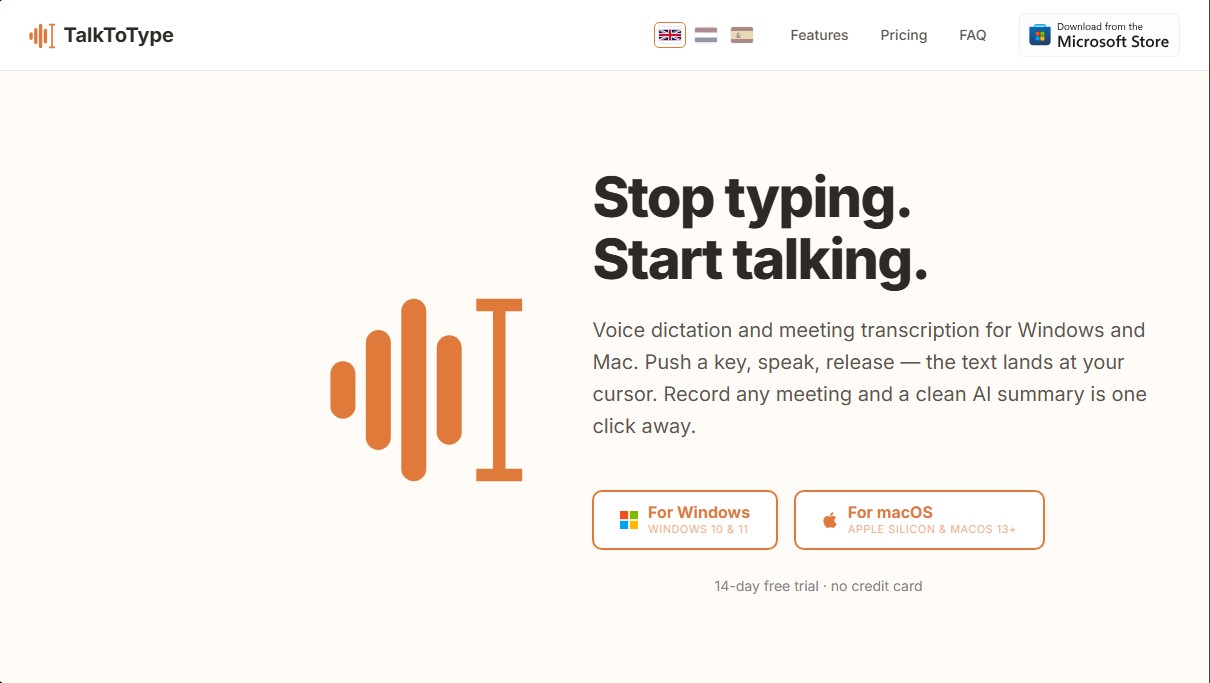
Voice dictation and meeting recording for Windows and Mac. Type by speaking in any app and generate AI call summaries without using external bots.
What is TalkToType?
TalkToType is a desktop application designed to optimize productivity through voice dictation and meeting recording on Windows and macOS systems. Unlike other solutions, this tool allows dictated text to appear directly wherever the computer cursor is located, eliminating the need for manual transcription or copying and pasting from external apps. Its primary focus is to enable users to capture complex thoughts and nuances that are often simplified or lost when typing.
TalkToType's technology is based on advanced artificial intelligence models for natural language processing. One of its most notable features is the ability to record meetings on platforms such as Microsoft Teams, Zoom, Google Meet, or Slack without the need for external bots. By capturing both microphone and speaker audio locally, the system generates a fluid transcription and an AI summary without third-party notifications appearing in the video call.
The core capabilities of this tool include:
- Universal Dictation: Works in any text field, whether in a web browser, word processors like Word or Google Docs, messaging tools like WhatsApp and Slack, or code editors like VS Code.
- Two-way Recording: Records both sides of a phone call or video call, immediately generating an MP3 file and a text document.
- Real-time Checklists: Allows you to set key points before a meeting; the AI monitors the live transcription and automatically marks topics as they are mentioned.
- Multilingual Management: Supports eleven languages and allows you to toggle between two predefined languages with a single keystroke, facilitating work in international environments.
- Premium Transcription: Offers the option to process audio with more powerful models, such as Gemini Pro, to better handle accents, technical jargon, and speaker identification.
The software is designed for professionals who rely on verbal communication, such as consultants, recruiters, sales managers, and journalists. Users can dictate detailed prompts to tools like ChatGPT or Claude, which improves the quality of the resulting answers by providing a richer and more complete context than what is typically written by hand.
In terms of privacy, TalkToType processes and stores recordings locally on the user's device. Files are not saved on external servers or used to train third-party models. Additionally, it allows for the import of old audio files to obtain automatic transcriptions and summaries, which is useful for organizing voice notes or previous interviews. It is also worth noting its ease of use, as it requires no complex API configurations or tedious registration processes to start running on your computer.
TalkToType features and use cases
How to use TalkToType
TalkToType FAQ
Is my information safe and private when using TalkToType?
Your audio files are saved exclusively on your computer. They are not stored on external servers, and no user accounts are created to track your data.
How does voice dictation work in any app?
Just hold down a key while speaking, and when you release it, the text will automatically appear wherever your cursor is placed.
Will a visible bot appear if I record a meeting with TalkToType?
No, the tool captures audio directly from your system without needing to add external participants or send recording notifications to other attendees.
Can I try the tool for free before purchasing?
A 14-day free trial is available with all features included and no credit card required.
What is the difference between the Starter subscription and the TalkToType Lifetime license?
The Starter version is a fully managed monthly subscription, while the Lifetime license is a one-time payment where you use your own AI key.
Does the app support multiple languages at once?
You can set a primary and secondary language and toggle between them with a single key, allowing the dictation to adapt to your needs instantly.
Can I upload old recordings to get a transcript?
Yes, you can drag any existing audio file into the app to automatically generate a full transcript and an AI-powered summary.
What are live checklists during meetings?
They are templates of key points that the AI automatically checks off as they are mentioned during the conversation to ensure you don't miss a thing.
Which operating systems are compatible with TalkToType?
The app is fully compatible with computers running Windows 10 and 11, as well as Mac devices with Apple Silicon processors and macOS 13 or higher.
Why is it better to dictate to AI than to type out commands?
Speaking provides much more context and nuance than typing, which helps tools like ChatGPT better understand your needs and provide more accurate responses.
TalkToType pricing and plans
Free Plan: €0 forever
Online dictation: limited to 5 minutes per day.
Starter Plan: €9.95 per month
Unlimited online dictation.
Meeting recording and transcription.
Audio file uploads.
Live in-meeting checklists.
AI-powered summaries.
Includes a 14-day free trial with all features.
Pro Plan: €25 per month
Unlimited online dictation.
Meeting recording and transcription.
Audio file uploads.
Live in-meeting checklists.
AI summaries and premium summaries.
Email delivery of summaries.
Premium transcription enhancement: 1,200-minute monthly limit.
Includes a 14-day free trial with all features.
Lifetime License: €49 (one-time payment)
Requires your own third-party API keys (Groq, OpenAI, or Google).
Unlimited online dictation.
Meeting recording and transcription.
Audio file uploads.
Live in-meeting checklists.
AI summaries (standard and premium via your own key).
Email delivery of summaries.
Premium transcription enhancement via your own key.
No recurring subscription fees.
TalkToType Screenshots
TalkToType user reviews
Write a review
Checking your session...
TalkToType Reviews
Loading reviews...
TalkToType alternatives

ProWritingAid
AI grammar checker and style editor for novelists, with in-depth writing reports, chapter critiques, manuscript analysis and a virtual beta reader.



NeuronWriter
NeuronWriter is an SEO content editor that studies search results with NLP, scores your drafts and keeps an eye on your visibility in AI search.