Share
Generate Rumpelstiltskin barn meme videos by inserting faces from photos. Create custom social media clips with music and perfectly synced dance moves.
What is Tiptoeing in My Jordans?
Tiptoeing in My Jordans is an artificial intelligence tool specialized in creating custom meme videos. Its primary function is to allow any user to star in the viral clip inspired by a retro fantasy cinema aesthetic, popularly known as the "Rumpelstiltskin in the stable" video. Unlike other general video editors, this application automates the entire process of integrating faces onto an AI-generated video base while maintaining the visual style and atmosphere of the original material.
The platform's operation is straightforward and functional, designed for users seeking immediate results without technical complications. It requires no prompts or editing knowledge. The process is based on uploading one or two front-facing photos. The tool's face-mapping technology replaces the dancer or the spectator in the clip with the provided images, respecting the scene's lighting and movements. The system preserves the exact choreography, camera cuts, and rhythm synchronized with the music, ensuring a coherent, high-quality meme video.
Key features and practical benefits include:
- Flexible Customization: Users can upload a single photo to replace the main dancer or two photos to customize both characters in the scene simultaneously.
- Social Media Formats: It offers a choice between 16:9 (horizontal) for desktop viewing or 9:16 (vertical), optimized for platforms like TikTok, Instagram Reels, and YouTube Shorts.
- Direct and Clean Download: The final result is a 12-second MP4 file, delivered without watermarks and with the original audio track already integrated.
- Security and File Management: Photos are processed privately and automatically deleted from the system once the generation is complete, ensuring user data privacy.
This application is especially useful for content creators and mobile users who want to generate viral content quickly and effectively. Although the video's aesthetic suggests it comes from a classic film, the content is entirely AI-generated, allowing for total flexibility in character replacement. Tiptoeing in My Jordans makes it easy to join this digital trend, allowing anyone—from friends to fictional characters or pets—to become the star of this rhythmic dance. The tool provides an efficient solution for those seeking generative AI tools focused on entertainment and virality without the need for complex rendering processes.
Tiptoeing in My Jordans features and use cases
How to use Tiptoeing in My Jordans
Tiptoeing in My Jordans FAQ
What exactly is Tiptoeing in My Jordans?
It’s a video generator that allows you to place one or two people into the viral Rumpelstiltskin stable clip to create a personalized meme.
How many photos do I need to upload to create my Tiptoeing in My Jordans video?
You can upload one photo to replace the main dancer or two photos if you also want to swap out the person sitting in the hay.
In what formats can I download my Tiptoeing in My Jordans video?
The tool allows you to choose between a 16:9 widescreen format or a 9:16 vertical format for social media platforms like TikTok or Reels.
Do I have to pay for a monthly subscription to use the tool?
No, the service works through one-time payments for packages of one, three, or five videos, with no recurring subscriptions.
Do the final videos include any watermarks?
No, all MP4 files are delivered completely clean, without watermarks, and include the original backing track audio.
How long does it take to generate my Tiptoeing in My Jordans video?
The rendering process usually takes between five and ten minutes, depending on the number of users in the generation queue.
What happens to the photos I upload to the platform?
Your images are stored privately for processing and are automatically deleted from the system once the video creation is finished.
Is the original Tiptoeing in My Jordans clip from an 80s movie?
No, it is a video generated entirely by artificial intelligence with a retro aesthetic and is not part of the 1987 Rumpelstiltskin movie.
What happens if my video generation fails?
In the event of an error during the process, the system will not deduct that video from your purchased package so that you can try again.
What kind of photos provide the best results?
We recommend using clear, well-lit, front-facing photos where the face is fully visible without sunglasses or heavy filters.
Tiptoeing in My Jordans pricing and plans
Single Plan
9,90 $ (one-time payment)
- Includes 1 full meme video.
- Available formats: Landscape (16:9) or Portrait (9:16).
- Watermark-free MP4 download.
- Original audio included in the generation.
- Failed generations do not count against your available credits.
3-Video Plan
19,90 $ (one-time payment)
- Includes 3 full meme videos.
- Create versions featuring different people or characters.
- Available formats: Landscape (16:9) or Portrait (9:16).
- Watermark-free MP4 download.
- Original audio included in the generation.
- Failed generations do not count against your pack credits.
5-Video Plan
29,90 $ (one-time payment)
- Includes 5 full meme videos.
- Available formats: Landscape (16:9) or Portrait (9:16).
- Watermark-free MP4 download.
- Original audio included in the generation.
- Failed generations do not count against your pack credits.
Tiptoeing in My Jordans Screenshots
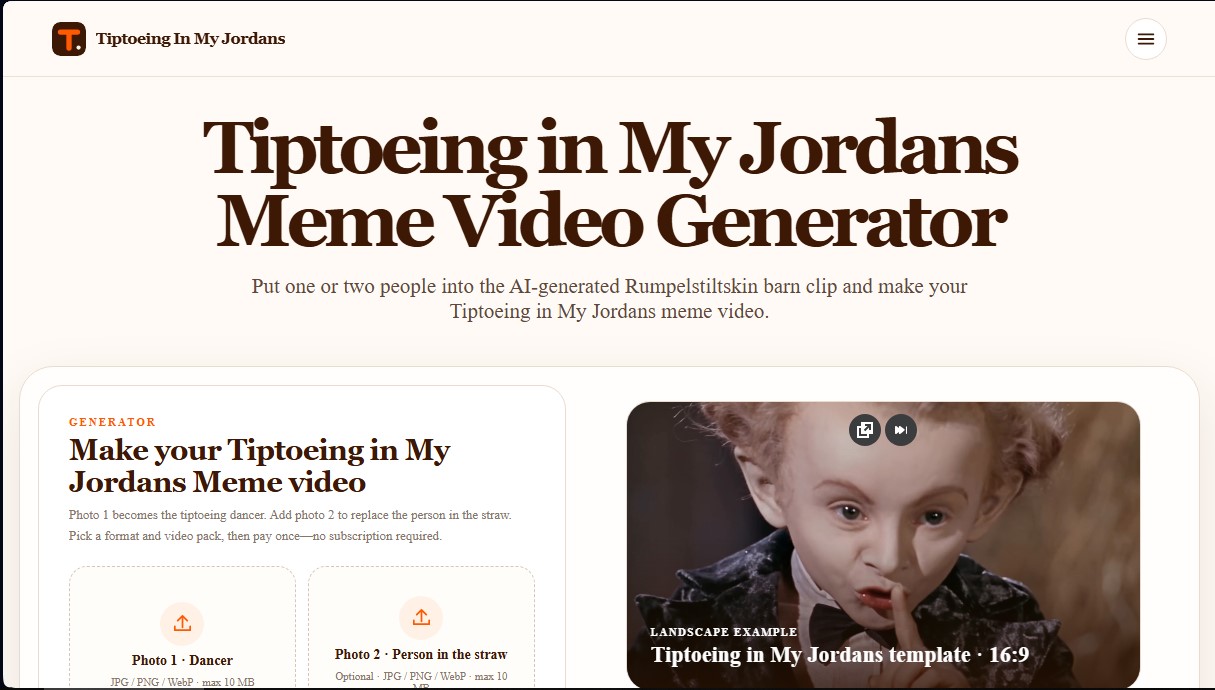
Tiptoeing in My Jordans user reviews
Write a review
Checking your session...
Tiptoeing in My Jordans Reviews
Loading reviews...