Share
What is ToneBird?
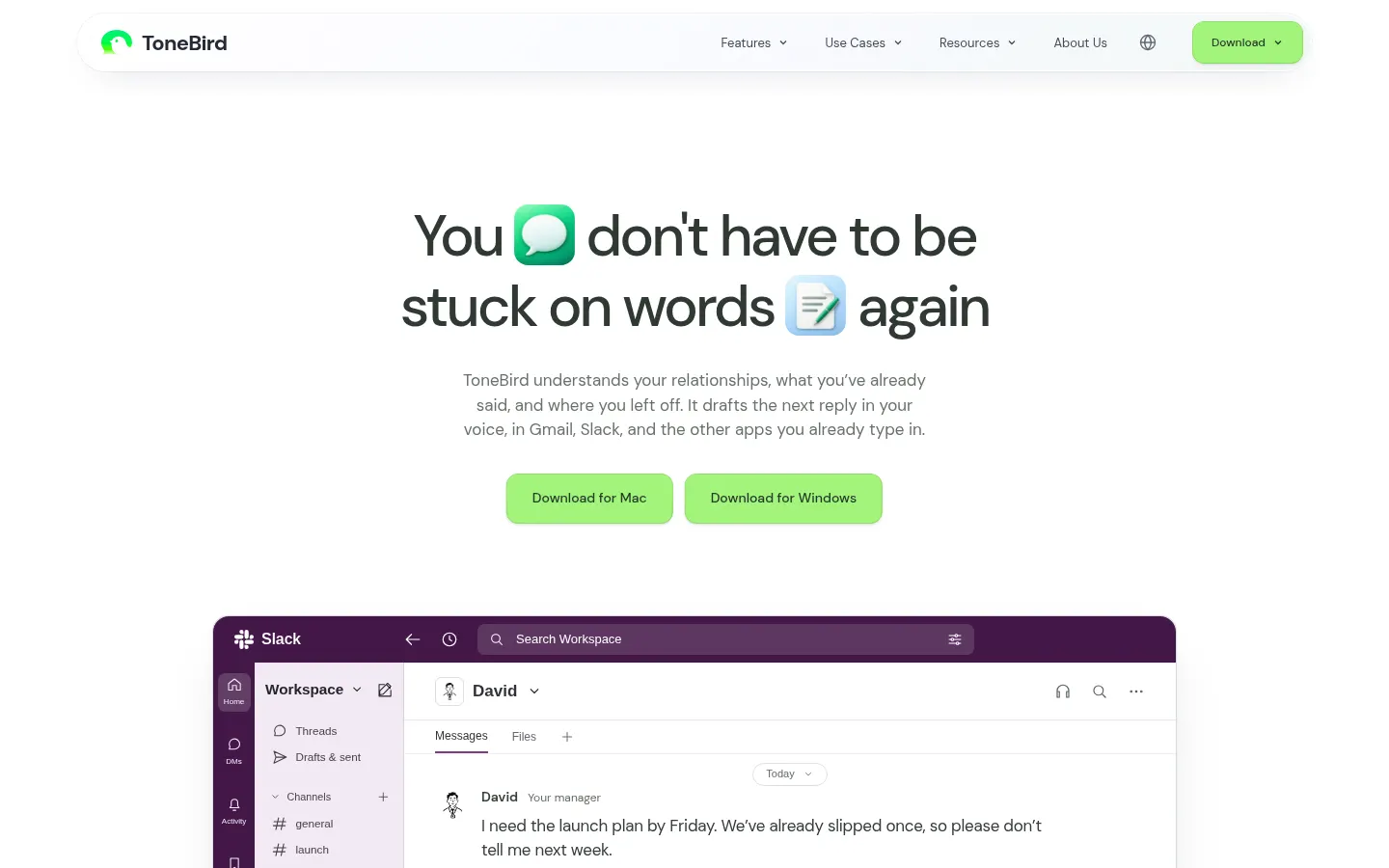
ToneBird is an AI reply assistant for Mac and Windows that drafts the next message in a conversation in your own voice, right inside the apps you already use: Gmail, Slack, WhatsApp, iMessage, Google Chat, LinkedIn, Reddit, Instagram, Discord, WeChat and Lark. Its core idea is that a good reply depends on who you're talking to and what you've already said.
What is ToneBird used for?
It helps when a message is hard to answer: a client chasing a date for the second time, a manager in a hurry or a tricky renewal. ToneBird keeps relationship memory with a card for each person, recalls what you promised in earlier threads and checks connected documents, like a proposal PDF, to pull in the exact figure. It adjusts the wording to each person, so a client waiting on a deadline gets a different reply from a teammate checking in.
How does ToneBird work?
You open it by clicking the orb or tapping Option twice on Mac (Ctrl on Windows). It offers three reply options you can flip through with the arrow keys, tweak with buttons like "more precise", "warmer" or "add humor", and insert into the reply box; it never sends anything for you. It also spots agreed meeting times and prepares the event in Google Calendar or Apple Calendar, and gathers promised quotes, unanswered questions and dates to confirm into a follow-up list. It works across languages and can show a translation of the draft.
Who is ToneBird for?
- Freelancers and consultants juggling many clients at once.
- Salespeople who need to remember deals and nuances for each account.
- Professionals replying all day in Slack, email and social apps.
ToneBird pros and cons
Privacy is the standout: your tone profile, contact cards and learned corrections stay on your device, and you approve each learned adjustment before it changes how ToneBird writes. On the downside, it's a desktop app only, daily drafts and remembered contacts are capped by tier, and the site says paid tiers can't be purchased there yet.
ToneBird features and use cases
How to use ToneBird
ToneBird FAQ
Is ToneBird free?
There's a free plan with 15 drafts a day and 30 contacts in memory; paid tiers raise those limits (see pricing).
Does ToneBird send messages for me?
No. Drafts go into your reply box, and you review and send them yourself.
Which apps does ToneBird work in?
Gmail, Slack, WhatsApp, iMessage, Google Chat, LinkedIn, Reddit, Instagram, Discord, WeChat and Lark, among other desktop and web apps.
What languages does ToneBird support?
It suggests replies across languages; the demo shows a Spanish draft with an English translation, and the site itself is available in nine languages.
Where does ToneBird store my data?
Your tone profile, contact cards, learned corrections and usage counts live on your device, and you can export or delete them.
Is there a Windows version of ToneBird?
Yes, it runs on Mac and Windows; on Windows you open it by tapping Ctrl twice.
How does ToneBird learn my writing style?
It suggests facts and preferences from your conversations and you decide what to save; nothing changes without your approval.
Can it add events to my calendar?
Yes, when a time is agreed in the chat it prepares a Google Calendar or Apple Calendar event for you to confirm.
What counts as a contact in ToneBird?
Each person ToneBird remembers, with a card and the context of your relationship; every tier has a maximum.
What are some ToneBird alternatives?
In our directory you can compare Fyxer, Grammarly and Superhuman, which also help draft replies with AI.
ToneBird pricing and plans
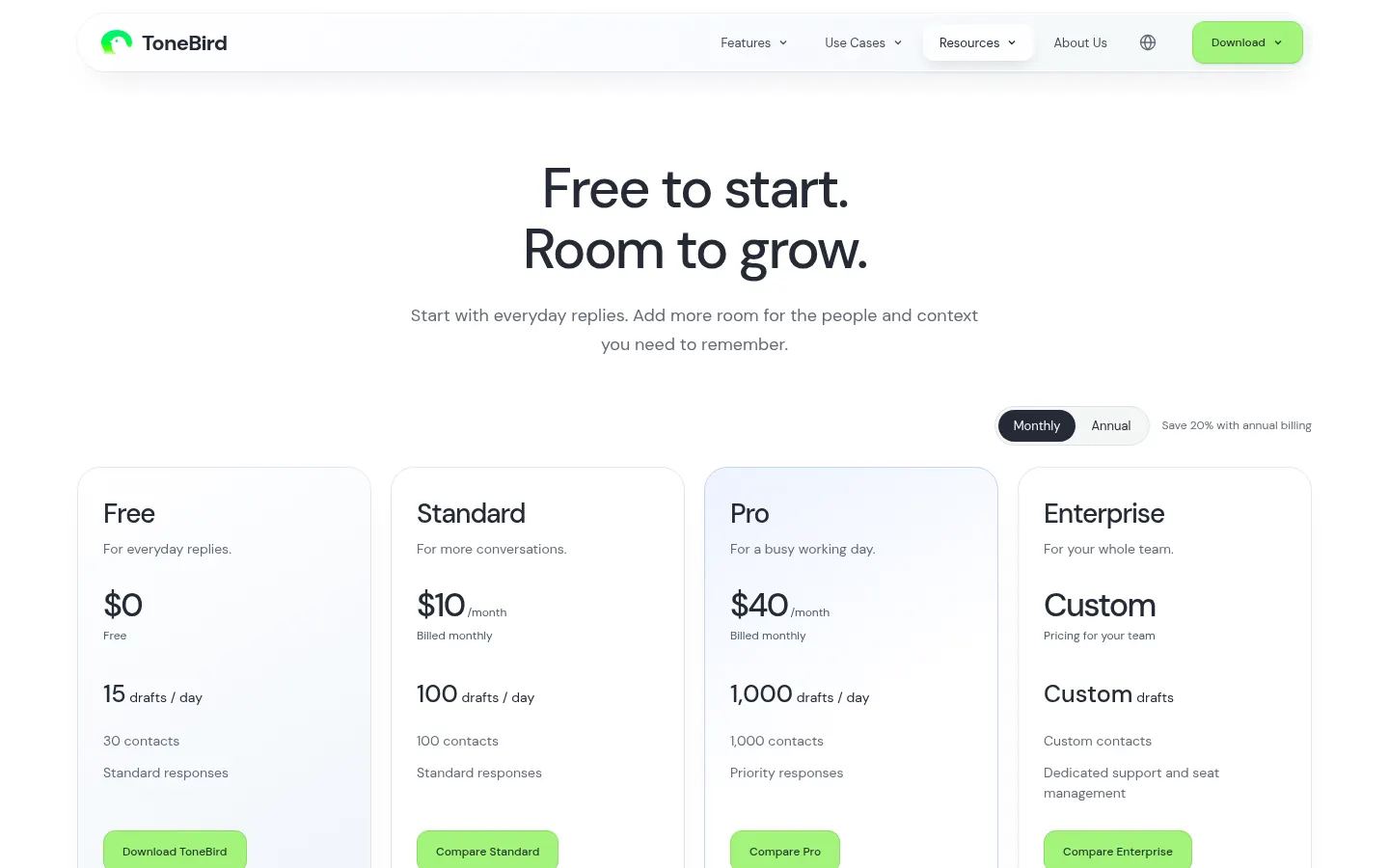
Reference price: 10 USD / month. Source · Verified: November 11, 2026
Prices in US dollars from the official website (Checked on: 11/11/2026). Annual billing saves 20%. Generating replies and organizing what you want to say share one daily allowance.
Free: $0. 15 drafts a day and 30 contacts in memory.
Standard: $10/month or $96/year. 100 drafts a day and 100 contacts.
Pro: $40/month or $384/year. 1,000 drafts a day, 1,000 contacts and priority responses.
Enterprise: custom pricing, with team sharing, seat management, centralized billing and dedicated support with an SLA.
The site notes that paid checkout isn't available on the website yet.
ToneBird Screenshots
ToneBird user reviews
Write a review
Checking your session...
ToneBird Reviews
Loading reviews...
ToneBird alternatives
Atomic Bot
Atomic Bot runs open-source AI agents such as OpenClaw, Hermes and Codex on your computer or in the cloud, with no terminal, and keeps them online 24/7.
ParagraphAI
ParagraphAI is an AI writing assistant for phone, browser and desktop that fixes grammar, drafts email replies in one tap, adjusts tone and translates.
Spark Mail
Spark Mail is an AI email client that filters out noise, summarizes threads, drafts replies and lets teams collaborate on emails across devices.

Mailbutler
Mailbutler is an email productivity extension for Gmail, Outlook and Apple Mail with tracking, mail merge, notes, tasks and an AI Smart Assistant.