
Share
Enhance blurry or pixelated images with AI. Upscale resolution and restore details in faces and old photos for free.
What is Unpixelate?
Unpixelate is an AI tool specializing in low-resolution image restoration. Its primary function is to unpixelate photos, sharpen blurry shots, and upscale visual files without losing clarity. Unlike traditional upscaling methods that simply stretch existing pixels—resulting in a blurry effect—this application uses advanced models to reconstruct lost detail, allowing you to obtain a high-resolution version in just seconds directly from your computer or mobile browser.
The technology behind Unpixelate is based on generative super-resolution using diffusion networks. This approach treats the pixelated image as initial evidence and generates a new composition that plausibly matches the original. The system has been trained on millions of photographs to understand how skin textures, fabrics, or vegetation should look. Because of this, the tool doesn't just smooth out edges; it "redraws" elements like pores or strands of hair that were not present in the original input.
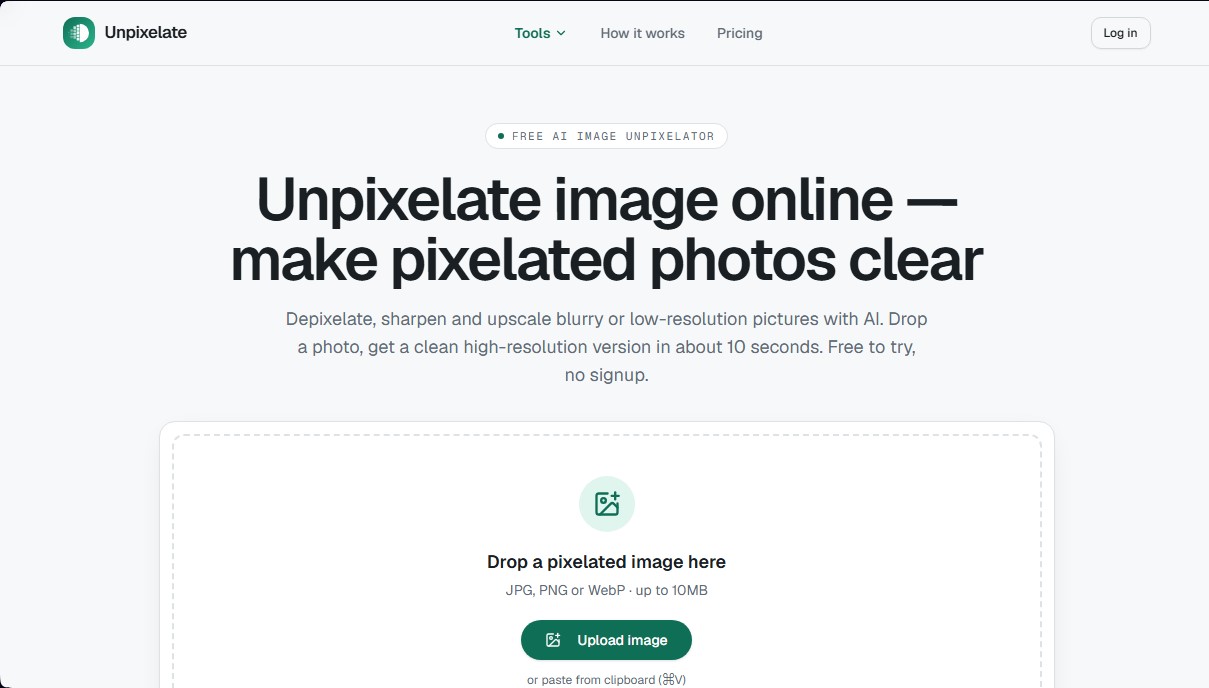
The workflow is straightforward and requires no technical knowledge or complex parameter adjustments. Users can upload JPG, PNG, or WebP files up to 10 MB. The platform offers two processing levels: Standard mode, ideal for quick and balanced results, and HD mode, which utilizes a more powerful model specifically designed to maximize detail in faces and fine textures.
Key capabilities and practical benefits include:
- Old photo restoration: Recover faces and details in scans of worn physical prints or small-format vintage family photos.
- Avatar and thumbnail enhancement: Convert small profile pictures pulled from messaging apps into sharp, print-ready files.
- Screenshot optimization: Make text and visual elements in enlarged or cropped screenshots legible and clear again.
- Digital art and AI upscaling: Take low-resolution AI-generated images and upscale them to large formats for wallpapers or prints.
- Compression cleanup: Remove noise and pixelation artifacts typical of files that have been saved repeatedly or sent through social media.
Regarding privacy, the tool processes files in memory and performs an automatic deletion of uploads, ensuring that images are not used to train external models. It is important to note that while it is highly effective at improving visual aesthetics, Unpixelate cannot recover intentionally destroyed information, such as text censored with mosaics or completely illegible license plates, maintaining an honest approach to the capabilities of AI image restoration. The final result is a clean, watermark-free image ready for professional or personal use.
Unpixelate features and use cases
How to use Unpixelate
Unpixelate FAQ
What is Unpixelate and what is it used for?
Unpixelate is an AI tool designed to remove pixelation from images, sharpen blurry photos, and increase the resolution of low-quality files in just a few seconds.
Is Unpixelate free to use?
Yes, the tool offers a free standard mode that allows for daily processing without registration, along with additional credits when you log in. However, the HD model requires the use of paid credits.
How does Unpixelate improve the quality of faces in photos?
The system uses diffusion networks trained on millions of images to realistically reconstruct facial features, skin textures, and hair details, rather than simply stretching existing pixels.
Are my images safe when using this tool?
Privacy is a top priority; files are processed in memory and automatically deleted after the process is complete, ensuring they are never used to train AI models.
Can Unpixelate recover censored text or unreadable license plates?
No, the tool cannot recover information that has been completely destroyed by censorship or heavy blurring. Its purpose is to generate a plausible visual reconstruction, not to decrypt hidden data.
What types of files can I upload to the platform?
You can upload images in JPG, PNG, or WebP format with a maximum size of 10 MB per file to ensure the system can process them correctly.
What is the difference between the Standard and HD results on Unpixelate?
The Standard model is fast and free for everyday use, while the HD model uses more advanced technology specialized in recovering fine textures and high-precision facial details.
Do I need to install any software to use the tool?
No installation is necessary, as Unpixelate works entirely online through your browser, allowing you to drag and drop images directly onto the website.
Unpixelate pricing and plans
Free ($0/month)
2 daily runs without needing to create an account.
50 monthly credits upon sign-up (valid for 1 month).
Standard quality (up to 4x upscaling, limited to 2048px).
Access to base models.
Includes commercial license and priority support.
Basic ($9.90/month or $6.99/month billed annually at $83.90)
1,200 credits per month (approx. 120 image generations).
Access to all models, including the HD model for faces and fine textures.
Prompt optimization tools.
Private generation and commercial license.
Priority support.
Pro ($24.90/month or $17.49/month billed annually at $209.90)
4,000 credits per month (approx. 400 image generations).
Access to all models, including the HD model.
Advanced prompt optimization tools.
Private generation and commercial license.
Priority support.
Premium ($49.90/month or $34.99/month billed annually at $419.90)
10,000 credits per month (approx. 1,000 image generations).
Access to all models, including the HD model.
Advanced prompt optimization tools.
Private generation and commercial license.
Priority support.
Credit Packs (One-time payment)
Hobby Package ($6.90): 500 credits valid for 3 months.
Starter Package ($12.90): 1,200 credits valid for 3 months.
Pro Package ($29.90): 3,600 credits valid for 6 months.
All packages include access to advanced models, private generation, optimization tools, and a commercial license.
Unpixelate Screenshots
Unpixelate user reviews
Write a review
Checking your session...
Unpixelate Reviews
Loading reviews...
Unpixelate alternatives

Topaz Labs
Topaz Labs makes AI apps that upscale, sharpen, denoise and restore photos and videos, available on desktop, web, mobile and through an API.



AlreadyRan
AlreadyRan brings dozens of AI image, video and audio models into one web studio with a single credit balance and the cost shown before every generation.

Album Art Creator
Generate professional album covers with AI. Create editable designs tailored to your music's genre and style, optimized for Spotify, Apple Music, and other streaming platforms.
Vireel AI Photo to 4K
Upscale images to 4K with AI. Restore textures, eliminate noise, and fix blur for crisp, high-quality results.