
VideoWeb Reference to Video
Share
Transform images into AI videos while preserving face and style fidelity. Generate natural motion and coherent scenes from reference photos.
What is VideoWeb Reference to Video?
VideoWeb Reference to Video is an advanced AI video generation solution integrated into the VideoWeb AI platform. This tool allows users to transform static reference images into fluid and coherent video clips, ensuring that critical elements such as faces, visual styles, and technical product details remain stable throughout the entire sequence. Unlike conventional video generators that may exhibit visual inconsistencies between frames, this technology focuses specifically on character consistency and the fidelity of the original subject.
The functionality of VideoWeb Reference to Video is powered by state-of-the-art models such as Seedance 2.5 and Kling 3.0, while also integrating Vidu Q2 capabilities. The workflow is simple and efficient: the user uploads one or more reference images that define the protagonist, object, or environment, and writes a text command or prompt describing the desired action. The AI processes this data to animate the image naturally, allowing characters to speak, move, or react without losing their visual identity or the structure of the original design.
Key capabilities and functional benefits include:
- Identity and Face Consistency: Maintains identical facial features, clothing, and product structures in every second of the footage, preventing flickering effects or morphological distortions.
- Natural Movement and Expressions: Generates fluid animations for complex facial gestures and physical actions, making it ideal for creating talking avatars or realistic action scenes.
- Multi-Reference Creation: Allows the use of up to seven supporting images to precisely guide the relationship between characters, backgrounds, and accessories within a single video.
- Optimized Workflow: Drastically reduces production times by eliminating the need for repetitive physical filming or manual editing processes on a computer.
This tool is especially valuable for content creators, digital marketing specialists, and e-commerce teams. It facilitates the production of UGC-style ads, social media clips, and the pre-visualization of cinematic concepts or storyboards. By focusing on direct visual reference, VideoWeb Reference to Video ensures that the generated content is always recognizable and aligned with brand aesthetics or the user's previous designs, delivering professional results with minimal technical effort.
VideoWeb Reference to Video features and use cases
How to use VideoWeb Reference to Video
VideoWeb Reference to Video FAQ
What is VideoWeb Reference to Video?
It is an AI video generator that uses reference images to create smooth clips while maintaining consistency across characters, faces, or objects.
Does VideoWeb Reference to Video allow for consistent faces in videos?
Yes, the tool is specifically designed to preserve facial features, identity, and visual style from the original image throughout the entire animation.
How many reference images do I need to upload?
You can start with just one reference image, though the system allows you to add several to better guide the details of characters, backgrounds, and objects.
What kind of content can I create with this tool?
It is ideal for generating talking avatars, product videos, social media ads for platforms like TikTok, cinematic scenes, and visual marketing concepts.
Is it possible to use VideoWeb Reference to Video for free?
Yes, new users receive free starting credits and can earn additional credits through daily check-ins to test out the basic features.
How do I use the reference feature to create a video?
Simply upload your images, write a description of the action or scene you want, choose your resolution settings, and hit the generate button.
Does the tool provide results with natural movement?
Yes, the system generates fluid gestures, facial expressions, and camera movements to ensure characters and scenes look realistic and professional.
Do I have commercial rights to the videos I generate?
Users who subscribe to the platform's premium plans have commercial rights to use their creations for business projects or advertising.
What sets VideoWeb Reference to Video apart from other generators?
Its main advantage is the ability to maintain strict visual continuity, preventing the subject's appearance from changing randomly between frames.
What formats can I generate videos in?
The platform allows you to select various aspect ratios, such as 16:9, to fit the needs of different social media platforms and audiovisual projects.
VideoWeb Reference to Video pricing and plans
Free (0 $)
40 credits for new users.
20 additional credits for daily check-ins.
Basic image generation.
Free AI tool usage limited to 50 times per day.
Shared generation queue.
15-day history.
Standard (9,99 $ /mo / 7,99 $ /mo billed annually)
5,000 monthly credits.
Unlimited premium features for high-quality video, image, and music generation.
Unlimited use of free AI tools.
Fast generation queue.
365-day history.
Private generations and commercial rights.
Popular (19,99 $ /mo / 15,99 $ /mo billed annually)
13,000 monthly credits.
Unlimited premium features for high-quality video, image, and music generation.
Unlimited use of free AI tools.
Fast generation queue.
365-day history.
Private generations and commercial rights.
Professional (49,99 $ /mo / 39,99 $ /mo billed annually)
35,000 monthly credits.
Unlimited premium features for high-quality video, image, and music generation.
Unlimited use of free AI tools.
Fast generation queue.
365-day history.
Private generations and commercial rights.
Credit Packs (One-time payment)
Ultra: 10,000 credits for 19,99 $.
More: 26,000 credits for 49,99 $.
Max: 56,000 credits for 99,99 $.
Super: 112,000 credits for 199,99 $.
All include: Access to premium features, fast queue, 365-day history, and commercial rights.
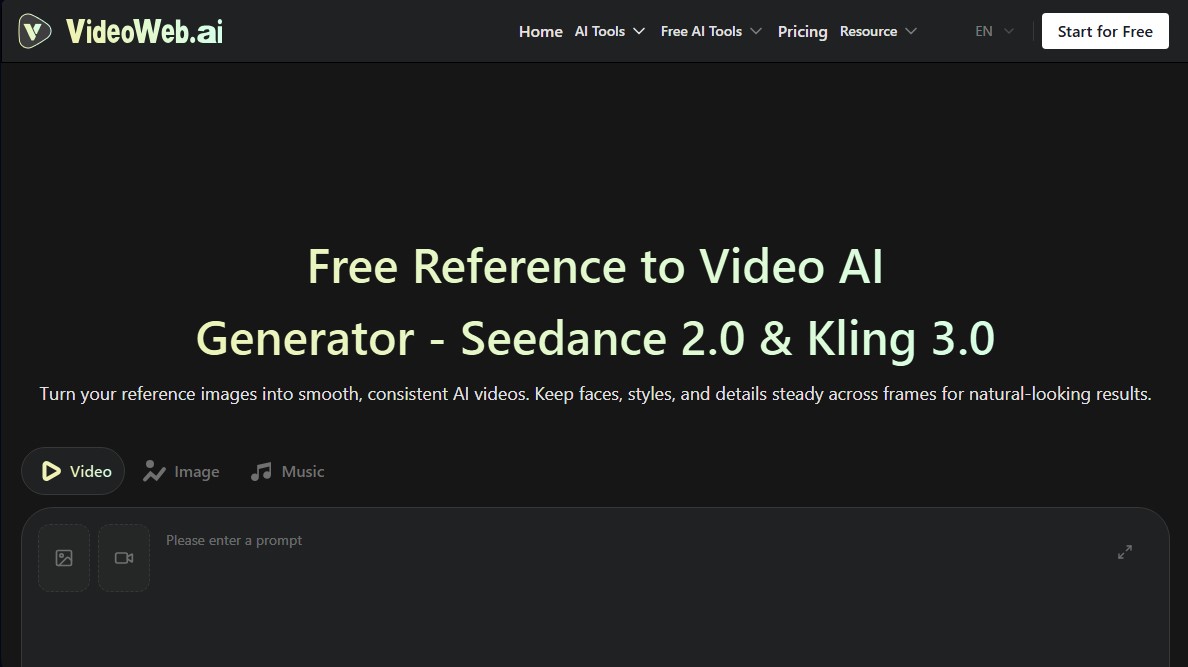
VideoWeb Reference to Video Screenshots
VideoWeb Reference to Video alternatives

VideoWeb Video Generator
Generate professional AI videos from text or images. Features realistic avatars, automated scripts, and optimized formats for marketing and social media.

Motion Transfer AI Video Generator
Animate character photos using reference videos. Precisely transfer gestures, dances, and body movements from a clip to an image for realistic results.

AlreadyRan
AlreadyRan brings dozens of AI image, video and audio models into one web studio with a single credit balance and the cost shown before every generation.


Vidverse AI
Vidverse AI brings several AI video, image and voice models into one web and mobile app, so you can turn text or photos into clips, images and voiceovers.