Share
Vocova
Transcribe audio and video to text in over 100 languages. Includes speaker ID, translation, AI summaries, and export to formats like PDF, SRT, or DOCX.
General Information about Vocova
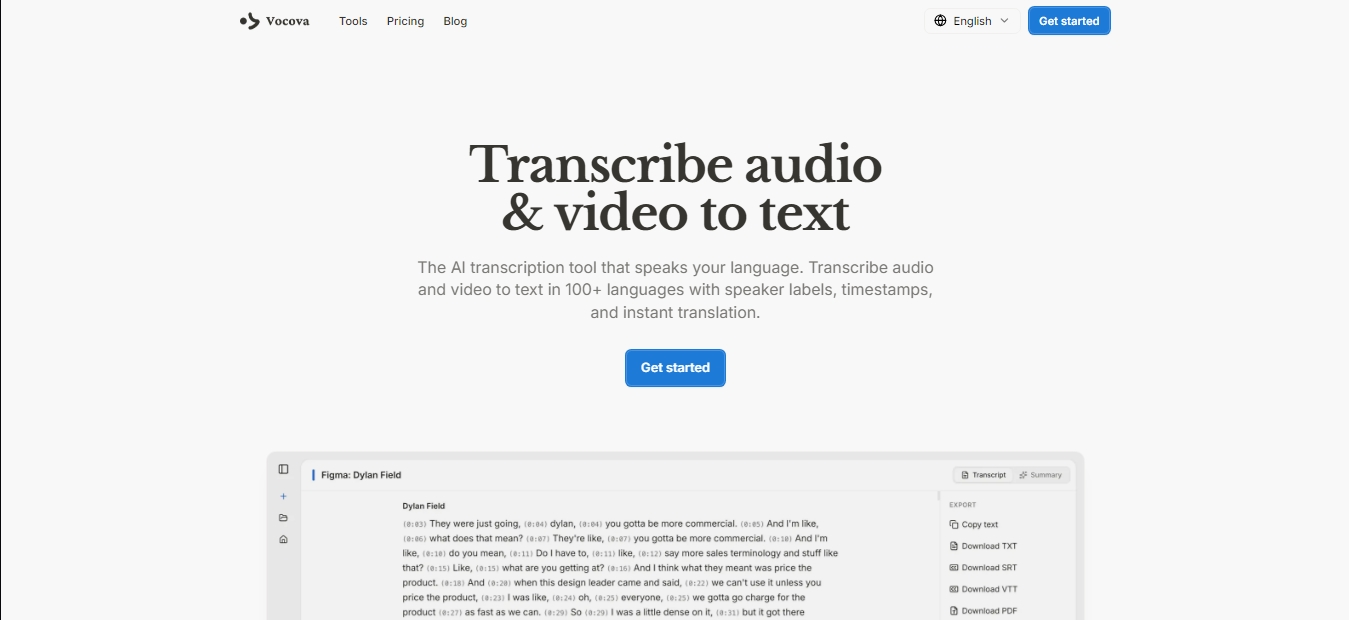
Vocova is an advanced artificial intelligence tool specializing in automated audio and video-to-text transcription. This web platform allows for the processing of multimedia files in over 100 languages, offering an efficient solution for converting spoken content into written documents with exceptional accuracy. Its technology is geared toward both audiovisual professionals and users who need to quickly manage large volumes of information from their computer or mobile device.
Vocova's operation is powered by state-of-the-art speech recognition models that guarantee high-fidelity results. The process is straightforward: users can upload local files in formats such as MP3, WAV, MP4, or MOV, or simply paste a video or audio link. The system processes the information in the cloud, applying speaker identification algorithms and generating precise word-level timestamps. This ensures the resulting text is not just a flat transcription, but a structured document where who is speaking at any given moment is clearly distinguished.
The main capabilities of this automatic transcription tool include:
Import from over 1,000 platforms: Allows for direct audio extraction via URLs from YouTube, TikTok, Instagram, Apple Podcasts, and storage services like Google Drive or Dropbox.
Smart translation: The ability to translate transcriptions into more than 140 languages, including a bilingual view mode to compare original and translated text side-by-side.
AI-generated summaries: The system automatically creates summaries with key points and conclusions from the audio to facilitate quick reading.
Integrated text editor: Allows users to review, correct, and refine content, adjust speaker names, and sync timing before generating the final file.
Versatile export formats: Supports downloading files in SRT and VTT for subtitles, as well as DOCX, PDF, TXT, or CSV for reports and databases.
This application is especially useful for podcasters, content creators, journalists, and students who need to convert interviews, lectures, or videos into editable material. By eliminating the burden of manual work, Vocova optimizes editorial and post-production workflows. Additionally, its ability to generate multilingual subtitles helps internationalize video content instantly. The platform guarantees data privacy, ensuring that uploaded files and generated transcriptions are accessible only to the owner. It requires no software installation, operating entirely online with an intuitive and professional interface.
Features and Use Cases of Vocova
How Vocova Works
Frequently Asked Questions about Vocova
What is Vocova and what is it used for?
Vocova is an AI-powered tool designed to automatically transcribe audio and video files into text in over 100 languages.
Can I use Vocova for free?
Yes, the platform offers a free plan that includes 30 minutes of transcription and allows you to save up to three projects with no commitment.
Which platforms can I import files from?
You can import content by pasting links from over 1,000 different platforms, including YouTube, TikTok, Instagram, Google Drive, and Dropbox.
Does the tool automatically identify different speakers?
Yes, Vocova’s AI system detects voice changes and adds speaker labels and precise timestamps.
What formats can I export my transcriptions in?
You can download your documents in several professional formats, such as PDF, DOCX, SRT, VTT, TXT, or CSV data files.
Is it possible to translate transcriptions made in Vocova?
Yes, the tool allows you to translate generated text into over 140 languages and even export bilingual versions with the original text and the translation side-by-side.
How accurate are Vocova’s transcriptions?
The platform uses advanced speech recognition models that guarantee professional-grade accuracy near 100% for most languages.
Are my personal files and data secure?
Privacy is a top priority; all files are stored securely in the cloud so that only you can access and edit them.
Does Vocova offer automatic summaries?
Yes, every transcription includes an AI-generated summary that allows you to grasp the key points of the content at a glance.
What are the benefits of Vocova’s lifetime plan?
The Pro Lifetime plan provides permanent access to all advanced features for a one-time payment, eliminating monthly subscription fees.
Vocova Pricing
Free
$0
Free plan to test the tool with no commitment.
30 minutes of transcription.
Storage for up to 3 transcriptions.
Support for 100+ languages.
Export in plain text format.
Shareable links for transcriptions.
File size limit up to 30 MB.
Plus
$7.50 per month (billed annually at $90)
Plan designed for users who require premium features and a higher volume of minutes.
Includes everything in the Free plan.
1,800 transcription minutes per month.
Unlimited transcription storage.
Studio-grade AI accuracy.
Import from 1,000+ platforms.
Automatic speaker identification.
Batch upload for up to 20 files.
Translation into 140+ languages.
Export in PDF, DOCX, SRT, and VTT formats.
AI editing and summarization tools.
Priority processing and files up to 5 GB.
Pro
$19 per month (billed annually at $228)
Plan with unlimited transcription and maximum accuracy.
Includes everything in the Plus plan.
Unlimited transcription.
Unlimited transcription storage.
Files up to 5 GB and priority processing.
Pro Lifetime
$399 (one-time payment)
Lifetime access to all Pro features with no recurring subscriptions.
Includes all Pro plan features.
One-time payment for permanent access.
Vocova Screenshots