Share
AI image and video generation and editing. Create content from text, retouch product photos, and apply professional styles using various models.
What is Zanta AI?
Zanta AI is a comprehensive creative platform designed for AI-powered visual content generation and editing. This all-in-one studio allows users to create high-fidelity images and videos directly from a desktop browser, combining multiple cutting-edge models into a single technical interface. Its primary function is to transform text-based ideas into visual assets or modify existing files with professional precision, streamlining the workflow for designers, marketing teams, and e-commerce specialists.
The tool stands out for its versatility, integrating various generative AI models that can be selected based on the specific task. For creating images from scratch, it utilizes engines like GPT Image 2 and Nano Banana Pro, which are optimized for high-resolution results and strict prompt adherence. If a user needs to include legible text within a composition, the platform employs Ideogram, while Seedream 5.0 Lite is used for quick sketches or structured ideas.
One of Zanta AI’s most powerful capabilities is its focus on source image editing via Nano Banana. This technology allows for product restyling, room updates, or portrait modifications without losing the original structure of the uploaded object. Through multi-image fusion, users can maintain the consistency of a real product while altering the environment, lighting, or artistic style—an essential feature for generating recognizable brand assets.
Key practical features and benefits include:
- Photorealistic image generation and conceptual art based on detailed descriptions, including composition, material, and lighting parameters.
- Localized editing and cleanup of visual files using FLUX Kontext, allowing for precise changes in specific areas of an image.
- AI video creation through the Veo 3 model, expanding narrative possibilities within the same workspace.
- Prompt optimization via built-in guides that help define subjects, textures, and cinematic finishes.
- Format and aspect ratio control, enabling the direct adaptation of visual outputs for various digital channels.
Using Zanta AI is particularly valuable for developing visual brand systems and creating editorial campaigns. By centralizing text-to-image generation and photo editing on a single page, the tool eliminates the need to jump between different applications. Users can compare results across different models, choose the strongest visual direction, and polish final details, ensuring the content is ready for professional use in advertising, digital catalogs, or corporate presentations. It is a robust solution for those seeking rapid iteration and high-end visual results without complex manual processes.
Zanta AI features and use cases
How to use Zanta AI
Zanta AI FAQ
What is Zanta AI and what kind of content can I create with it?
It is an all-in-one platform that allows you to generate and edit high-quality images and videos using various artificial intelligence models in a single workspace.
Can I edit my own photos in Zanta AI?
Yes, you can upload a source image and use models like Nano Banana to apply style changes, product touch-ups, or scene updates while maintaining the original structure.
Which model should I choose in Zanta AI to generate images with readable text?
For projects that require clear and legible words or phrases within the image, the Ideogram model is the most suitable option.
How does the tool's credit system work?
Each generation consumes credits based on the selected model, resolution, and settings. Any unused credits roll over to the following month.
What is the difference between using a text prompt and uploading an image in Zanta AI?
You should start with text when you need to create an image from scratch, and upload a photo when you want the original composition or subject to guide the final result.
Can the generated images be used for commercial purposes?
Yes, the images you create can be used in advertising campaigns, online stores, presentations, and content marketing, according to the terms of your subscription plan.
What does the Zanta AI free plan offer?
The free plan allows you to test the core workflow with an initial credit pack to generate both videos and images before deciding on a subscription.
Which Zanta AI model is best for achieving highly realistic product images?
To get high-detail, high-fidelity advertising or product images, we recommend using Nano Banana Pro or GPT Image 2.
Can I cancel my subscription at any time?
Yes, the platform offers total flexibility to cancel your monthly or annual plan whenever you like, with no long-term commitments.
Zanta AI pricing and plans
Free
0,00 $
- 100 credits added instantly and 420 credits upon activation.
- Limit of up to 5 videos and 26 images.
- Access to Veo 3 Basic and Nano Banana.
- Starter catalog preview.
- 11 models available (12 locked).
Starter
29,90 $/mo (or 23,90 $/mo billed annually)
- 4,000 credits per month.
- Limit of up to 40 videos and 200 images.
- Access to Veo 3 Basic and Nano Banana.
- Starter catalog and standard processing.
- 11 models available (12 locked).
Pro
49,90 $/mo (or 34,90 $/mo billed annually)
- 10,000 credits per month.
- Limit of up to 100 videos and 500 images.
- Access to Veo 3 Basic and Nano Banana.
- Starter + Pro catalog.
- Priority processing.
- 18 models available (5 locked).
Max
89,90 $/mo (or 45,00 $/mo billed annually)
- 25,000 credits per month.
- Limit of up to 250 videos and 1,250 images.
- Access to Veo 3 Basic and Nano Banana.
- Full catalog access.
- Highest priority processing.
- All models available (23 models).
One Time
From 199,90 $ to 499,90 $
- 199,90 $ option: 20,000 credits (up to 200 videos or 1,000 images).
- 499,90 $ option: 60,000 credits (up to 600 videos or 3,000 images).
- No monthly subscription required.
- Access to the Starter catalog and 11 models available.
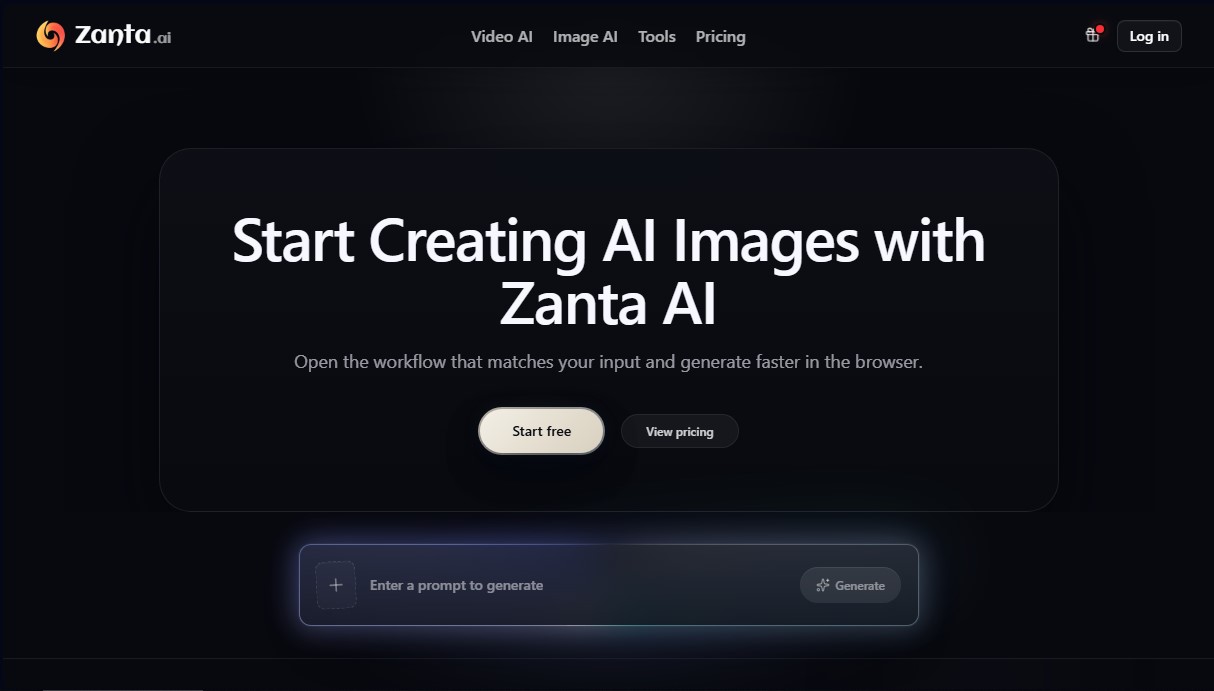
Zanta AI Screenshots
Zanta AI alternatives
ColorCraft
Create Amazon KDP books. Generate coloring pages, stories, puzzles, and print-ready full covers, plus promotional mockups in a single workflow.

Tesla Wrap Generator
Tesla Wrap Generator uses AI to paint designs onto the official UV template of each Tesla model for Paint Shop, with a 3D preview before you download.