

Share
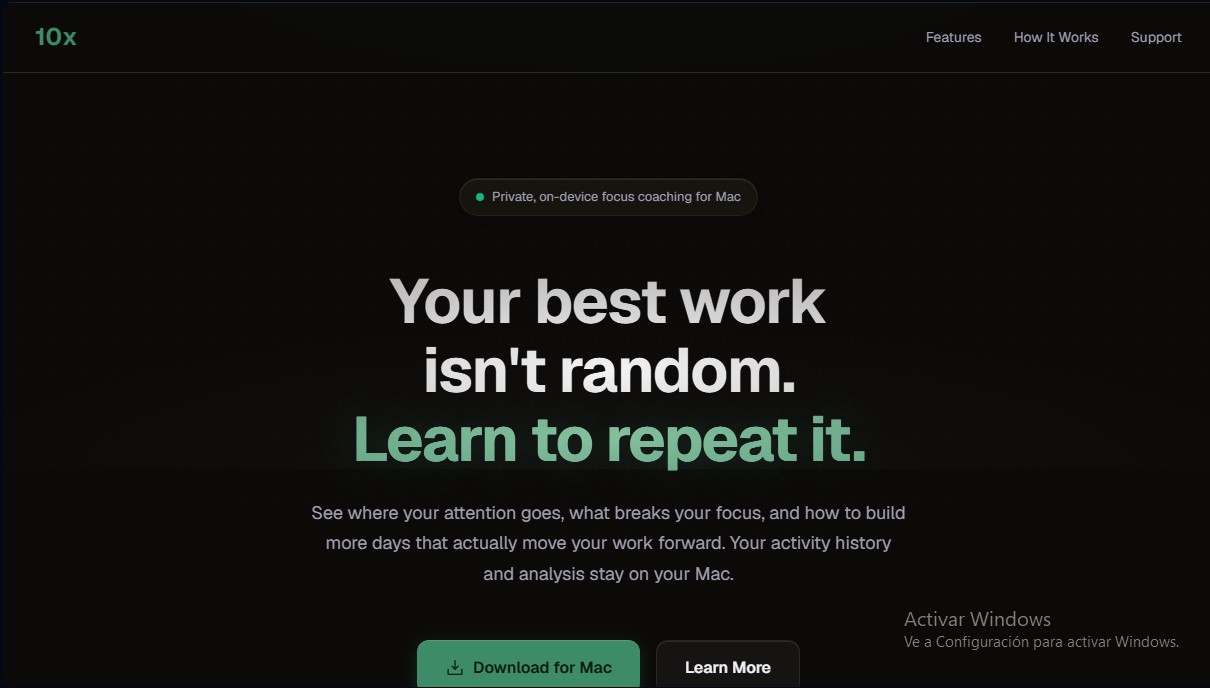
Mac productivity coach using local AI to analyze habits. Optimize focus and detect distractions while keeping your data private on your device.
What is 10x?
10x is a focus coaching tool designed exclusively for Mac users looking to optimize their productivity through real-world data analysis. This app acts as an intelligent activity monitor that helps identify deep work patterns, allowing professionals and developers to understand which times of day are most effective for their most demanding tasks. Unlike other trackers, its primary function isn't just to measure time, but to provide clear insight into which factors break concentration and how to consistently replicate high-performance workdays.
The core of 10x is built on local artificial intelligence that runs directly on your device. It utilizes the Qwen 3.5 9B model to process information without sending data to the cloud, ensuring absolute privacy. After granting the necessary accessibility permissions, the tool runs silently in the background, logging the use of applications like VS Code, terminals, and browsers. It requires no account creation or manual session setup, as it automatically detects context changes and focus intensity based on actual behavior in front of the monitor.
Key features for productivity enhancement and time management include:
- Weekly heatmaps that visually reveal peak concentration hours and days, helping you protect those specific time slots.
- A Focus Tiers system that categorizes attention into five levels, ranging from initial learning to the Elite Focus state.
- Context switching analysis, quantifying how many minutes of deep work are lost to every interruption from apps like Slack or email.
- Daily summaries and personalized insights that offer actionable recommendations, such as delaying the opening of certain apps to maximize quality time.
- Tracking of personal records for focus sessions and uninterrupted work streaks to gamify the process of improving attention.
Security is a fundamental pillar of this AI productivity app. By avoiding external APIs, analytics, and telemetry, all activity history remains strictly in local system storage. For optimal performance, 10x requires a machine with an Apple Silicon processor (M1 or later), a minimum of 16 GB of RAM, and macOS 14.0 or higher. It is an advanced technical solution for users who need a deep analysis of their digital behavior without compromising data confidentiality.
10x features and use cases
How to use 10x
10x FAQ
Is my personal data safe with 10x?
Yes, all your activity and AI analysis are processed and stored locally on your Mac and never leave your device.
What are the system requirements for using 10x?
You’ll need a Mac with an Apple Silicon M1 chip or later, at least 16 GB of RAM, and macOS 14.0 or newer.
Do I need to manually start tracking every time I begin working?
No, the tool runs quietly in the background and automatically learns from your patterns without you having to click a single button.
Does 10x require a constant internet connection for the AI to function?
You only need a connection for the initial language model download; after that, all analysis logic runs locally and privately.
How does 10x help improve my focus?
The app identifies your peak performance hours, detects habits that disrupt your workflow, and provides personalized tips to help you reach deeper levels of focus.
Do I need to create an account to start using the app?
No registration or account is required, as there is no telemetry or external data collection of any kind.
What permissions do I need to grant for the tool to work properly?
You need to grant Accessibility permissions on your Mac so the app can identify active programs and analyze your work sessions.
Can I delete my activity history?
Yes, you can delete all your locally stored data at any time with a single click in the app settings.
10x pricing and plans
Early Access Version: Free
- Integrated private and local focus coach for Mac.
- Weekly heatmaps to identify peak productivity hours.
- "Focus Tier" tracking and deep work streaks.
- Habit and interruption analysis (detection of attention-fragmenting apps).
- Efficiency reports and daily activity summaries.
- Total privacy: local AI processing (Qwen 3.5 9B model), with no user accounts or data sent to the cloud.
- Technical requirements: Requires Mac with Apple Silicon (M1 or later), macOS 14.0 or higher, minimum 16 GB of RAM, and 8 GB of free disk space.
For information regarding potential future paid plans after the early access period, please visit the official website.
10x Screenshots
10x alternatives



MakeASkill
MakeASkill creates a free personal skill for your AI assistant from a few quick questions, plus up-to-date steps to set it up in each app.



Nuclr Commander
Workspace for running multiple AI agents in parallel with a file manager. Supports local or external models and remote mobile monitoring.