3D AI Studio
Share
3D AI Studio
Generate professional 3D models from text or images. Create textures and optimize meshes to export files ready for video games or 3D printing.
General Information about 3D AI Studio
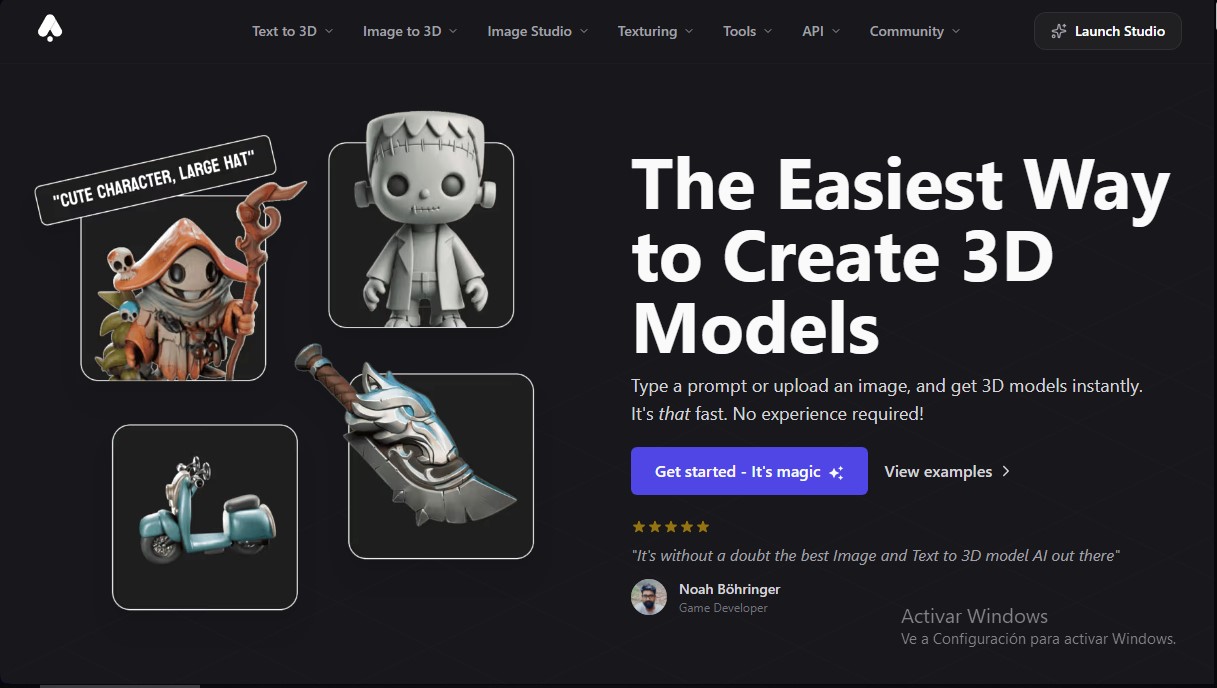
3D AI Studio is an advanced platform designed to simplify the creation of three-dimensional models through the use of generative artificial intelligence. Its primary function is to allow any user, regardless of prior experience with complex modeling software, to generate high-quality 3D assets from simple text descriptions or reference images. This tool drastically optimizes traditional workflows, reducing processes that used to take days to just a few minutes from any computer.
The application's operation is based on AI models capable of interpreting complex prompts or analyzing 2D illustrations and photographs to transform them into volumetric structures. 3D AI Studio technology is not limited to geometry creation; it also integrates an AI Texturing system that automatically applies realistic materials and PBR textures, delivering results ready for professional use immediately.
Its core capabilities and practical benefits include:
- Text to 3D: Generation of detailed models from text descriptions in a matter of seconds.
- Image to 3D: Conversion of photos, sketches, or illustrations into textured, exportable 3D models.
- Quad-Remesh: An automated retopology tool that optimizes the mesh to achieve a clean structure, ideal for implementation in production environments.
- Asset Management: A private library to securely organize, filter, and store all creations.
- Precision Tools: Adjustment of exact dimensions in meters or centimeters and pivot point configuration to facilitate rotation and placement within scenes.
The versatility of 3D AI Studio makes it an essential solution for game developers, product designers, VR/AR specialists, and 3D printing professionals. Generated models are compatible with the most widely used engines and programs on the market, allowing for export in formats such as FBX, GLB, OBJ, STL, USDZ, and BLEND. This ensures seamless integration with tools like Unity, Unreal Engine, or Blender.
In addition to the user interface, the platform offers a robust REST API for companies and developers looking to integrate 3D content generation, rendering, and mesh repair directly into their own applications. With a focus on efficiency, 3D AI Studio allows creators to focus on creative iteration and design, delegating technical modeling and texturing tasks to artificial intelligence. Produced assets are the exclusive property of the user, allowing for commercial use without restrictions.
Features and Use Cases of 3D AI Studio
How 3D AI Studio Works
Frequently Asked Questions about 3D AI Studio
What is 3D AI Studio and what is it used for?
It is an artificial intelligence platform that allows you to instantly create detailed 3D models from text descriptions or images, with no prior experience required.
How long does it take 3D AI Studio to generate a complete model?
Quick generations usually take between 20 and 30 seconds, while high-quality models with detailed textures and geometry can take anywhere from 2 to 4 minutes.
Can I use the generated models for commercial purposes?
Yes, you retain full rights to the assets you generate and can freely use them in video games, apps, marketing, product design, or any other commercial project.
What export formats does the tool support?
You can download your models in the most common industry formats, such as FBX, GLB, OBJ, STL, USDZ, and BLEND, making them ready for direct use in Unity, Unreal Engine, or Blender.
How does image-to-3D conversion work in 3D AI Studio?
Simply upload a photo, illustration, or sketch, and the system will automatically transform it into a textured 3D model ready for export.
Do I need prior modeling experience to use the platform?
No technical 3D design knowledge is required; the tool is designed so any user can achieve professional results easily and intuitively.
Are the generated models compatible with 3D printing?
Yes, models can be exported in STL or OBJ formats for physical printing, though we recommend using the built-in remeshing tool to optimize the geometry before printing.
Is there a 3D AI Studio API for developers?
We offer a REST API that allows you to integrate 3D model generation, texturing, and optimization features directly into your own applications or professional workflows.
Are my creations private, or can other users see them?
All models you generate are private and visible only to you, ensuring your assets and projects remain protected within your personal library.
How many credits does it cost to generate a 3D model?
Generating a 3D model costs between 25 and 35 credits depending on the selected settings, while image generation costs approximately 2 to 4 credits.
3D AI Studio Pricing
Basic Plan
Price: 14 US$/mo.
- 1,000 monthly credits (3D generation consumes 25-35 credits; image generation consumes 2-4 credits).
- Limit of 2 concurrent tasks in the queue.
- Standard queue priority.
- Generated assets are private and fully owned by the customer.
- Includes Image AI Studio and AI texture editing.
- Allows community model downloads.
- Free access to Remesh tools, LODs, and all other platform utilities.
Studio Plan
Price: 29 US$/mo.
- 3,200 monthly credits (3D generation consumes 25-35 credits; image generation consumes 2-4 credits).
- Limit of 5 concurrent tasks in the queue.
- Standard queue priority.
- Generated assets are private and fully owned by the customer.
- Includes Image AI Studio and AI texture editing.
- Allows community model downloads.
- Free access to Remesh tools, LODs, and all other platform utilities.
Business Plan
Price: 190 US$/mo.
- 22,000 monthly credits (3D generation consumes 25-35 credits; image generation consumes 2-4 credits).
- Limit of 10 concurrent tasks in the queue.
- Maximum processing queue priority.
- Generated assets are private and fully owned by the customer.
- Includes Image AI Studio and AI texture editing.
- Allows community model downloads.
- Free access to Remesh tools, LODs, and all other platform utilities.
Extra Credits (Subscribers only)
Price: One-time payment of 24 US$ or 79 US$.
- Option for 600 additional credits for 24 US$.
- Option for 3,000 additional credits for 79 US$.
- Instant access to credits after one-time payment.
API Platform
Price: Pay-as-you-go credits (check website for volume pricing and custom limits).
- Programmatic access to 3D generation, texturing, retopology, and rendering via REST API.
- Support for multiple AI models and export formats (GLB, OBJ, FBX, STL, etc.).
- Features PBR materials, multi-view input, and batch rendering.
3D AI Studio Screenshots