
Share
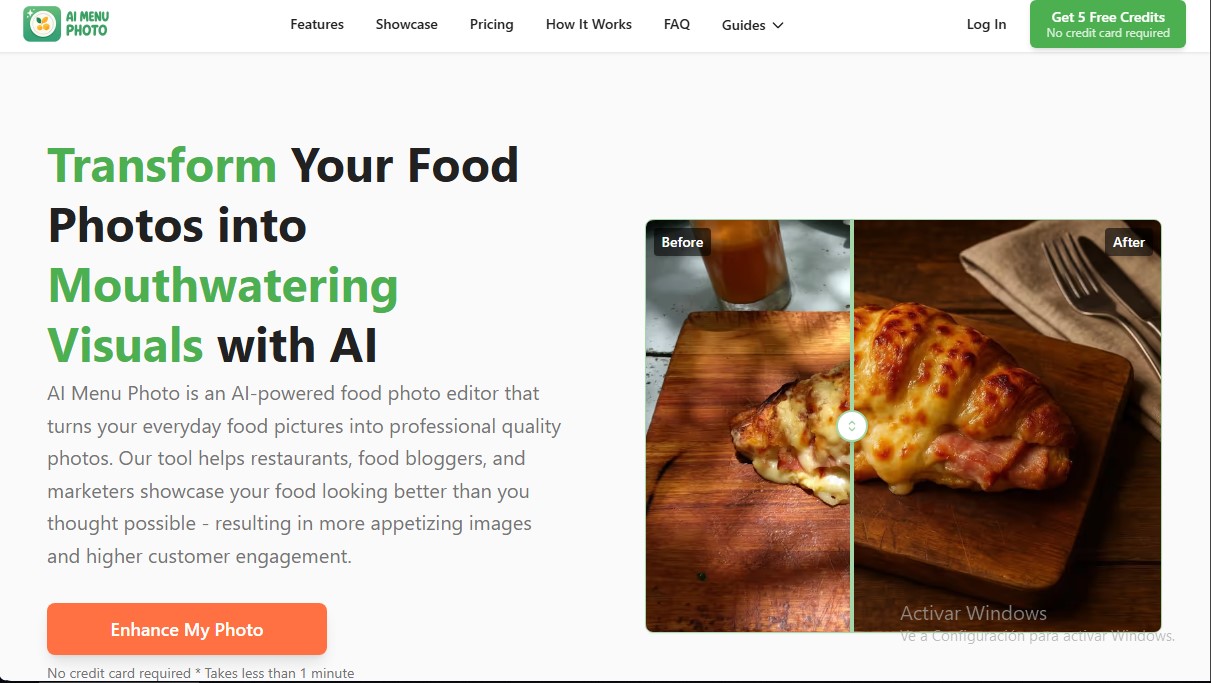
Turn food photos into professional shots with AI. Instantly enhance lighting, remove backgrounds, and reformat for delivery apps and social media.
What is AI Menu Photo?
AI Menu Photo is a specialized food image editor that uses artificial intelligence to transform everyday food photography into high-quality professional visual assets. This tool is specifically designed to help restaurants, food bloggers, and marketing managers enhance the aesthetics of their digital menus and social media profiles without the need for expensive photo shoots or complex editing software.
The platform's operation is based on generative AI models that go beyond simply applying traditional filters; instead, they regenerate the image to optimize realism and detail. The system analyzes the lighting, color, and composition of any shot taken with a smartphone or computer. Through advanced processing, the tool allows for edits using text prompts, facilitating tasks such as adding or removing ingredients, adjusting plating, or modifying garnishes instantly and realistically.
Key features of AI Menu Photo include:
- Predefined professional styles: Apply curated aesthetics such as clean white plate, rustic wood, dark mood, or botanical style to maintain brand visual consistency.
- Multi-angle generation: From a single photograph, the AI can recreate different perspectives, including top-down views, 45-degree angles, or side profiles.
- Smart background management: Automatically detects and removes distracting elements, replacing them with clean or custom backgrounds that make the main product stand out.
- Lighting and color correction: Automatically adjusts white balance and exposure so that food looks fresh and appetizing.
- Optimization for delivery platforms: Includes export tools with specific size and aspect ratio settings for Uber Eats, DoorDash, Grubhub, and Instagram, preventing improper cropping.
Using this AI food photography solution offers direct operational benefits, especially for ghost kitchens (cloud kitchens) and e-commerce businesses that need to update their catalogs frequently. By automating image upscaling and visual cleanup, it ensures that photos meet the demanding technical standards of delivery apps, helping to reduce image rejection rates and improve order conversion.
AI Menu Photo positions itself as an automated photo editing tool that democratizes access to high-end imagery, allowing any hospitality business to compete visually in the digital space with results that look like they were shot in a professional studio. It is a practical and efficient option for maximizing a menu's visual impact in a matter of seconds.
AI Menu Photo features and use cases
How to use AI Menu Photo
AI Menu Photo FAQ
What exactly is AI Menu Photo, and who is it for?
It is an AI-powered photo editor designed for restaurants and food bloggers to turn basic snapshots into professional, mouth-watering food photography.
Can I enhance my menu photos if I took them with a smartphone?
Yes, AI Menu Photo is optimized to transform basic smartphone shots into high-quality images with professional-grade lighting and clarity.
How does AI Menu Photo help me meet Uber Eats or DoorDash requirements?
The tool automatically adjusts the size, framing, and background of your photos to ensure they meet the technical standards of leading delivery platforms.
Can I change the camera angle of a dish using just one image?
Yes, AI Menu Photo's technology lets you generate different perspectives, such as top-down views or 45-degree angles, from a single original photo.
Does AI Menu Photo let me add or modify ingredients in a food photo?
Yes, you can use simple text prompts to add sides or retouch specific ingredients instantly and realistically.
What export options does the tool offer for social media?
You can download your images in square, landscape, or portrait formats to perfectly fit Instagram, Facebook, or your own website.
Do I have to pay anything to try out AI Menu Photo?
Not at all. You can get five free credits to test the tool without having to provide any credit card information.
AI Menu Photo pricing and plans
Free Trial
5 free credits.
No credit card required.
AI-powered food photo transformation.
Starter: $5.99/mo
10 credits per month.
Food photo uploads.
Professional style presets.
Square image format (1:1).
Basic generation queue.
AI model optimized for food.
Option to purchase additional credits.
Professional: $11.99/mo
20 credits per month.
Includes all Starter plan features.
Consistent style memory.
Reference image uploads.
Digital menu builder.
Custom style prompts.
Square and landscape image formats.
Priority processing queue.
Credit Top-ups
50 credits: $19.99.
100 credits: $34.99.
200 credits: $59.99.
Additional credits do not expire as long as the subscription is active.
AI Menu Photo Screenshots
AI Menu Photo alternatives

ColorCraft
Create Amazon KDP books. Generate coloring pages, stories, puzzles, and print-ready full covers, plus promotional mockups in a single workflow.




