
Share
Turn two photos into a Hotel Lobby-style music video. Automatically generate a rap performance with your faces, original choreography, and music in seconds.
What is AI Migos Video?
AI Migos Video is a specialized tool designed for creating viral content based on the popular Hotel Lobby AI style. This application allows you to transform two static photographs into an animated music video that faithfully recreates the aesthetic and movements of a well-known rap performance in an orange booth. Unlike other generic solutions, this generator is specifically engineered for this format, ensuring that both subjects interact independently according to the rhythm of the music and the original choreography.
The functionality of AI Migos Video goes beyond a simple face swap. The technology performs a full rendering of the performance around the individuals in the images. This means the system adapts profiles, hands, and clothing to match the users' physical features while maintaining synchronization, the hanging microphone, and original gestures frame by frame. The process runs entirely in the cloud via a web browser—on either a computer or mobile device—and is typically completed within three to four minutes.
To generate a video, users simply need to follow a few straightforward steps:
- Image Upload: Two well-lit, front-facing photos are required, with only one person per image. The first photo is assigned to the left position and the second to the right.
- Quality Settings: Users can choose between resolutions ranging from 480p (Lite) to 1080p (Ultra) for a sharper image.
- Duration Selection: Clips can be configured in 5, 10, or 15-second intervals.
- Direct Download: The result is an MP4 file ready to be posted on platforms like TikTok, Reels, or Shorts.
This platform is especially useful for content creators looking to jump on generative AI trends quickly without the need for video editing skills or writing complex prompts. It can process duos of friends, couples, family members, or even pets. One of its most notable features is the option to create a video with the same person on both sides of the screen by uploading two different photos of the same user, maintaining a consistent visual identity in both positions.
From a functional standpoint, AI Migos Video solves common issues found in motion transfer tools, where the second subject often remains static. Here, both characters move autonomously, trading verses and gestures. The system guarantees that if a rendering fails due to technical issues, user credits are not consumed, ensuring that you only get charged for completed, high-quality results.
AI Migos Video features and use cases
How to use AI Migos Video
AI Migos Video FAQ
What exactly is AI Migos Video?
It’s a tool that recreates the viral "Hotel Lobby" music video using two photos to place your faces in the famous orange booth with the original dance moves and music.
How can I create my own video with AI Migos Video?
Just upload two individual front-facing photos, choose your desired quality, and wait about three minutes for the content to process.
What kind of photos should I upload for the best results?
Ideally, you should use well-lit photos of a single person looking directly at the camera, without accessories like sunglasses that cover the face.
Is AI Migos Video free to use?
When you sign up, you receive ten free credits for a five-second preview. After that, you can choose a paid plan based on your needs.
How long does it take to generate the video?
The rendering process is typically completed within two to four minutes, depending on the current server load.
What happens if the video generation fails?
There’s no need to worry—your credits are automatically returned to your account if the rendering fails or is blocked by filters.
Can I use the tool from my mobile phone?
Yes, the generator works directly in the browser of any smartphone or desktop without the need to install any additional apps.
What is included in the final version of the video?
You will receive a high-quality MP4 file featuring the original performance audio and no watermarks, so you can post it anywhere.
How is it decided who appears on the left and who appears on the right?
The first photo you upload will always appear on the left side of the screen, and the second photo will take the spot on the right.
Is AI Migos Video an official product of the music group?
No, this is an independent tool that is not affiliated with the original artists or their record label.
AI Migos Video pricing and plans
Free Version
- Price: 0 €.
- 10 free credits upon signup.
- Generate a 5-second preview in Lite quality (480p).
Starter (Monthly)
- Price: 9,99 $ per month.
- 60 credits per month (equivalent to one 15-second standard video or two 10-second videos).
- Access to all quality levels (up to 1080p).
- No watermarks.
- Downloads available for any platform.
Starter (Annual)
- Price: 89,99 $ per year (equivalent to 7,50 $/mo).
- 30 full 15-second videos per year.
- Same features as the monthly plan with 70% savings per video.
Pro
- Price: 29,99 $ per month (or 179,99 $ per year).
- 400 credits per month (equivalent to 6 standard 15-second videos).
- Priority rendering.
- Access to all quality levels and no watermarks.
Studio
- Price: 59,99 $ per month (or 359,99 $ per year).
- 1,000 credits per month (equivalent to 16 standard 15-second videos).
- Priority rendering and dedicated technical support.
- Designed for content creators and agencies.
Credit Packs (One-time purchase)
- 20 credits: 4,99 $ (enough for one 5-second video at 720p).
- 200 credits: 49,99 $ (enough for three 15-second videos at 720p).
- Credits are valid for 12 months.
- No recurring subscription.
Credit consumption per video:
- Lite (480p): 10 credits per video.
- Standard (720p): 20 credits per 5 seconds (60 credits for a full 15s video).
- Plus (enhanced 720p): 50 credits per video.
- Ultra (1080p): 210 credits per video.
- Failed renders are not charged and are automatically refunded to your balance.
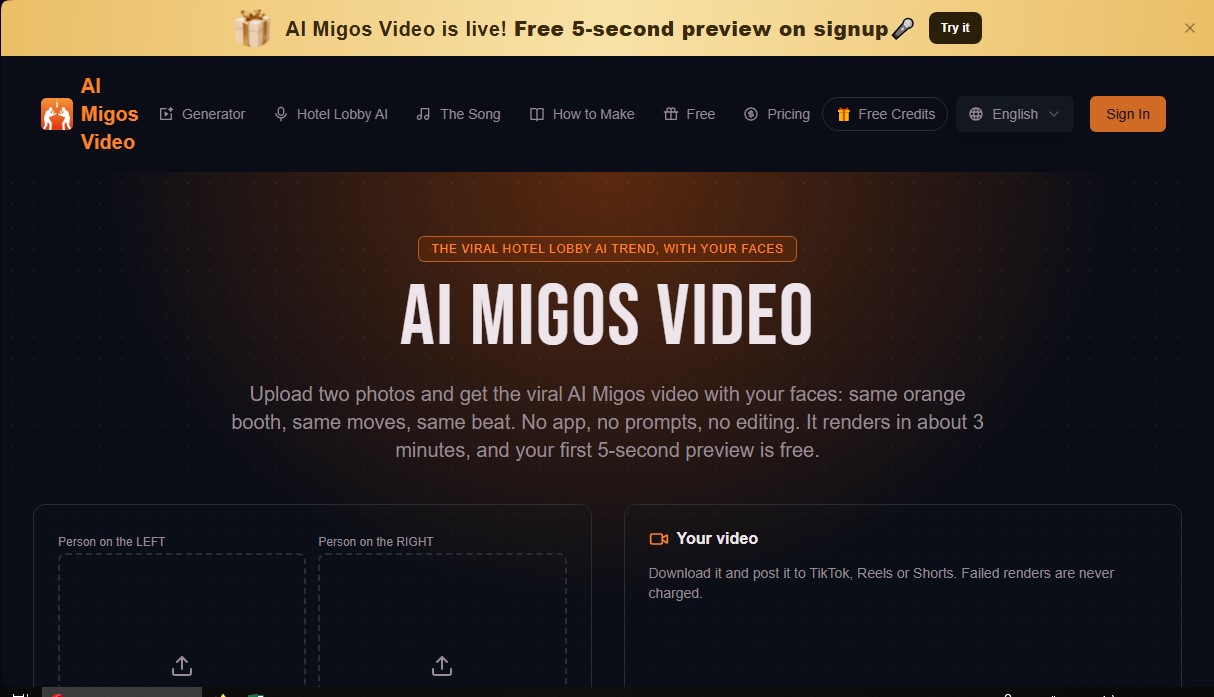
AI Migos Video Screenshots
AI Migos Video alternatives

VideoWeb Video Generator
Generate professional AI videos from text or images. Features realistic avatars, automated scripts, and optimized formats for marketing and social media.

Motion Transfer AI Video Generator
Animate character photos using reference videos. Precisely transfer gestures, dances, and body movements from a clip to an image for realistic results.


AlreadyRan
AlreadyRan brings dozens of AI image, video and audio models into one web studio with a single credit balance and the cost shown before every generation.


Vidverse AI
Vidverse AI brings several AI video, image and voice models into one web and mobile app, so you can turn text or photos into clips, images and voiceovers.