

Share
Edit images with AI using text prompts. Remove backgrounds, erase objects, restore old photos, and enhance portraits without registration or watermarks.
What is AI Picture Editor?
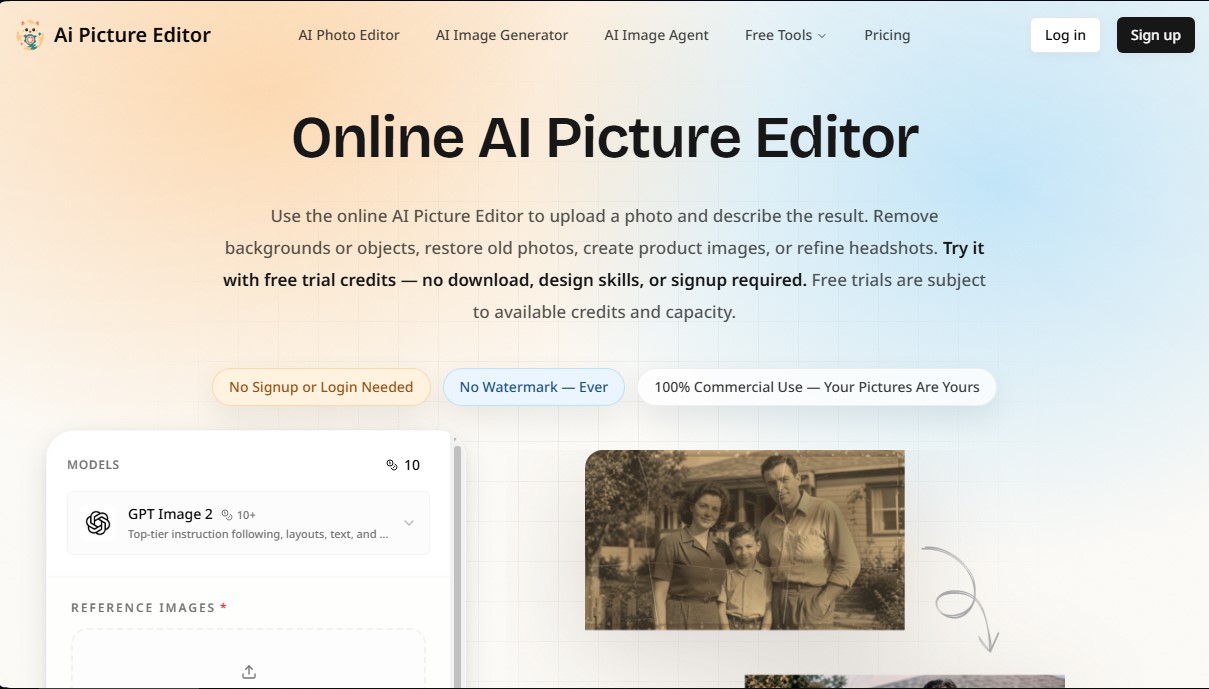
AI Picture Editor is an advanced AI-powered image editing solution that allows you to modify photos using natural language text prompts. Unlike traditional editors that require the use of manual layers or masks, this online tool utilizes language and image processing models to interpret descriptive commands and automatically execute complex changes. It is designed to work directly from your browser—whether on a computer, smartphone, or tablet—eliminating the need to download additional software.
The workflow of AI Picture Editor is based on a simplified process: upload the file (compatible with JPG, PNG, and WEBP formats), describe the desired change, and process the result. The platform integrates cutting-edge technologies like GPT Image 2, which stands out for its ability to follow precise instructions while maintaining the visual coherence of the original subject. Its core technical capabilities include:
- Background Management: Allows you to remove backgrounds with professional precision or replace them with AI-generated scenes, automatically adjusting lighting and shadows for a realistic finish.
- Object Removal: Thanks to its object eraser feature, you can remove unwanted elements, people, or logos, naturally reconstructing the affected area.
- Old Photo Restoration: The AI can repair scratches, enhance facial sharpness, and recover faded colors in damaged images.
- Portrait Retouching: Simplifies the creation of professional headshots by smoothing skin, correcting blemishes, and adjusting facial expressions.
- Style Transfer: Transforms photos into anime-style illustrations, oil paintings, or cinematic scenes while maintaining the subject's structure.
- Quality Enhancement: Includes tools for image upscaling, reducing digital noise, and increasing the clarity of low-resolution files.
This tool is particularly useful for e-commerce sellers who need consistent product images, social media content creators, and photographers looking to streamline their workflow. AI Picture Editor offers an adjustable output resolution up to 4K, ensuring high-quality files without watermarks. Additionally, it supports uploading up to 16 images for image-to-image generation processes, facilitating creative iteration. As an accessible platform with no registration required for initial testing, it positions itself as a practical option for users who lack advanced graphic design skills but require professional-grade results for commercial or personal use.
AI Picture Editor features and use cases
How to use AI Picture Editor
AI Picture Editor FAQ
What is AI Picture Editor and what can I do with it?
It’s an AI-powered online photo editor that allows you to modify images using text prompts, remove backgrounds, erase unwanted objects, or restore old photos.
Do I need to sign up to try AI Picture Editor?
No account or login is required to get started, as you can use the free trial credits available based on system capacity.
Will my photos have watermarks when I download them?
No, all edited images are downloaded without watermarks under any usage mode, ensuring a clean and professional finish.
Can I use images from AI Picture Editor for commercial purposes?
Yes, you have 100% commercial use rights for your photos, meaning you fully own your creations for your projects.
What image formats are supported by the tool?
You can upload JPG, PNG, and WEBP files, with a size limit of up to 10 MB per image for users who are not logged in.
How can I improve the quality of a blurry photo?
Simply upload the image and use the enhancement features to upscale the resolution, sharpen details, reduce visual noise, and automatically correct lighting.
Is it possible to restore damaged family photos with AI Picture Editor?
Yes, the tool allows you to easily repair scratches, restore faded colors, and improve facial definition in old photographs.
What payment options are available if I run out of credits?
We offer monthly plans called Basic, Pro, and Max with different credit amounts, as well as the option to purchase one-time top-up packs.
AI Picture Editor pricing and plans
Free Version: 0 €
Free trial credits available with no registration or credit card required.
One-time bonus credits upon creating a new account.
Access subject to server capacity and credit availability.
Watermark-free downloads.
Basic Plan: 15,9 $ per month (or 133,2 $ per year)
600 monthly credits included.
Up to 120 standard image edits per month.
Image editing via prompts, cleanup, and background changes.
Full commercial usage rights.
24/7 customer support.
Watermark-free exports.
Pro Plan: 29,9 $ per month (or 250,8 $ per year)
1,500 monthly credits included.
Up to 300 standard image edits per month.
Image editing via prompts, cleanup, and background changes.
Full commercial usage rights.
24/7 customer support.
Watermark-free exports.
Max Plan: 69,9 $ per month (or 586,8 $ per year)
4,000 monthly credits included.
Up to 800 standard image edits per month.
Optimized for batch processing and team workflows.
Full commercial usage rights.
24/7 customer support.
Watermark-free exports.
Credit Pack (Top-up): 9,9 $ (one-time payment)
300 credits valid for 30 days.
Approximately 60 standard image edits.
Same benefits as subscription plans (excluding recurring credits).
AI Picture Editor Screenshots
AI Picture Editor user reviews
Write a review
Checking your session...
AI Picture Editor Reviews
Loading reviews...
AI Picture Editor alternatives

utilz Background Remover
Remove image backgrounds for free with total privacy in your browser. Create transparent or colored backgrounds without uploading files while maintaining original resolution.

ColorCraft
Create Amazon KDP books. Generate coloring pages, stories, puzzles, and print-ready full covers, plus promotional mockups in a single workflow.



