Share
Airparser
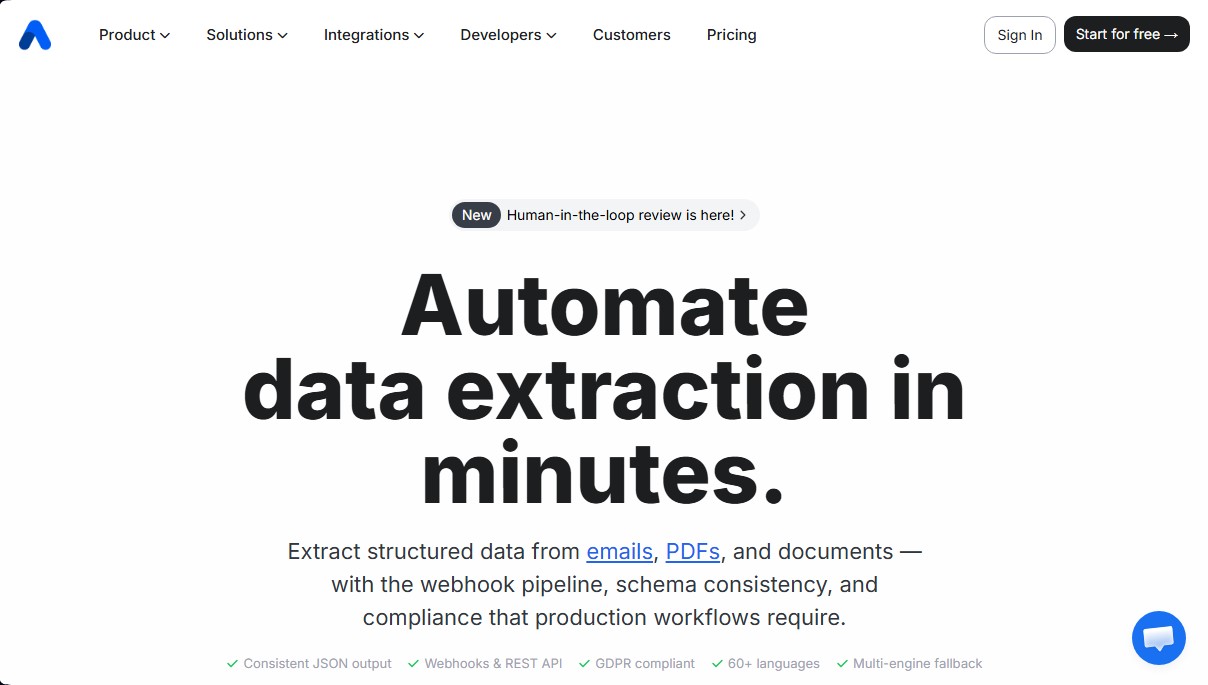
Extract structured data from emails, PDFs, and documents—including handwriting—using AI. Automate capture and delivery to other apps via API or webhooks.
General Information about Airparser
Airparser is an advanced structured data extraction platform that leverages large language models (LLMs) to automate information capture from various sources. This tool enables the efficient processing of emails, PDF documents, text files, and even scanned images. Its primary function is to transform unstructured content into a consistent JSON format, facilitating immediate integration into professional workflows without the need for manual data entry.
Airparser's technology combines AI OCR, Text LLM, and Vision LLM engines, significantly reducing error rates compared to traditional rule-based methods. Unlike other extractors, this tool understands the context and meaning of fields, recognizing data such as names, addresses, or amounts regardless of the document's layout. Additionally, it is capable of interpreting handwritten text and documents in over 60 languages, ensuring high accuracy even in complex data migration or cleaning tasks.
Key functional capabilities and practical benefits include:
- Automatic data extraction from attachments, email bodies, and documents uploaded manually or via API.
- Human-in-the-loop review, a system that allows for human validation to review, correct, and approve data in low-confidence documents.
- Compatibility with multiple content types such as invoices, contracts, resumes (CVs), receipts, and order confirmations.
- Enterprise-grade security with GDPR compliance, data encryption at rest and in transit, and a strict policy that prevents the use of user data to train AI models.
The tool's operation is structured into three steps: import, extraction, and export. Users simply describe the fields they wish to obtain using a straightforward extraction schema. Once the information is processed, Airparser allows results to be sent in real-time via webhooks or its REST API, or downloaded in standard formats such as Excel, CSV, or JSON.
This solution is ideal for technical professionals and companies in sectors like logistics, finance, or human resources that need to optimize their automation processes. Thanks to its native integration with Zapier, Make, and n8n, extracted data can be automatically sent to over 7,000 applications, including Google Sheets, HubSpot, Salesforce, and Slack, eliminating repetitive tasks and improving operational productivity.
Features and Use Cases of Airparser
How Airparser Works
Frequently Asked Questions about Airparser
What types of documents and files can Airparser process?
The tool allows you to accurately extract data from emails, PDFs, Word documents, images, HTML files, and handwritten text.
How long does it take to set up an extraction in Airparser?
Most users process their first document in under five minutes, as you only need to describe the fields you want to extract without writing any code.
Does Airparser use my private data to train its AI models?
No. We have a strict policy ensuring that your documents and extracted data are never used to train or improve AI or language models.
What external apps can the tool integrate with?
You can connect the system to over 7,000 apps via Zapier, Make, and n8n, in addition to direct integrations with Google Sheets, Slack, and HubSpot.
Do I need a credit card to try Airparser?
No payment method is required to get started. You can sign up for free and receive 30 credits to test all features.
What happens if the tool isn't sure about the accuracy of an extraction?
Airparser includes a human review feature that flags low-confidence documents for your team to manually verify and approve before they are processed.
How many languages does Airparser support for data extraction?
The extraction engine is capable of recognizing and processing text in over 60 different languages, including scanned documents and handwritten notes.
Is the platform compliant with European data protection regulations?
Yes, the service is fully GDPR-compliant and uses bank-grade encryption for both data at rest and data in transit.
Airparser Pricing
Trial
Free (30 one-time credits)
Full access to all features.
30-day document retention.
No credit card required.
Starter
$39/month ($33/month billed annually)
100 credits/month (1 credit equals 1 PDF page, 1 email, 1 image, or 1 HTML document).
30-day document retention.
OCR support for images, scanned documents, and handwriting.
LLM Vision engine included.
API, Webhooks, and integrations access.
Growth
$59/month ($49/month billed annually)
500 credits/month.
90-day document retention.
OCR support for images, scanned documents, and handwriting.
LLM Vision engine included.
API, Webhooks, and integrations access.
Business
$179/month ($149/month billed annually)
2,000 credits/month.
90-day document retention.
Unlimited team members.
OCR support for images, scanned documents, and handwriting.
LLM Vision engine included.
API, Webhooks, and integrations access.
Premium
$299/month ($249/month billed annually)
5,000 credits/month.
180-day document retention.
Unlimited team members.
OCR support for images, scanned documents, and handwriting.
LLM Vision engine included.
API, Webhooks, and integrations access.
Airparser Screenshots