Share
What is AnyImg?
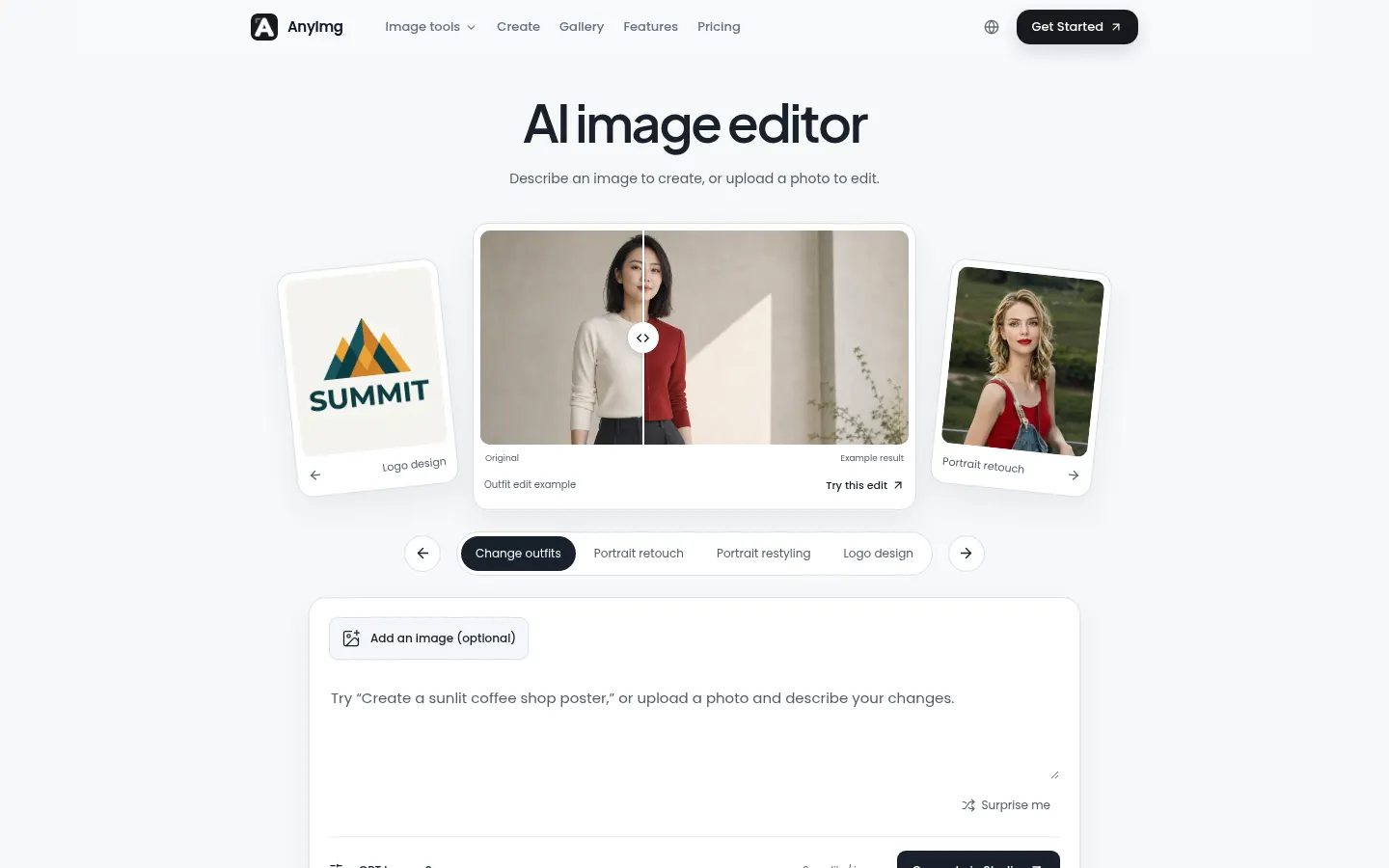
AnyImg is an AI image editor and generator driven by text prompts, built for creators, brands and online stores that need product photos, campaign visuals or portraits without a traditional editor. Describe what to create, or upload up to four images and explain what to change.
What is AnyImg used for?
Use it to remove objects, swap backgrounds, retouch portraits, change outfits or their color, transfer a style from another photo, design logos or produce product shots on a white background. From one studio you choose the model (GPT Image 2, Nano Banana Pro or Nano Banana 2), the aspect ratio (1:1 to 21:9) and resolution up to 4K. Uploads of up to 10 MB per image are supported.
How does AnyImg work?
There are two ways to edit. With text, you give an overall instruction; with region editing, you brush only the area to change (say, the lips) and the AI alters that part while keeping pose, identity, lighting and background. It can combine several references, such as a model and a perfume bottle, into a consistent set: key visual, social creative, website hero and product detail. Version Trail saves every branch with its source and result so you can compare or roll back.
Who is AnyImg for?
- E-commerce stores that need product photos and clean backgrounds.
- Marketing teams building campaigns around one visual direction.
- Creators and designers retouching portraits or testing styles.
- Founders who want a quick logo or packaging mock-up.
AnyImg pros and cons
It brings several leading image models into one interface, includes commercial use on paid accounts and does not charge for failed tasks. Uploaded images stay on your device until you generate. On the downside, editing requires sign-in, higher resolutions and advanced models use up credits faster, and it handles still images only, not video. The site is available in English and Chinese.
AnyImg features and use cases
How to use AnyImg
AnyImg FAQ
What is AnyImg?
AnyImg is an AI image editor and generator that changes photos from text instructions or a brushed area.
Is AnyImg free?
It gives free credits on sign-up; monthly plans cover ongoing use. See the pricing section for details.
Which AI models does AnyImg use?
You can pick GPT Image 2, Nano Banana Pro or Nano Banana 2, each with its own credit cost.
Can I edit just part of a photo?
Yes. With region editing you brush the area and the AI changes only that part, leaving the rest intact.
Can I use the images commercially?
Paid plans include commercial use and watermark-free downloads; you are responsible for the rights to what you upload.
What is the maximum resolution?
Up to 4K, with aspect ratios from 1:1 to 21:9.
What happens if a generation fails?
Failed tasks automatically return the credits they used.
Does AnyImg have an API?
The official site does not mention a public API; it runs in the browser studio.
Does AnyImg work in Spanish?
The interface is in English and Chinese, but prompts can be written in other languages the models understand.
What are the alternatives to AnyImg?
On GptZone you can compare it with Photoroom, Pixelcut or Flair AI, popular for product photos and AI editing.
AnyImg pricing and plans
Reference price: 9.9 USD / month. Source · Verified: November 14, 2026
Prices in US dollars (USD) as listed on the official site. Checked on: 14/11/2026.
New accounts receive free credits with access to every model, no card needed.
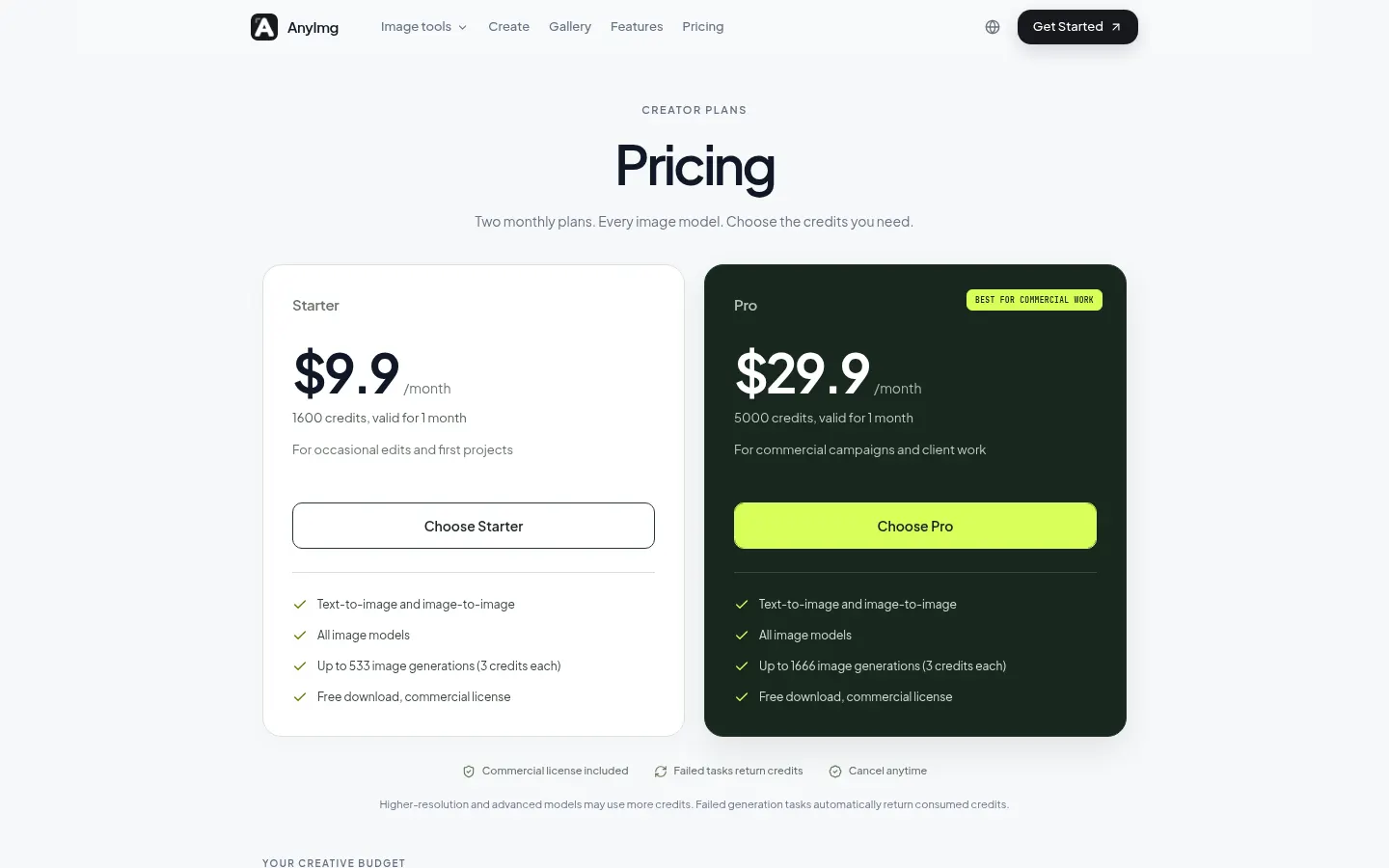
Starter: $9.9/month. 1,600 credits valid for one month (up to 533 images with GPT Image 2 at 1K).
Pro: $29.9/month. 5,000 credits valid for one month (up to 1,666 images with GPT Image 2 at 1K).
- Both plans: text-to-image and image-to-image, all models, downloads and commercial license.
- Cost at 1K: GPT Image 2, 3 credits; Nano Banana 2, 4; Nano Banana Pro, 7. Higher resolutions cost more.
- Monthly credits do not roll over; failed tasks return credits. Cancel anytime.
AnyImg Screenshots
AnyImg user reviews
Write a review
Checking your session...
AnyImg Reviews
Loading reviews...
AnyImg alternatives
Virtual Staging AI Studio
Virtual Staging AI Studio is an AI tool that furnishes and styles empty property photos for listings, with one free image a day and watermark-free downloads.
Animate Image AI
Animate Image AI is an AI photo animator: upload an image, describe the motion and get a 2- to 15-second video you can download as an MP4.



Shortodella
Shortodella is an AI image and video generator that combines creation, editing, photo animation and batch review on one chat-driven canvas.