Share
What is Retypit?
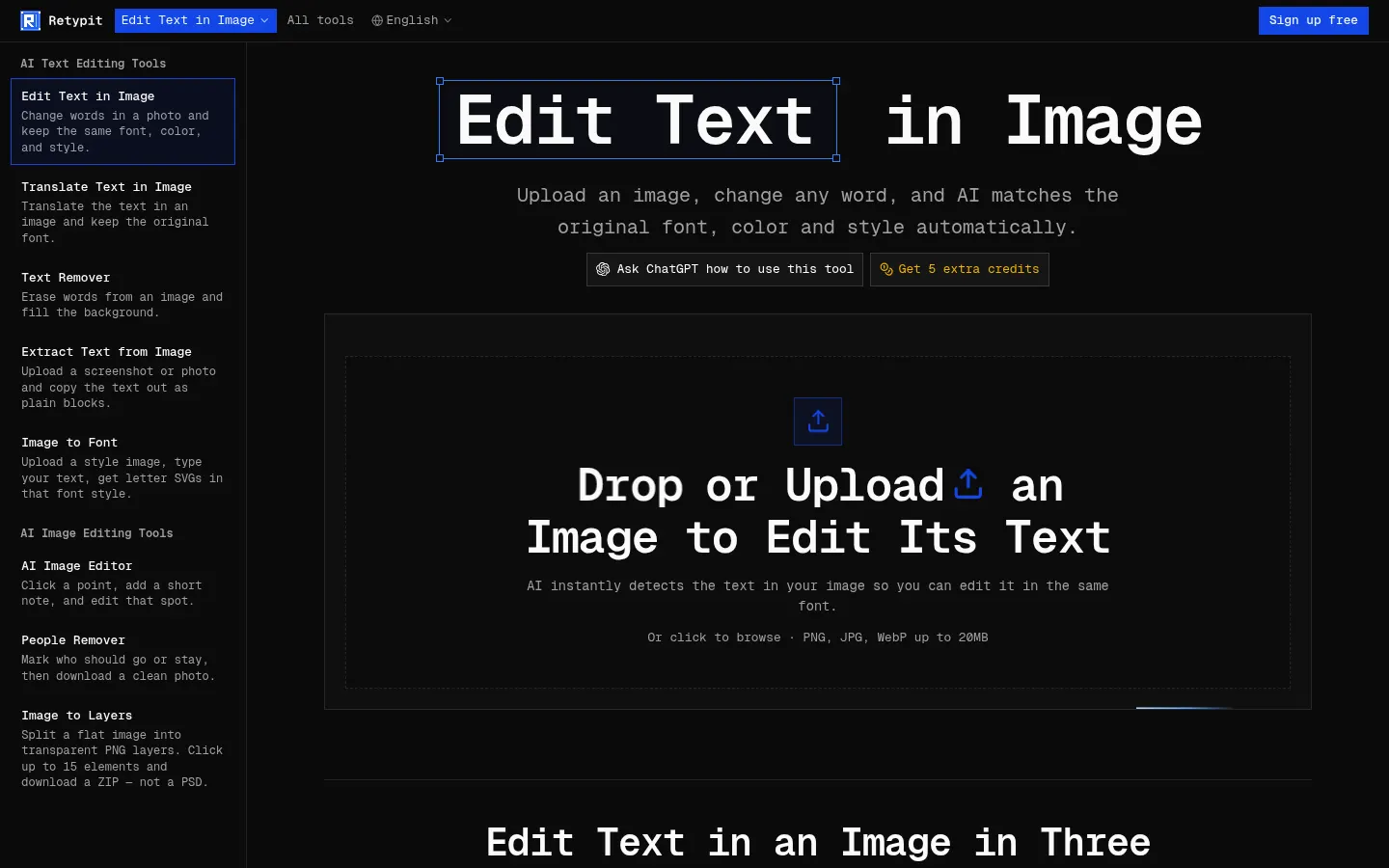
Retypit is an AI tool (by Visionforge Co., Ltd.) for editing text in an image while keeping the original font, color and style, built for anyone who needs to fix posters, menus, labels or screenshots without Photoshop or the source PSD.
What is Retypit used for?
It changes words already baked into a photo or flat design: update a flyer date, rename a storefront sign, correct the figures on a photographed restaurant menu or repair the garbled lettering in AI-generated images. Beyond the main editor, it offers tools to translate text in an image in the same typeface, remove text and fill the background, extract text, erase people, split an image into PNG layers and get letter SVGs in the style of a sample.
How does Retypit work?
Upload a JPG, PNG or WebP of up to 20 MB and the AI detects and numbers every line of text. Select the lines to change, type the new words and click Run: the model rebuilds the text in the same lettering, color and texture, leaving faces, backgrounds and layout untouched. It even handles ornate script and decorative type. Everything runs in the browser with nothing to install.
Who is Retypit for?
- Restaurants and shops updating photographed menus, posters or signs.
- Online stores fixing label and packaging text for product listings.
- Creators cleaning up memes, social graphics or AI images with typos.
Retypit pros and cons
Its strength is changing only the selected line rather than regenerating the whole image, and it respects decorative lettering that other editors swap for a generic font. Credits never expire. On the downside, the site admits minor changes can appear elsewhere in the image, every edit uses credits, Image to Font outputs SVGs rather than a .ttf file, and Image to Layers delivers PNGs in a ZIP, not a PSD.
Retypit features and use cases
How to use Retypit
Retypit FAQ
What is Retypit?
Retypit is an AI editor that changes the text in an image while keeping the original lettering font, color and style.
Is Retypit free?
Sign-up is free, but edits are paid for with one-time credit packs. See the pricing section for details.
Do I need Photoshop or the PSD file?
No. Retypit works directly on the flat image in your browser, with no layers or design software.
Does it work with decorative fonts?
Yes. It is designed to preserve ornate or script lettering that other editors often replace with a generic font.
Can I translate the text in an image?
Yes. The Translate Text in Image tool translates the text and re-renders it in the original typeface.
Does it change other parts of the image?
It only edits the selected lines; the site notes that minor changes elsewhere can occasionally happen.
Does Retypit have an API?
The official site does not mention a public API; it is used in the browser.
Does Retypit work in Spanish?
The interface is in English, but you can type replacement text in Spanish with accents and translate images into other languages.
What are the alternatives to Retypit?
On GptZone you can compare it with Photoroom or Canva, which include AI image editing tools.
Retypit pricing and plans
Reference price: 5.99 USD · one-time payment. Source · Verified: November 15, 2026
Prices in US dollars (USD) as listed on the official site. Checked on: 15/11/2026. One-time credit packs with no automatic renewal.
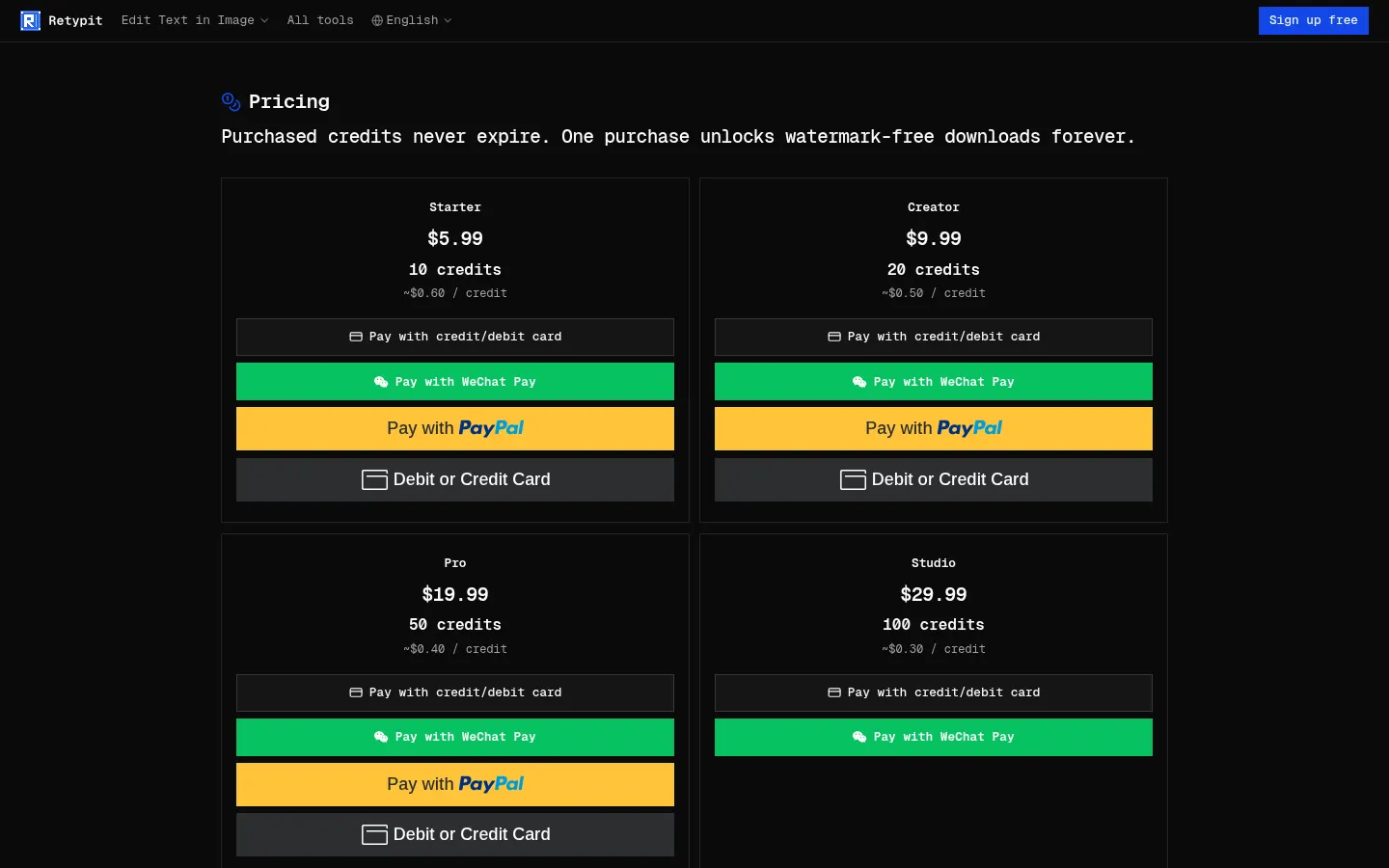
- Starter: $5.99 for 10 credits (about $0.60/credit).
- Creator: $9.99 for 20 credits.
- Pro: $19.99 for 50 credits.
- Studio: $29.99 for 100 credits.
- Business: $59.99 for 250 credits.
- Enterprise: $99.99 for 500 credits (about $0.20/credit).
Purchased credits never expire, and your first purchase permanently enables watermark-free downloads. Credits are charged per run; text layers and Image to Layers cost 1 credit per layer. Sign-up is free.
Retypit Screenshots
Retypit user reviews
Write a review
Checking your session...
Retypit Reviews
Loading reviews...
Retypit alternatives

Virtual Staging AI Studio
Virtual Staging AI Studio is an AI tool that furnishes and styles empty property photos for listings, with one free image a day and watermark-free downloads.
Animate Image AI
Animate Image AI is an AI photo animator: upload an image, describe the motion and get a 2- to 15-second video you can download as an MP4.



Shortodella
Shortodella is an AI image and video generator that combines creation, editing, photo animation and batch review on one chat-driven canvas.