

Share
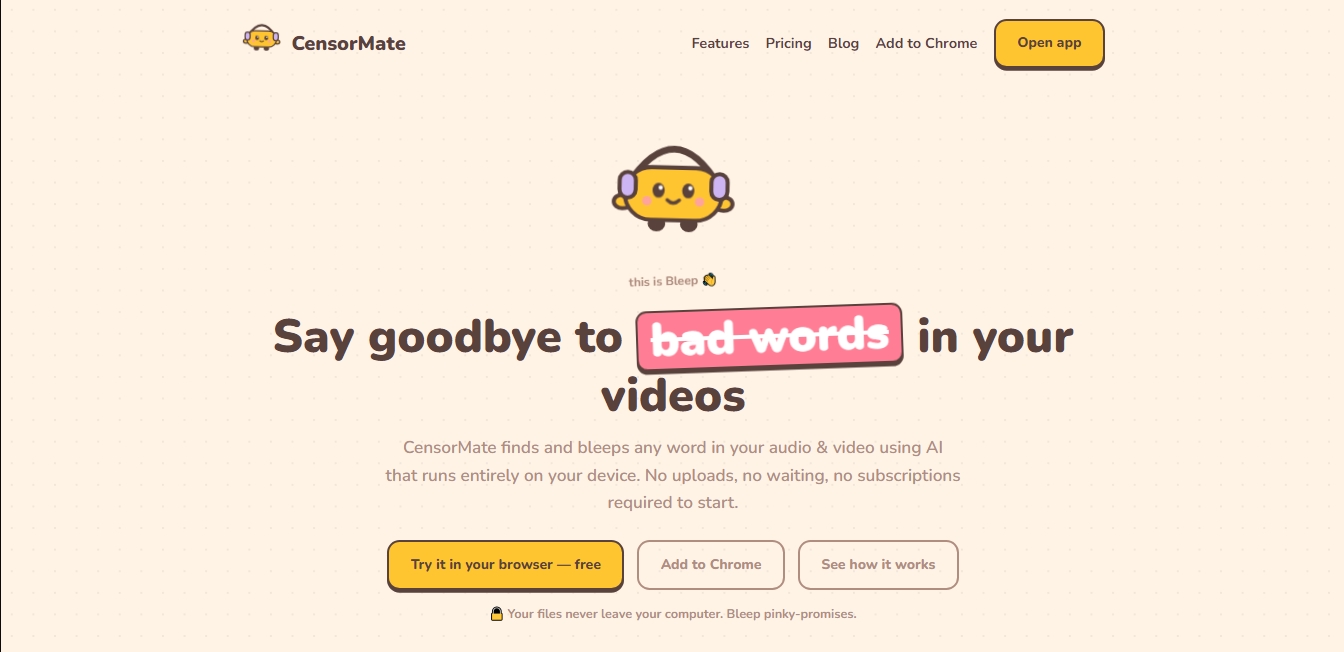
Automatically censor words in video and audio with local AI. Prevent content demonetization and protect your privacy without uploading files to the internet.
What is CensorMate?
CensorMate is an AI-powered tool designed to automatically locate and censor unwanted words in audio and video files. Its primary function is to simplify multimedia content editing for creators who need to keep their videos advertiser-friendly or comply with privacy regulations. Unlike other cloud-based services, this application stands out by performing all processing locally within the user's browser, ensuring that original files never leave the computer or mobile device.
The technology powering CensorMate is based on the OpenAI Whisper speech recognition model. This AI system generates an automatic transcription with precise word-level timestamps, allowing specific terms to be identified with high accuracy. The process is straightforward: the user uploads a file in formats such as MP3, MP4, WAV, MOV, or WebM; the AI analyzes the audio and highlights words that match a list of prohibited terms. Once identified, the system applies a beep or silence directly over the detected word without affecting the rest of the speech.
This AI tool offers advanced content control capabilities:
Absolute Privacy: By running the AI locally, no files are uploaded to servers, making it ideal for handling sensitive or corporate material.
One-Click Editing: The user has the final say and can review the transcription to manually censor or uncensor terms before the final export.
Lossless Video Export: The software reconstructs only the bleeped audio track, keeping the video's original image quality completely intact.
Multilingual Support: It is capable of processing content in 21 languages, including English, Spanish, French, and German.
Keyword Management: It allows users to upload custom text lists to automate the censoring of brand names, people, or private information.
CensorMate is particularly useful for content creators on YouTube, TikTok, and Reels looking to avoid demonetization due to inappropriate language. It is also a practical solution for legal, HR, or education professionals who need to quickly anonymize recordings and remove personal data. By eliminating the need to manually edit every word on a traditional timeline, this tool significantly optimizes the post-production workflow.
CensorMate features and use cases
How to use CensorMate
CensorMate FAQ
Are my files uploaded to a server when using CensorMate?
No, the tool processes everything locally in your browser, and your files never leave your device to ensure your total privacy.
Is CensorMate completely free?
There is a free plan that allows for unlimited audio censoring and videos up to one minute long, while paid versions remove all duration limits.
What languages can the AI detect?
The system can recognize and censor terms in twenty-one different languages, including English, Spanish, French, and German.
Can I choose specific words to censor with CensorMate?
Yes, you have full control to set up your own lists of words, names, or brands, and you can even review the final transcript before downloading the file.
What file formats can I use on the platform?
The tool supports the most common audio and video formats, such as MP3, WAV, MP4, MOV, and WebM, ensuring that the original image quality remains unaffected.
Does CensorMate work on mobile devices?
Yes, you can access it through your mobile phone's browser to edit short social media clips without needing to install any additional apps.
Can I get a refund if I’m not satisfied with my purchase?
The platform offers a 14-day, no-questions-asked money-back guarantee for all subscriptions and lifetime access plans.
How accurate is the censoring in videos?
CensorMate uses word-level timestamps to place the bleep exactly over the detected term without affecting the words before or after it.
CensorMate pricing and plans
Free
0 $
Unlimited audio censorship.
Process files up to 10 minutes long.
Access to fast and balanced AI models.
Video exports limited to a maximum of 1 minute (designed for TikToks and Shorts).
Pro Monthly
3,99 $ per month
Full-length censored video exports.
No file length limits.
Access to the high-precision AI model.
Use keyword packs and saved lists.
Cancel anytime.
Pro Annual
24 $ per year
Full-length censored video exports.
No file length limits.
Access to the high-precision AI model.
Use keyword packs and saved lists.
Lifetime
49 $ (one-time payment)
Lifetime access to all Pro features.
No recurring fees or subscriptions.
CensorMate Screenshots
CensorMate user reviews
Write a review
Checking your session...
CensorMate Reviews
Loading reviews...
CensorMate alternatives



MicMonster
Generate natural voiceovers from text with 800+ voices in 140 languages. Adjust intonation and pace to create professional videos, podcasts, and audiobooks.

BeatMuse AI Music Generator
Generate AI songs, vocals, and instrumentals from text. Edit tracks, extend songs, create versions, and separate audio stems for commercial projects.

Noise Cleaner
Remove background noise from audio and video files using AI. Clean up podcasts, interviews, and meetings in various formats with a comparison preview before downloading.