Share
Remove background noise from audio and video files using AI. Clean up podcasts, interviews, and meetings in various formats with a comparison preview before downloading.
What is Noise Cleaner?
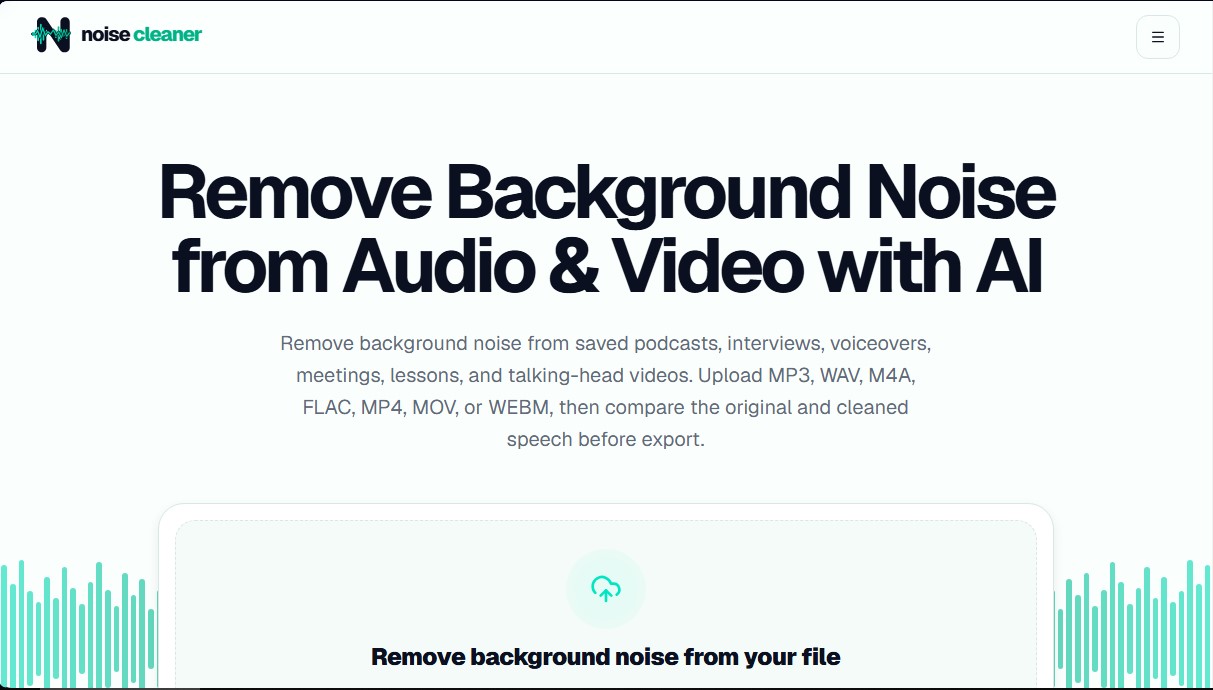
Noise Cleaner is an advanced artificial intelligence solution specifically designed for background noise removal in voice recordings. This tool focuses on improving the sound quality of pre-recorded audio and video files, facilitating the work of content creators, podcasters, and professionals who need an effective audio cleaner. Its purpose is to reduce unwanted sounds that compete with speech, allowing the main voice to stand out with greater clarity without requiring complex technical knowledge in sound editing.
The operation of Noise Cleaner is based on AI noise reduction algorithms that automatically identify and attenuate mechanical and environmental sound layers. It is especially useful for dealing with microphone hiss, fan noise, electronic equipment hum, and moderate outdoor sounds like wind or rain. When processing video files, the tool stands out for maintaining the integrity of the original visual stream, replacing only the processed audio track to avoid lip-sync issues or loss of resolution in the final result.
The application's functional capabilities include:
- Multi-format compatibility: It supports working with MP3, WAV, M4A, and FLAC audio files, as well as MP4, MOV, and WEBM video containers.
- Real-time comparison: It offers a before/after playback feature so users can verify that the cleaning does not affect the naturalness of the voice, word endings, or breathing pauses.
- Private and secure processing: Files are managed via short-term signed links and are deleted from the servers after a specific period (24 hours for guests), ensuring the privacy of the material.
- Cloud management: As an online tool, it requires no heavy software installation on your computer, allowing you to upload and process files up to 50 MB quickly.
It is important to note that Noise Cleaner is a post-production tool and not a filter for live calls or streaming. While highly effective with constant noise, current technology does not remove room echo (reverberation), separate overlapping voices, or restore audio fragments that have suffered severe distortion. Therefore, it is positioned as an excellent noise reducer for podcasts, recorded interviews, academic lessons, and "talking-head" videos where speech is the central element. Users can access a free preview to validate the algorithm's effectiveness before deciding on the final export of their files.
Noise Cleaner features and use cases
How to use Noise Cleaner
Noise Cleaner FAQ
What file formats can I upload to Noise Cleaner?
The tool supports audio files in MP3, WAV, M4A, and FLAC formats, as well as video files in MP4, MOV, and WEBM.
Can I use Noise Cleaner to remove noise during a live call?
No, this application is designed exclusively for processing pre-recorded files and does not work for live calls or broadcasts.
What types of sounds can Noise Cleaner’s AI reduce?
The system is effective at reducing constant background noises such as fans, microphone hiss, light room noise, and some wind or rain sounds.
Is Noise Cleaner capable of removing echo or separating overlapping voices?
No, the tool does not remove room reflections or separate different speakers talking at the same time.
How does Noise Cleaner process video files?
The tool keeps the original video track intact and only replaces the audio track with a clean, processed version.
Is there an option to try Noise Cleaner for free?
Guest users can upload a file and listen to a free preview of the results for up to thirty seconds.
How long do my files stay saved on the server?
Guest files are deleted after twenty-four hours, while results for registered users are kept for seven days.
Is it recommended to use Noise Cleaner to improve podcast quality?
Yes, it is an ideal solution for cleaning up podcast recordings before the final editing and mastering of the episode.
Noise Cleaner pricing and plans
Guest Plan (Free)
Price: $0 (no registration required).
- Up to 30-second preview of the actual processed audio.
- File size limit of up to 50 MB per account.
- Private storage and file access for 24 hours.
- Compare original and clean audio before exporting.
One-Time Payment Packages
Price: From $3.00 (200 minutes) to $9.00 (1,000 minutes). 6,000-minute option also available.
- Processing minutes never expire.
- Full audio and video file processing.
- Results and processed files remain available for 7 days.
- Supports MP3, WAV, M4A, FLAC, MP4, MOV, and WEBM formats.
Monthly Subscription Plans
Price: From $3.00/mo (400 minutes) to $6.00/mo (1,000 minutes).
- Processing minutes renew every month.
- Unused minutes expire at the end of the billing cycle (monthly reset).
- Lowest rate per processed minute (starting at $0.006/min).
- Results and processed files remain available for 7 days.
- Full file processing with no length limits (based on available minutes).
Noise Cleaner Screenshots
Noise Cleaner alternatives

Cleanaudio
Remove background noise, wind, and echo from audio and video files with AI. Achieve professional voice clarity and studio quality with just one click.